D'Dnerd Studio · a case study
PrologueOne week in our batch

Five messages. One classroom that had outgrown WhatsApp.

Our batch for UCEED and CEED (Common Entrance Examination for Design) ran on WhatsApp and Google Meet. In one week, three students and two teachers said the same thing in different words: the tools were getting in the way of learning. This is the web app I designed and built to fix that.

My roleCo-founder and teacher · research, UX, UI, build
TeamMe, with Ganesh Shinde as co-teacher and mentor
TimelineTeaching since 2025 · designed and built in about a month, Sep–Oct 2026
OutcomeLive at dnerdstudio.com · 22 students · 1,174 past-paper questions
B27
Blueprint 27Batch group · 11 members
Spriha · StudentI lost the meeting link in the chat. Can you post it again?
Shambhavi · StudentBhaiya, where can I find the past papers and their solutions?
Tanvi · StudentI'm so confused with the topics. There's no clear way to solve questions topic by topic so I can learn the concepts one by one.
Pradyumn · TeacherMeet is lagging again. My screen share keeps freezing.
Ganesh · TeacherI can't find half the drawings I have to review. They're lost somewhere in this chat.
Five people · nobody can see progress
01What I heard

Five people, one root problem.

I prepared for CEED myself, so none of this was new to me. Laid side by side, each message pointed at a different broken tool, and all of them pointed at the same fear.

S
SprihaStudent

"I lost the meeting link."

What was really broken: Class information lived in a chat that scrolls away. The link was always somewhere above.

S
ShambhaviStudent

"Where are the past papers and solutions?"

What was really broken: Papers sat in scattered PDFs, and answers were buried in hour-long videos.

T
TanviStudent

"There's no way to study topic by topic."

What was really broken: Papers came one year at a time, so weak topics stayed invisible.

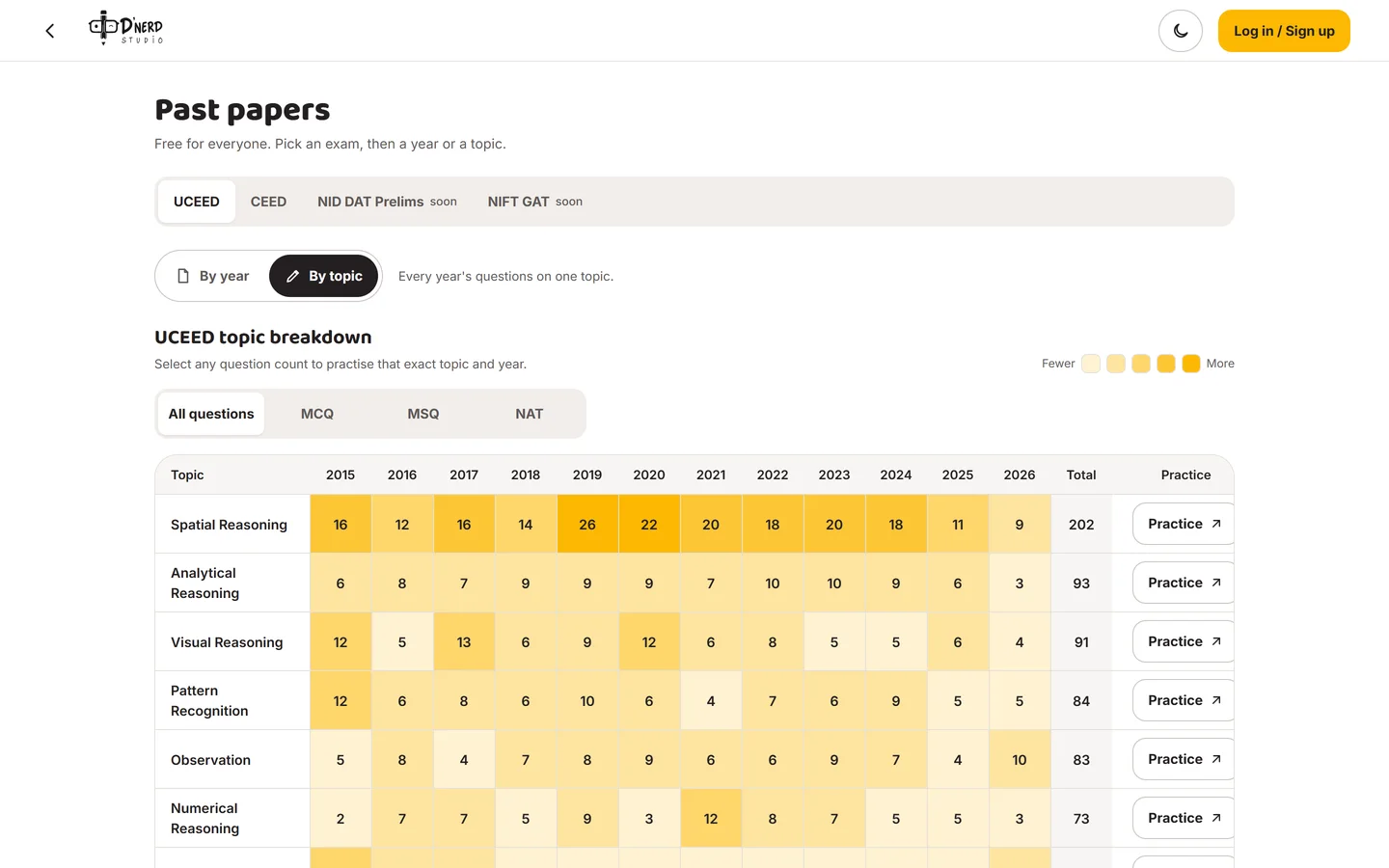
Spatial Reasoning alone is 202 of UCEED's questions in 12 years. Nobody had told them.
P
PradyumnTeacher (me)

"Meet lags when I share my screen."

What was really broken: Every class depended on one laptop's screen share, and prep took seven tools.

PDF, screenshots, FigJam, Meet, WhatsApp, Jotform, Excel.
G
GaneshTeacher

"Drawings get lost before I can review them."

What was really broken: Homework had no home, so feedback came late or never.

Underneath all five

Students couldn't tell whether they were getting better.

Nothing tracked their performance. Practice, classes and feedback lived in different places, so effort never added up to visible progress. That fear, more than any single tool, was the real problem.

The reframe

How might we give every aspirant one place to practise, learn together and see their progress?

Practise anything

Every past paper, by year or by topic, free.

Learn together

Classes, homework and doubts in one place, not in a chat.

See progress

A dashboard that shows how they're doing.

02Others had pieces. Nobody had the loop.

I looked at what students already pay for.

Coaching chains, independent design studios, one-to-one mentor marketplaces and free past-paper sites. Each solves one slice well. None connects practice → feedback → progress in one place a student opens every day.

Coaching chainsBRDS · Pahal · SilicaDesign studiosKaphal · Divergent1:1 mentorsTopmatePast-paper sitesPW · Careers360BeforeMeet + WhatsAppDnerd Studio
Every past paper, solvable online———◐ PDFs—●
Practise by topic across years??———●
Drawing marked up by a mentor◐ in class◐ in class◐ per call—◐ manual● 72 h
Mock on a real exam-style screen◐ some?———● free
Classes, homework, doubts in one place◐?——◐ scattered●
Price visible before talking to anyone◐ enquiry◐ enquiry₹1–5k/callfree—● free core
● offered◐ partly— not offered? not publishedPublic information, Oct 2026
Decision 0 · the big one

Build a platform, not another coaching batch.

Coaching costs around ₹35,000 a year and runs on a fixed timetable. Mentors cost ₹1,000–5,000 an hour with no memory between calls. The gap wasn't content. It was continuity.

A
Grow the WhatsApp batchZero build cost, but every pain above scales with each new student.
B
Move to an off-the-shelf course platformHandles videos and payments, but none supports past papers by topic or drawing markup.
✓
Build a focused practice platformPast papers, drawing feedback, mocks and classes, built around the loop students actually need.
GainA home students open daily, and free papers that bring in strangers.
CostMonths of nights building it, on a ₹440-a-month budget.
03The solution

One web app, four doors.

Anyone can register and practise. A batch student gets the whole classroom. Mentors run the classes. An admin keeps the content and the people right. Each door opens only what that person needs.

Door 1

Any student

Free. Log in only to save progress.

  • Solve every past paper, by year or by topic
  • Exam timer, Try again, then the answer
  • Drawing prompts with the exam timer
  • Free All India Mock with a rank
Door 2

Batch student

Everything in Door 1, plus the classroom.

  • Calendar that shows the next class, Join 15 min before
  • Upload drawings in a live class and get them marked there
  • Hand in homework the teacher set
  • Ask a doubt on any question
  • Dashboard that tracks performance
Door 3

Mentor

Ganesh, me and the other mentors.

  • Add a class with topic, time and Meet link
  • Plan the class from past papers
  • Mark homework right on the drawing
  • Answer doubts
Door 4

Admin

Keeps everything true.

  • Update exam dates and fees
  • Add and verify mentors
  • See who's in a batch and who isn't
  • Publish past papers and drawing prompts
  • Build and publish timed mock tests

Community, streaks and a leaderboard exist too, but they're secondary. This case study follows the four doors.

04Five decisions that shaped it

Every screen started as an argument with myself.

These are the calls that mattered most: what was on the table, what I chose, and what it cost.

Decision 1 · access

Past papers are free, with no login.

An anxious 17-year-old won't create an account to find out if we're any good. Trust has to come before the ask.

A
Paywall the papersRevenue from day one, but nobody gets far enough to trust us.
B
Free, but sign up firstEmail capture, but a wall on the very first tap.
✓
Free and open; login only adds memoryLogging in saves progress, bookmarks and mistakes.
GainStrangers practise right away: 278 attempts in 3 weeks.
CostAnonymous visitors leave without a trace (see Chapter 7).
Decision 2 · learning

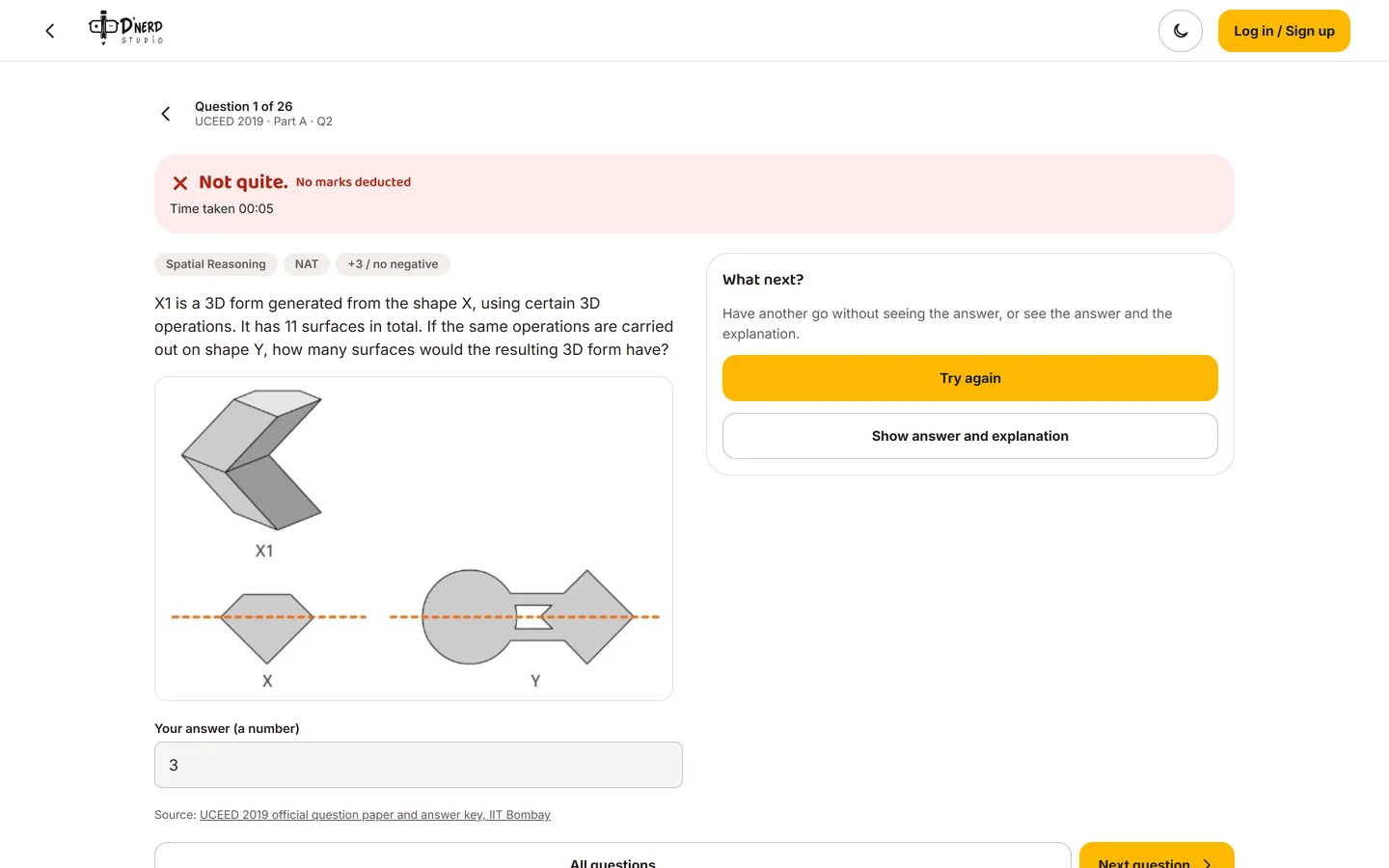
"Try again" comes before "Show answer".

A wrong answer is the most valuable moment in practice. Showing the answer instantly throws it away.

A
Reveal the answer instantlyFast, but students stop thinking.
✓
Let the student choose: try again or see itAnd the answer never reaches the browser before they submit.
GainStudents tapped "Try again" more often than "Show answer" (16 vs 14).
CostOne extra tap for impatient users.
Decision 3 · drawing

Paper first, then a photo.

The real exam is pencil on paper. Practising on a tablet would train the wrong skill.

A
Draw inside the appClean data, but not how the exam works, and most students don't own a stylus.
✓
Draw on paper, snap, crop, straightenLocation data stripped, photo shrunk to about 0.5 MB for cheap phones and data plans.
GainPractice that matches exam day exactly.
CostMessier images for mentors to mark.
Decision 4 · trust

A 72-hour promise, not 48.

I first promised 48 hours. Then I did the maths on three mentors who have exams of their own, and changed it.

A
48 hoursSounds faster, but one sick mentor breaks the promise.
✓
72 hours, credit back automatically if lateAn alert fires at 60 hours so we can reassign before it's late.
GainA promise we can always keep. Trust is the product.
CostA less impressive number on the landing page.
Decision 5 · safety

Mentors see first names only. No direct messages.

Many students are minors. Feedback should feel personal without ever becoming private.

A
Student–mentor chatFeels warm, but it's a safety risk and a moderation burden.
✓
Feedback lives on the drawingPen marks, a rubric, a written fix and a voice note. Contact details are refused by the database itself.
GainParents can trust it; mentors stay focused.
CostNo back-and-forth: one question per doubt.
05Inside the product

Walk through every door.

Real screens from the live product, scene by scene. Scroll, and the screen follows the story.

Door 1 · Any student · answers Shambhavi and Tanvi

Solve a past paper by topic

ThenOne PDF per year. Weak topics invisible. Answers hidden in long videos.
NowEvery question tagged by topic, a heat map of what the exam asks most, and one tap from a square to practice.
  1. Scene 1 of 7

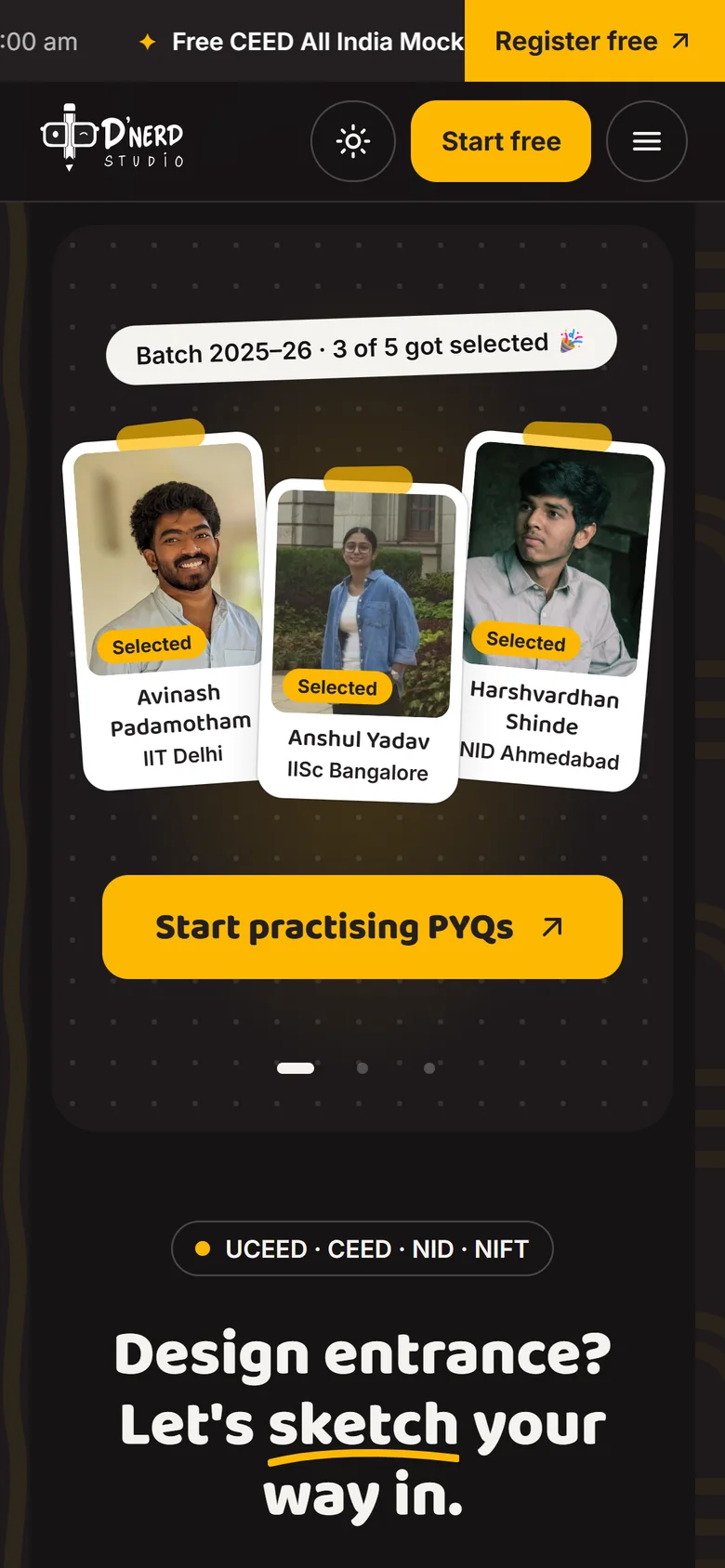
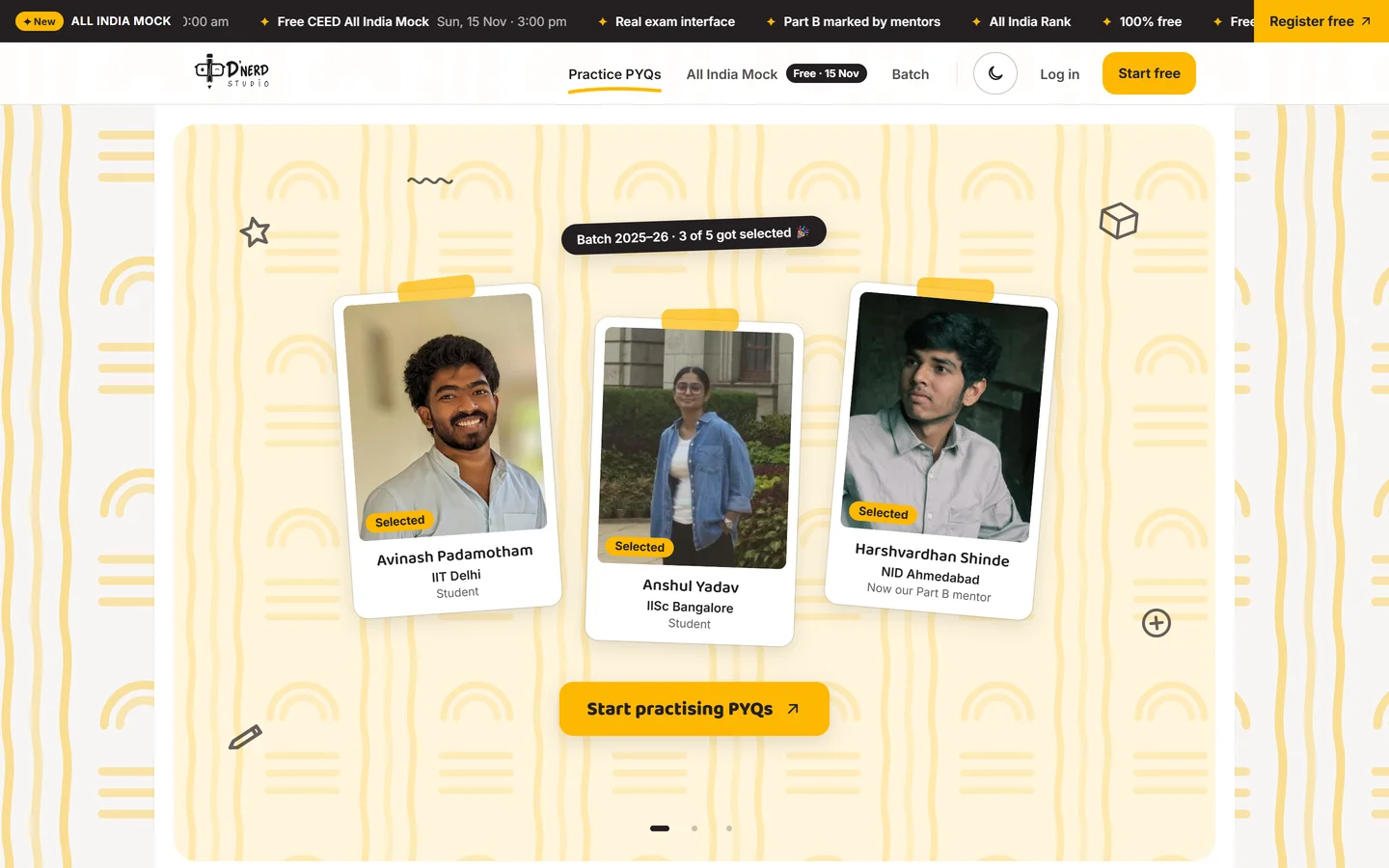
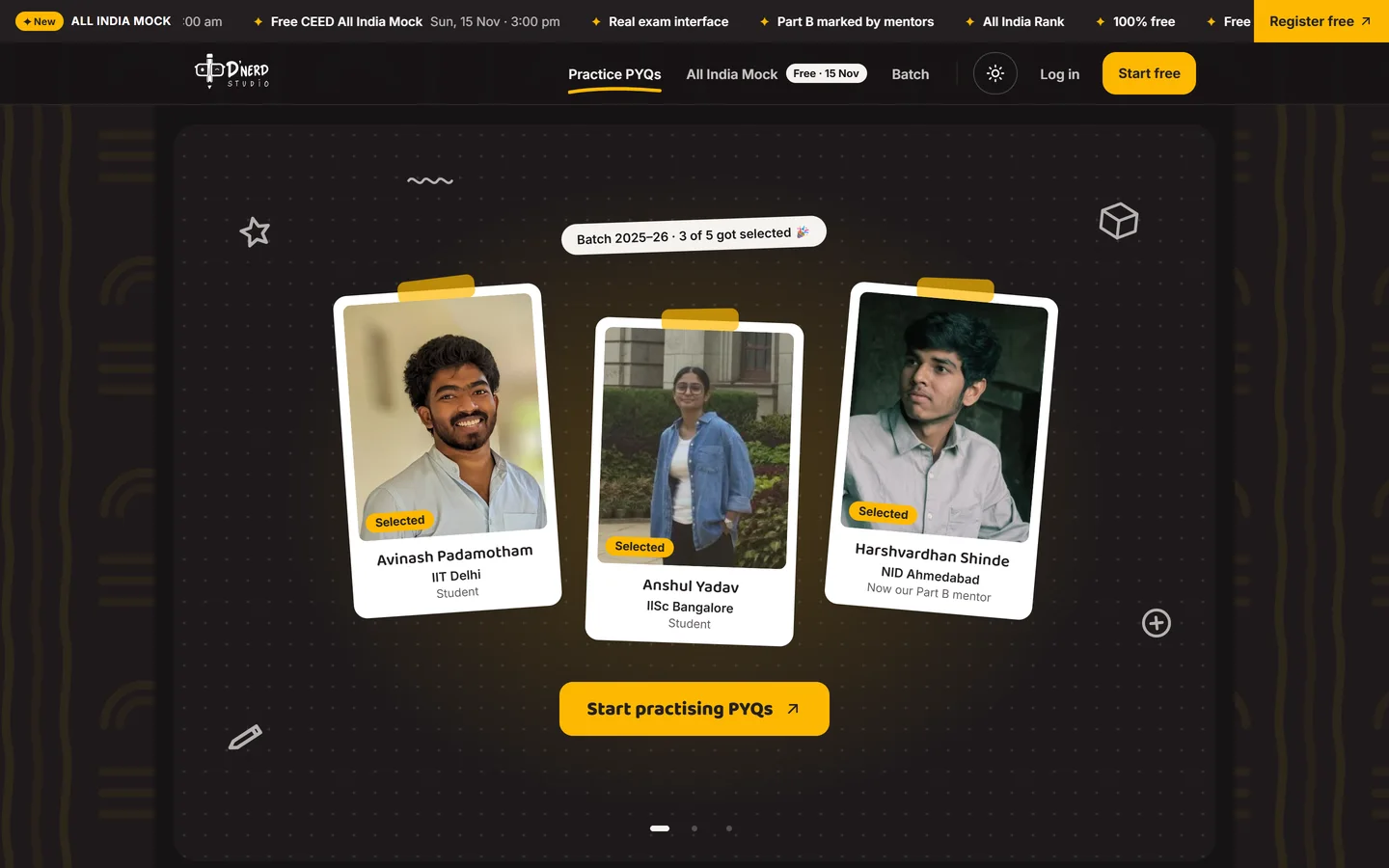
    Open Dnerd

    The main button on the home page is "Start practising PYQs". No sign-up wall in front of it.
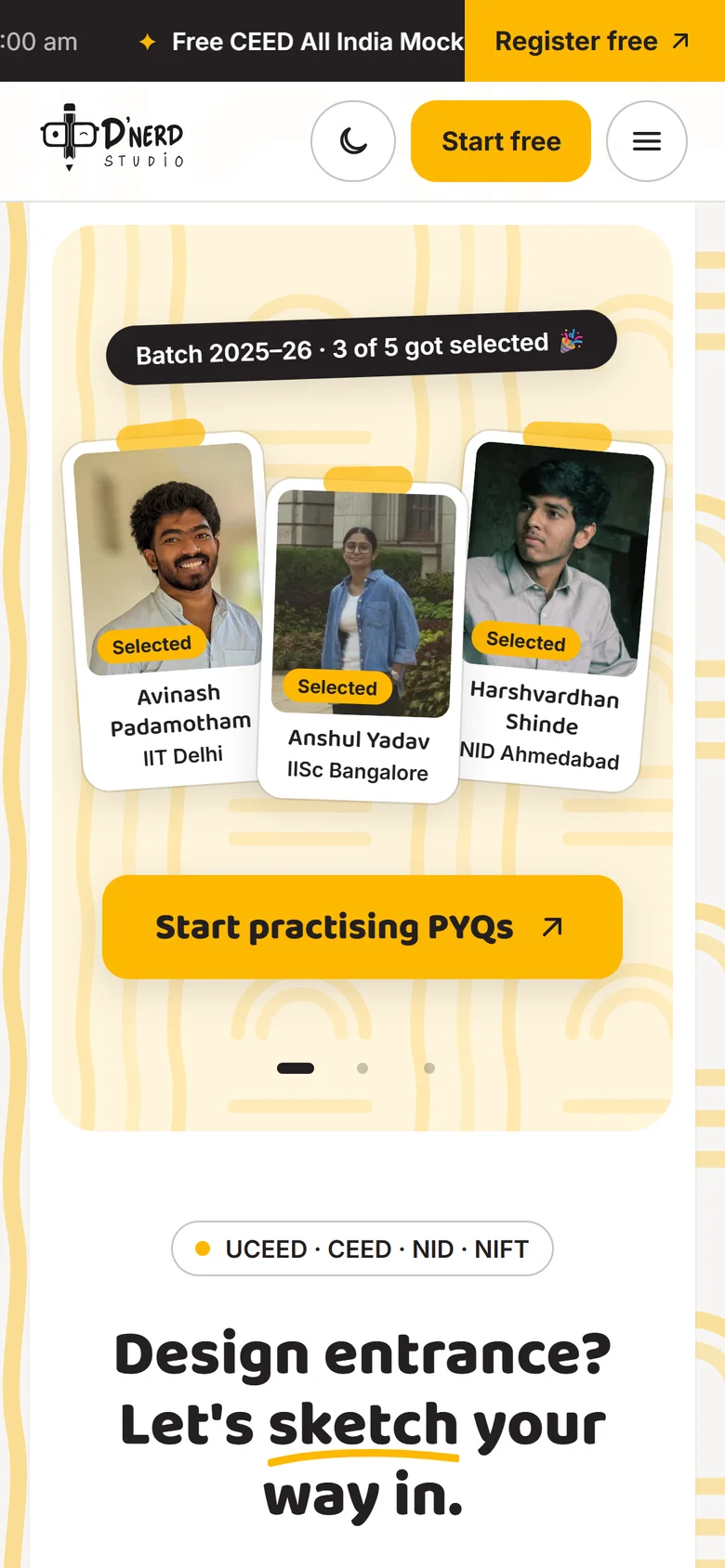
    Dnerd Studio home pageDnerd Studio home page
  2. Scene 2 of 7

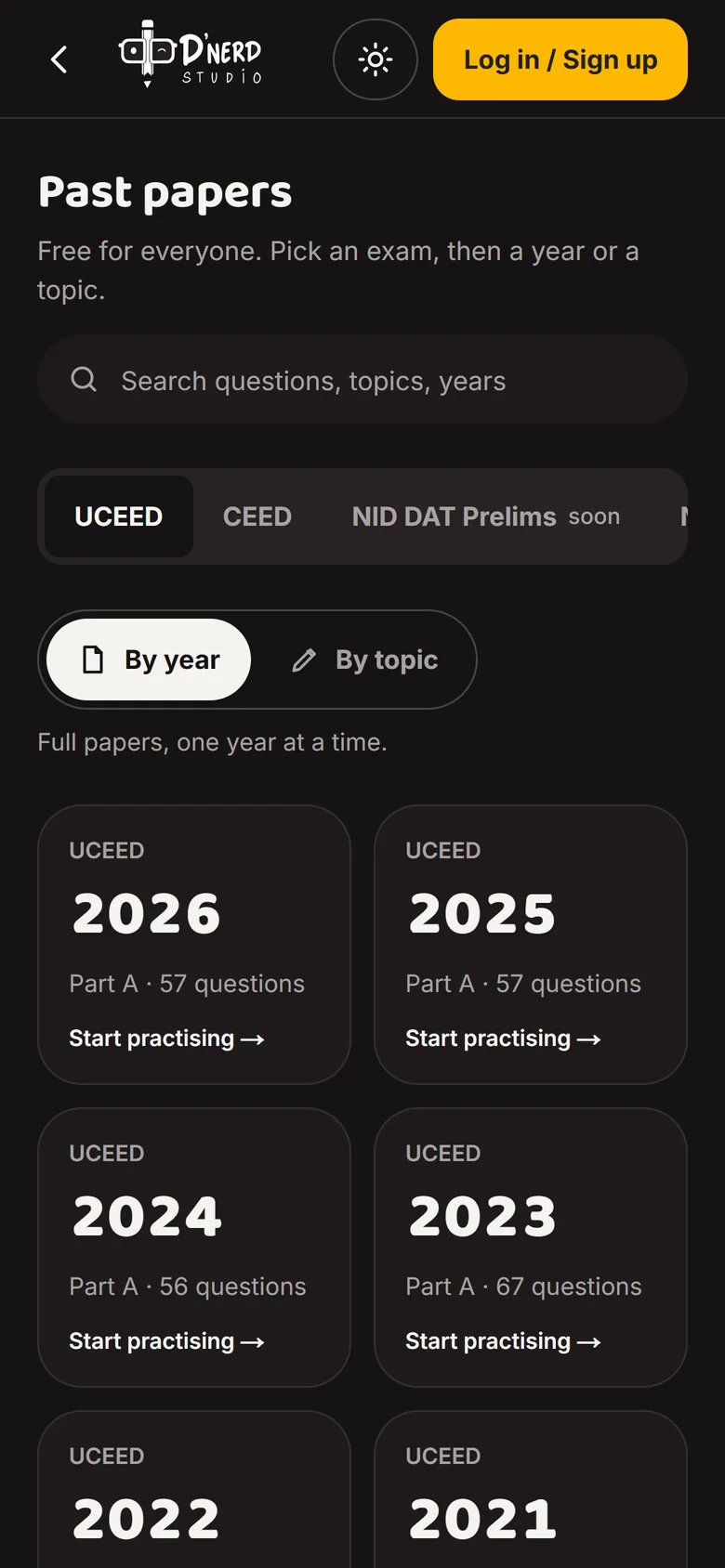
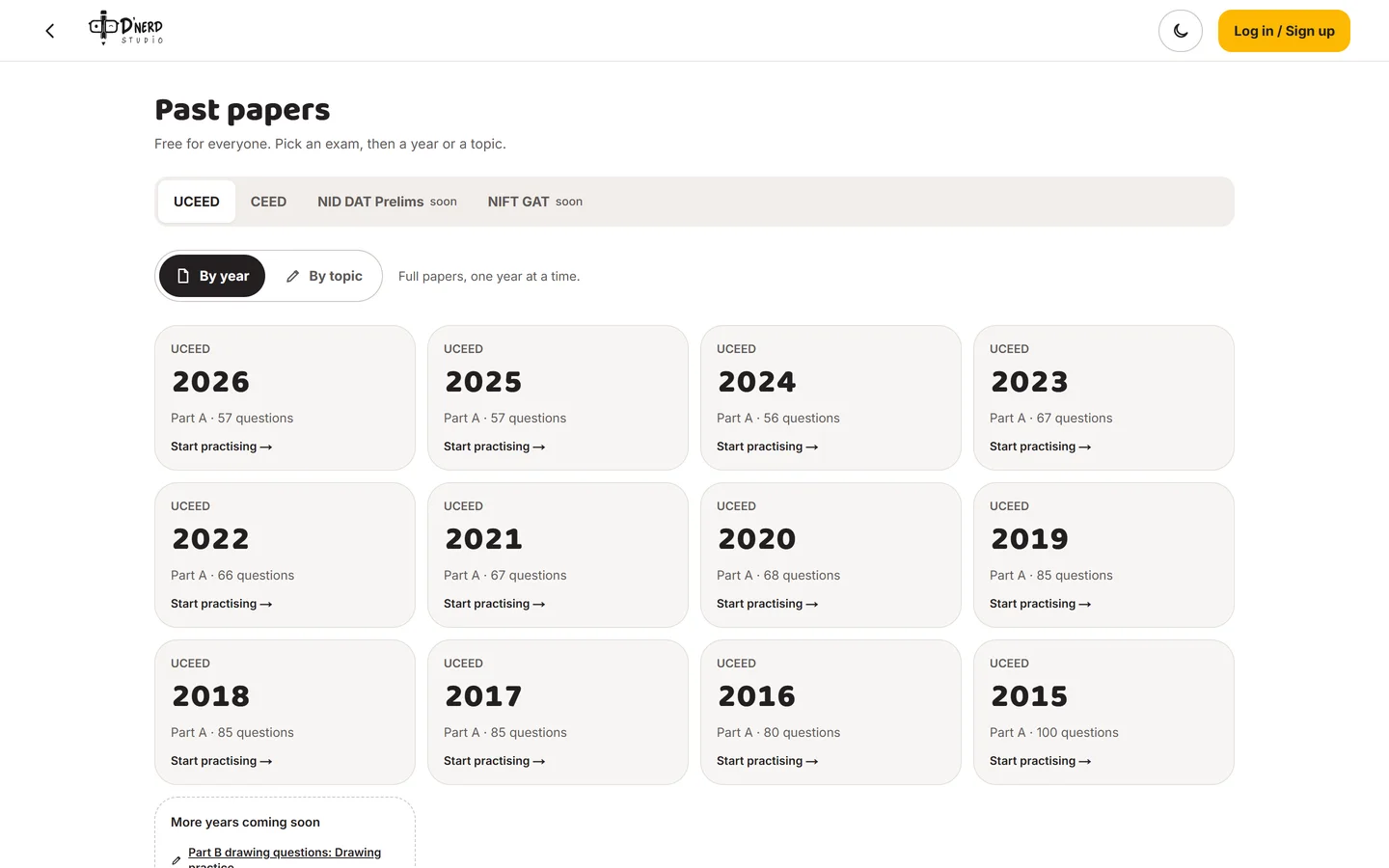
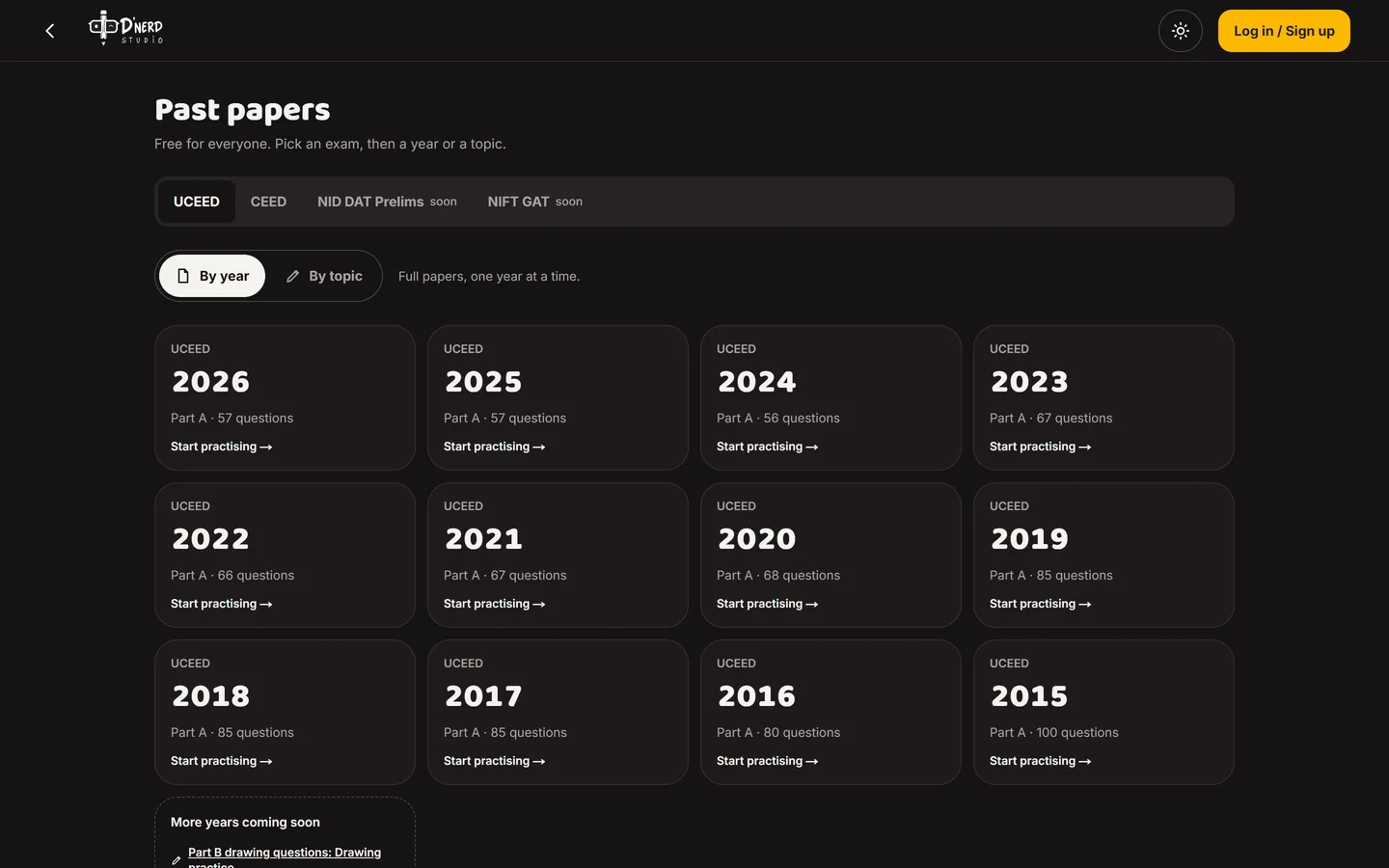
    Past papers, free

    Every UCEED paper since 2015, one card per year. This is how students already think about papers.
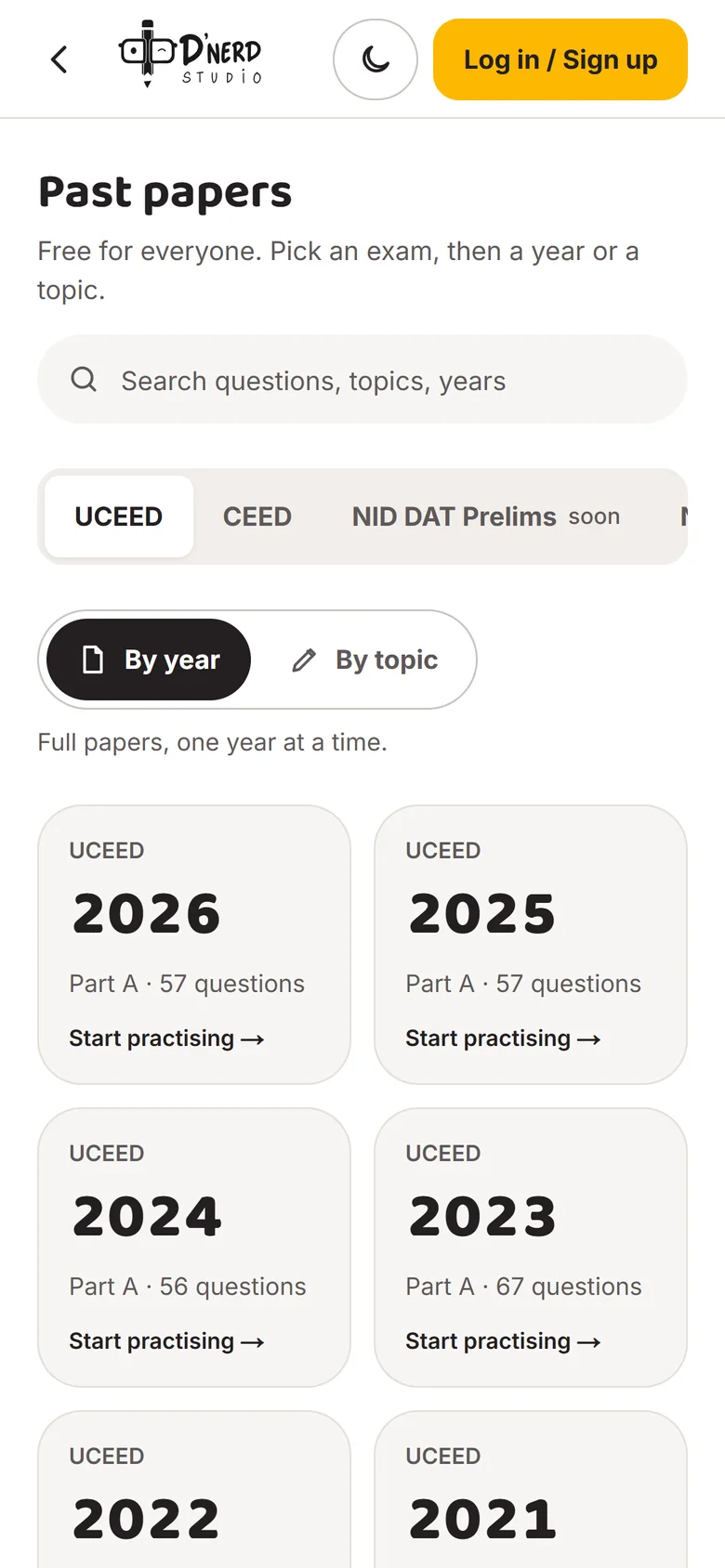
    Past papers listed by yearPast papers listed by year
  3. Scene 3 of 7

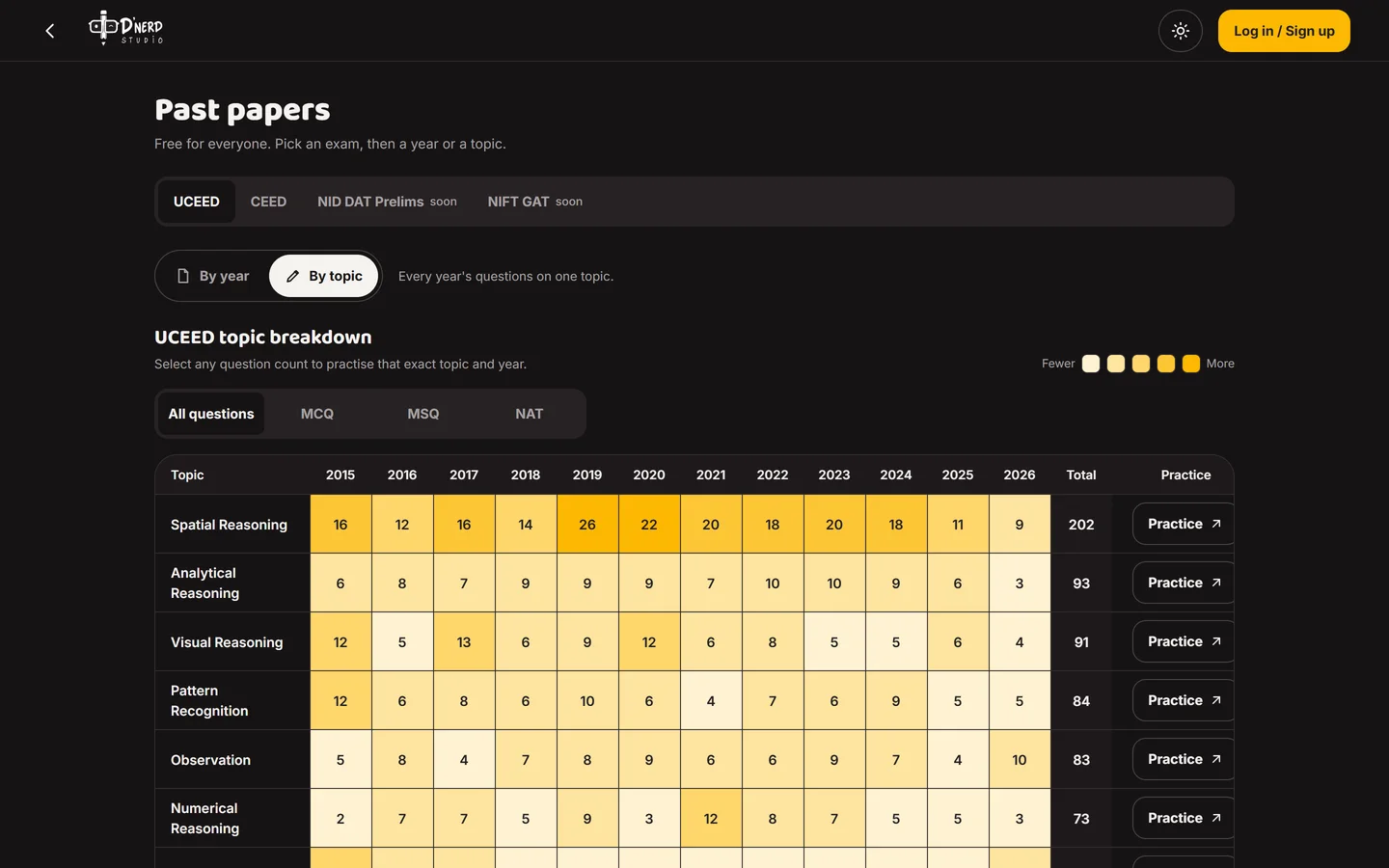
    Flip to "By topic"

    The same questions, regrouped. Rows are topics, columns are years, and darker squares mean the exam asks it more. Spatial Reasoning stands out at once.
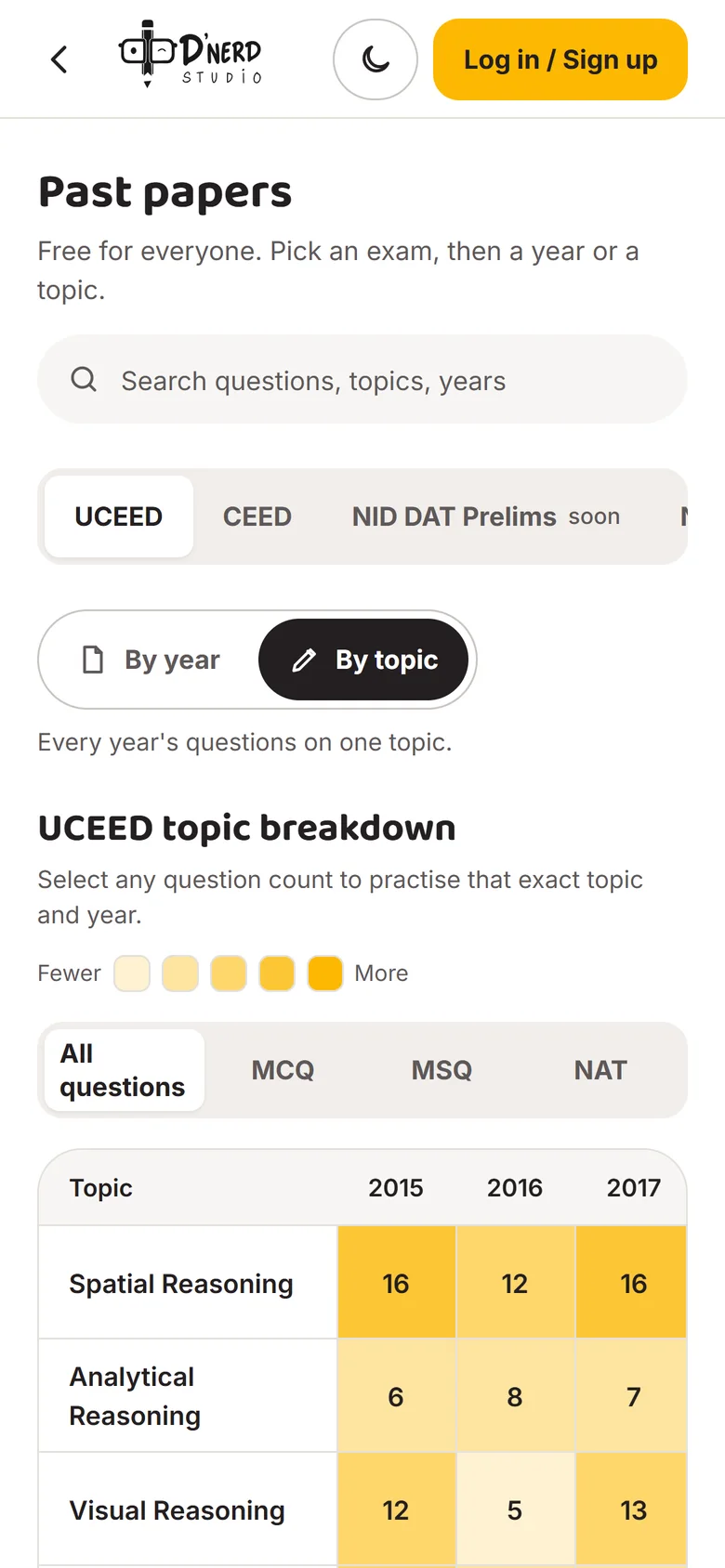
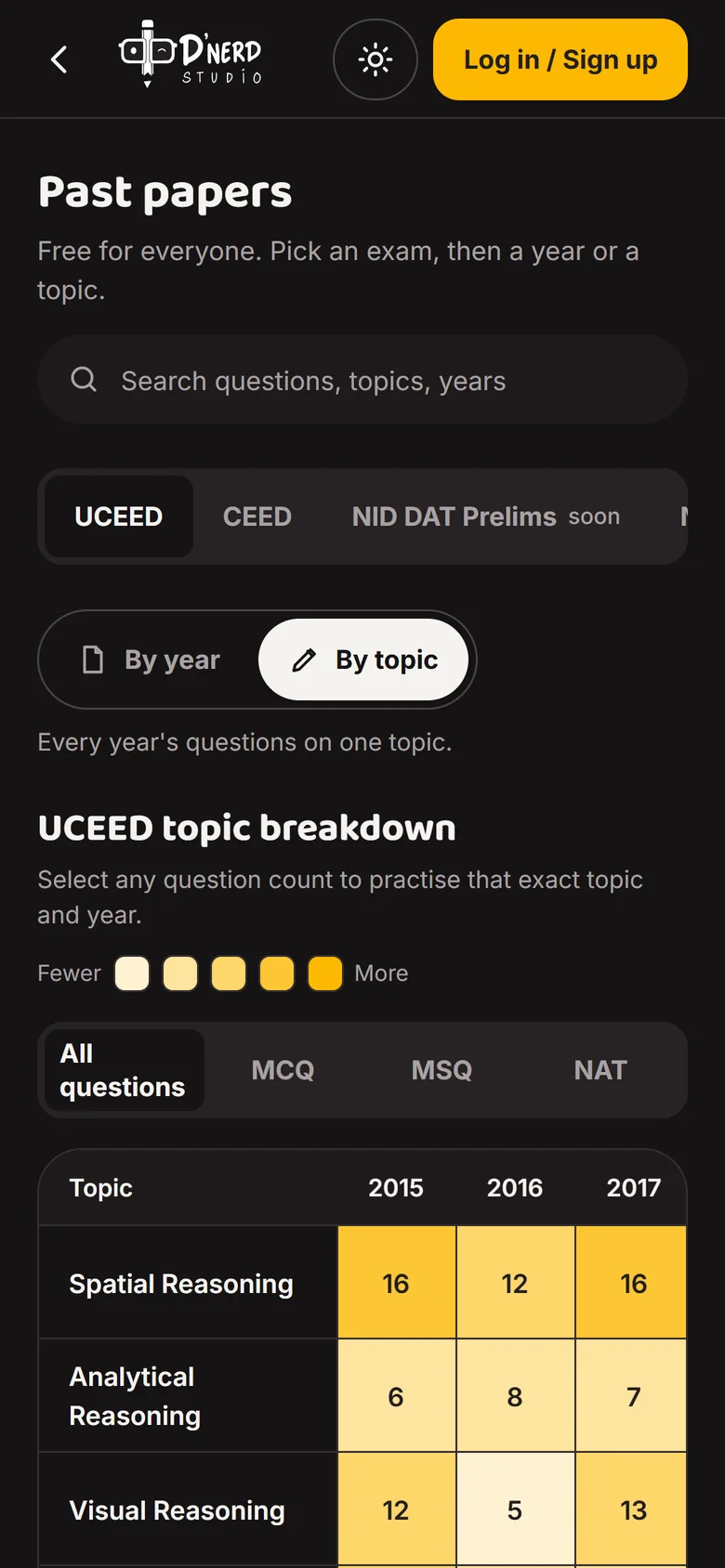
    UCEED topic-by-year heat mapUCEED topic-by-year heat map
  4. Scene 4 of 7

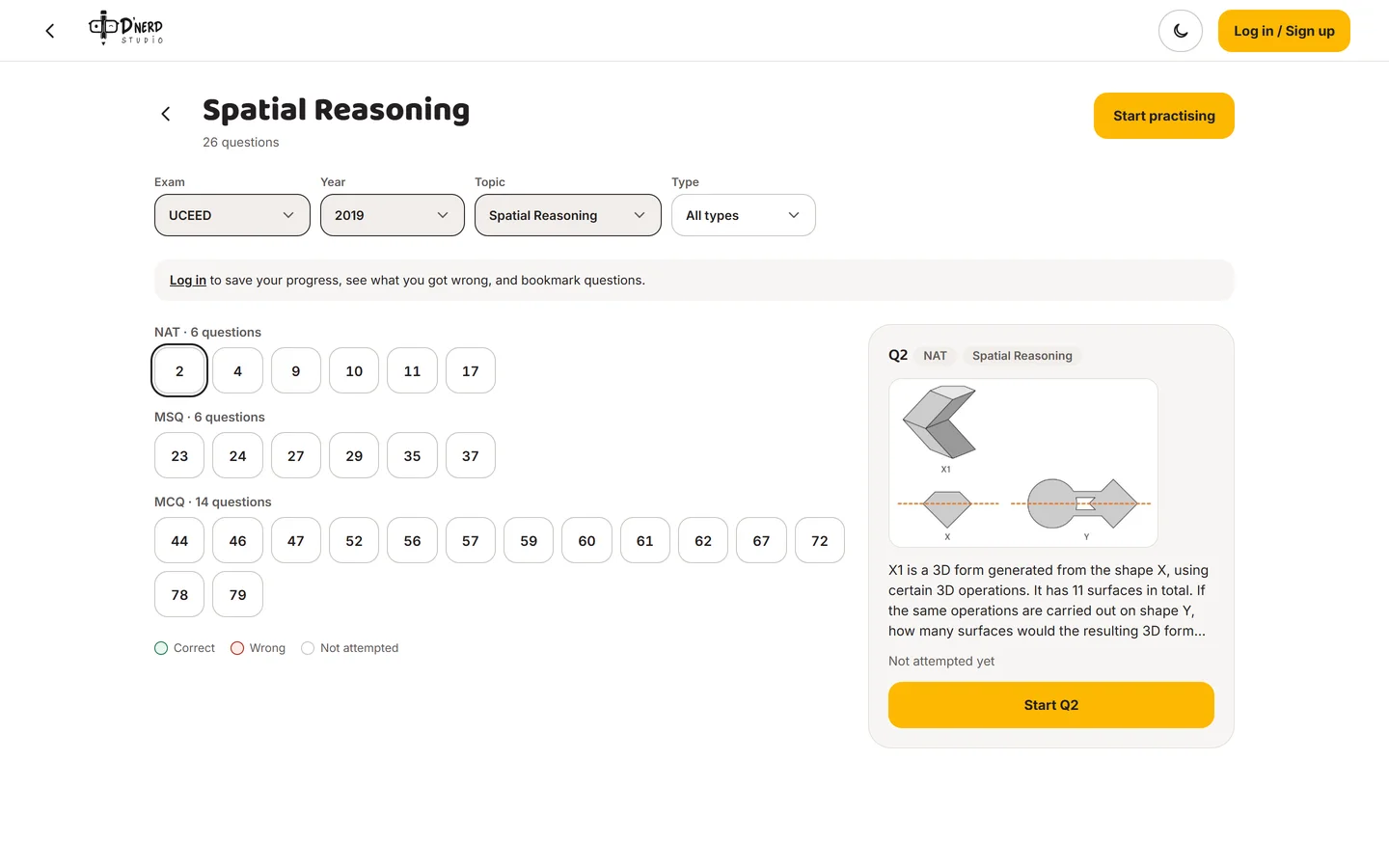
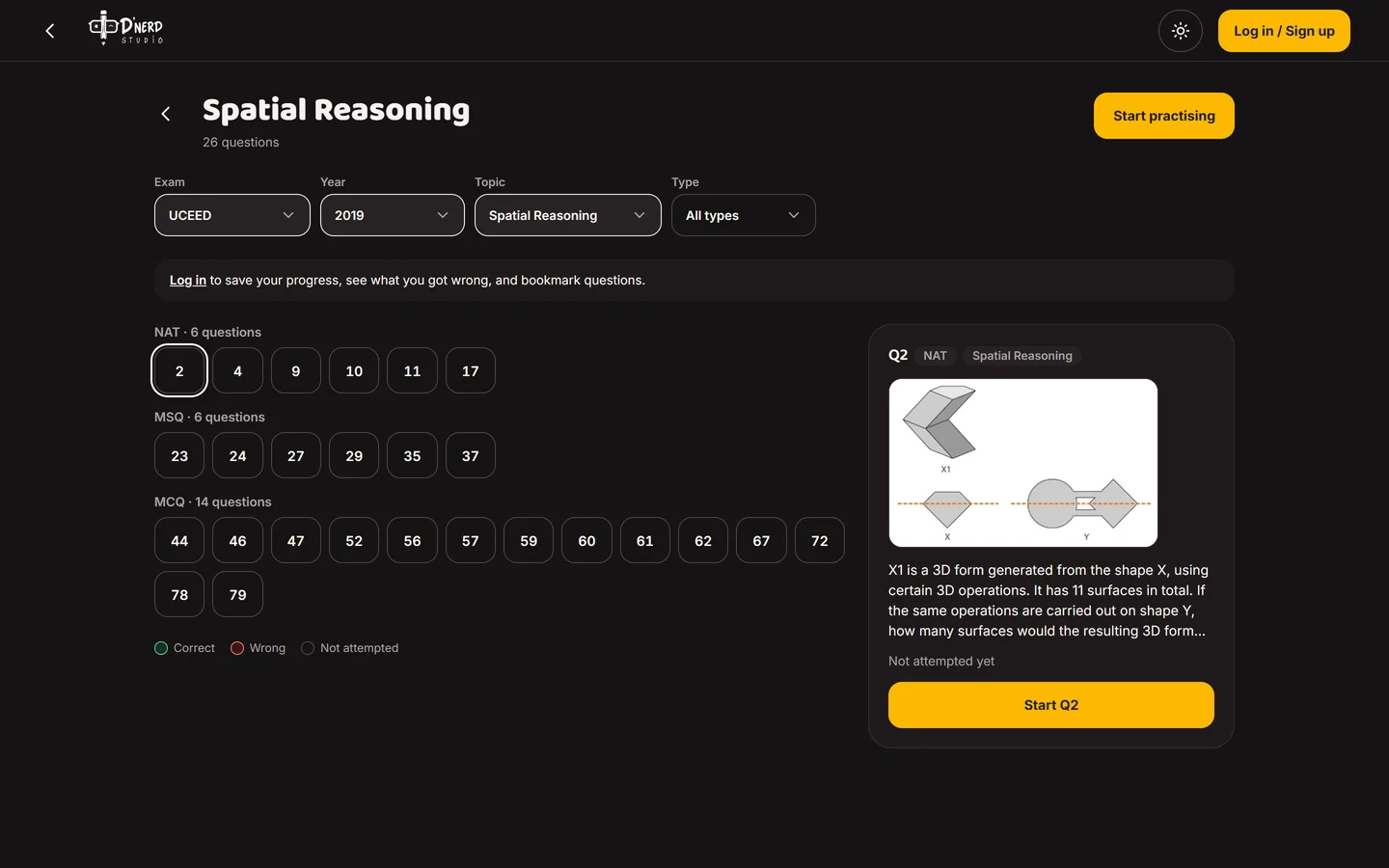
    Tap one square

    Spatial Reasoning, 2019: 26 questions, sorted into NAT, MSQ and MCQ. Just that topic, just that year.
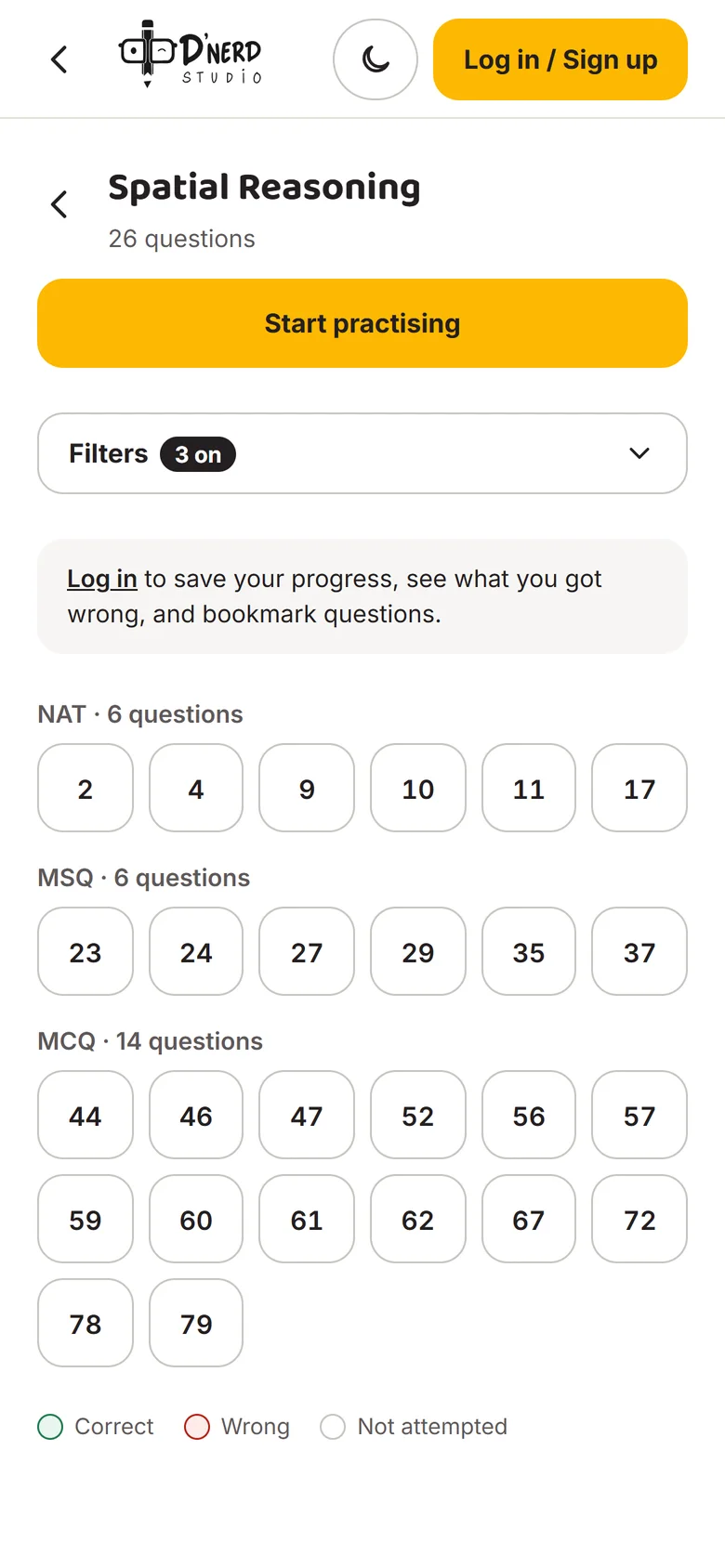
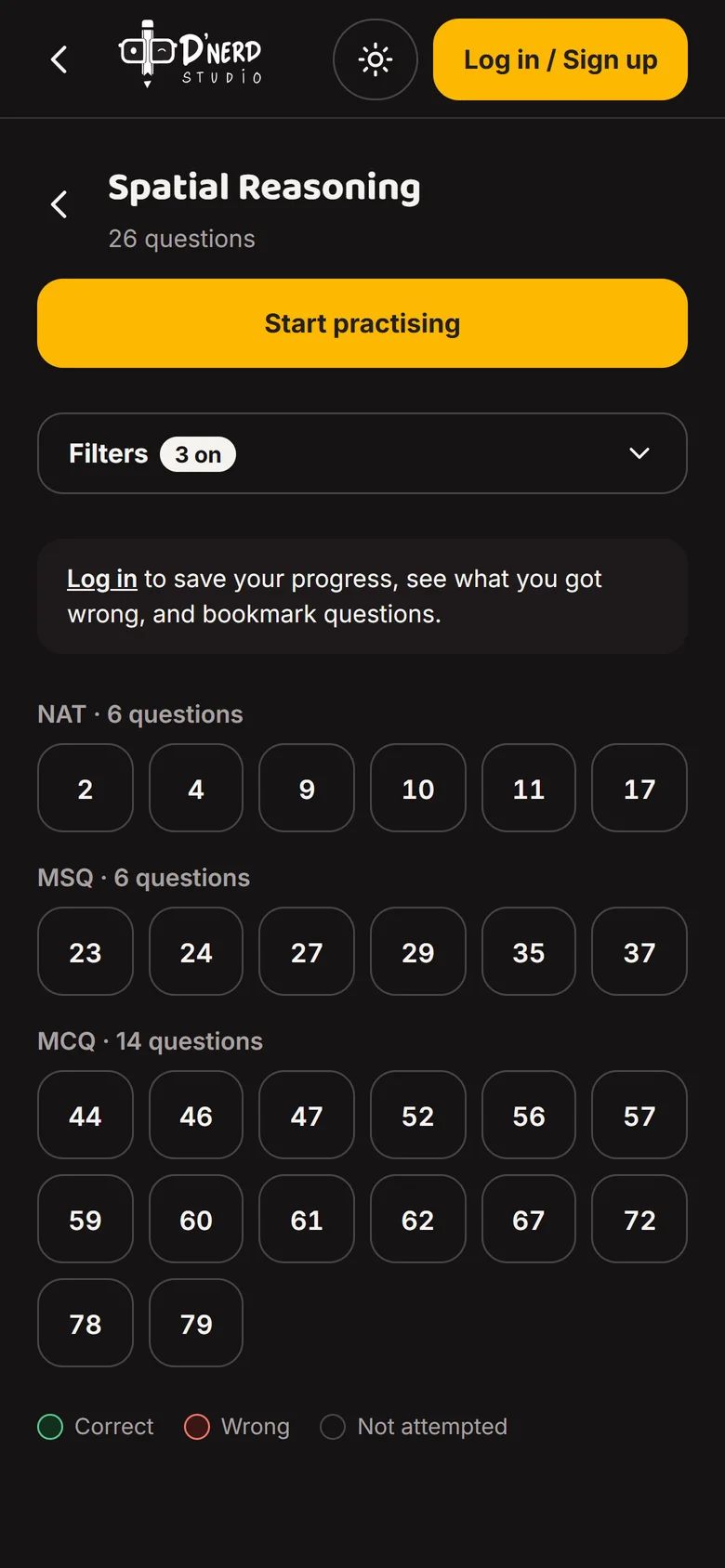
    Spatial Reasoning questions from UCEED 2019Spatial Reasoning questions from UCEED 2019
  5. Scene 5 of 7

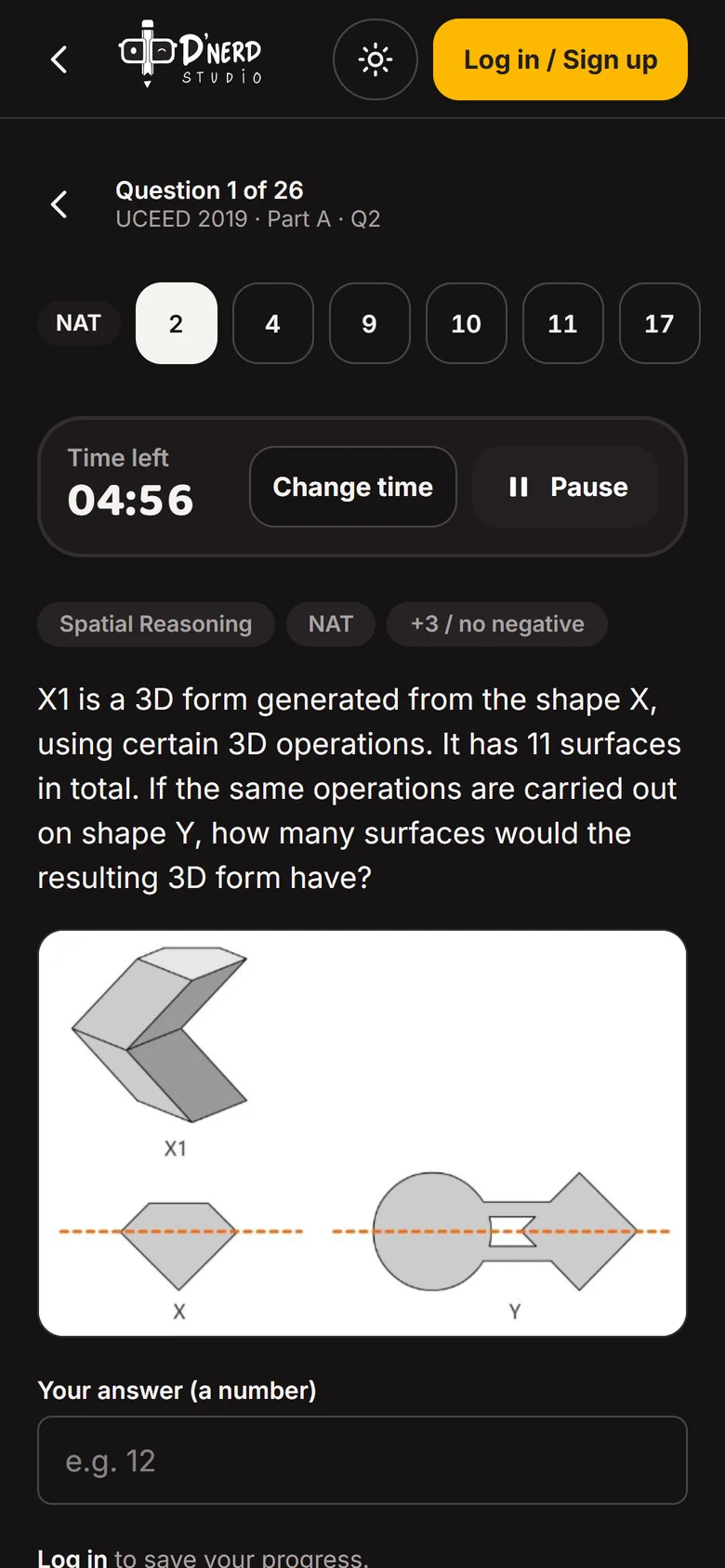
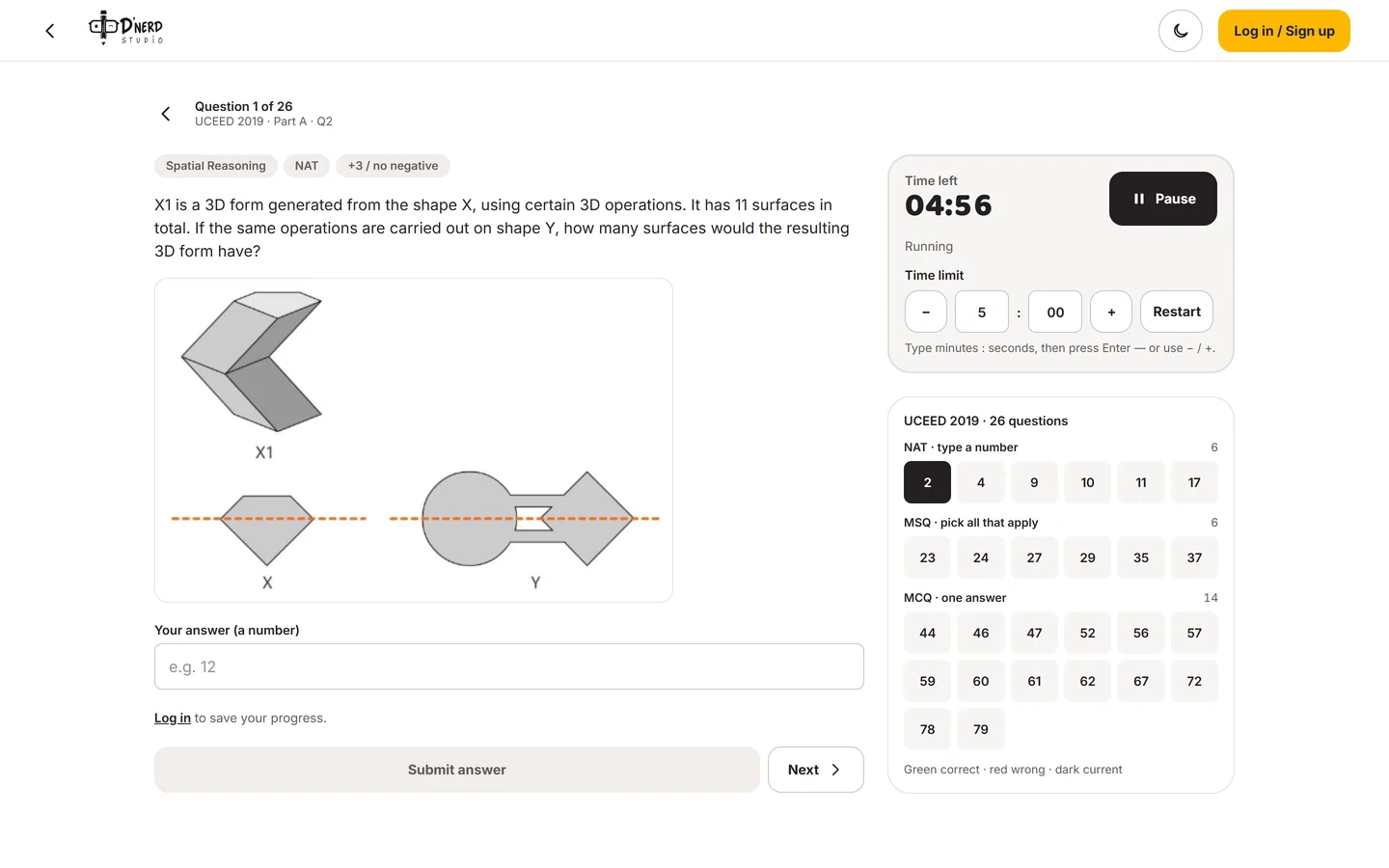
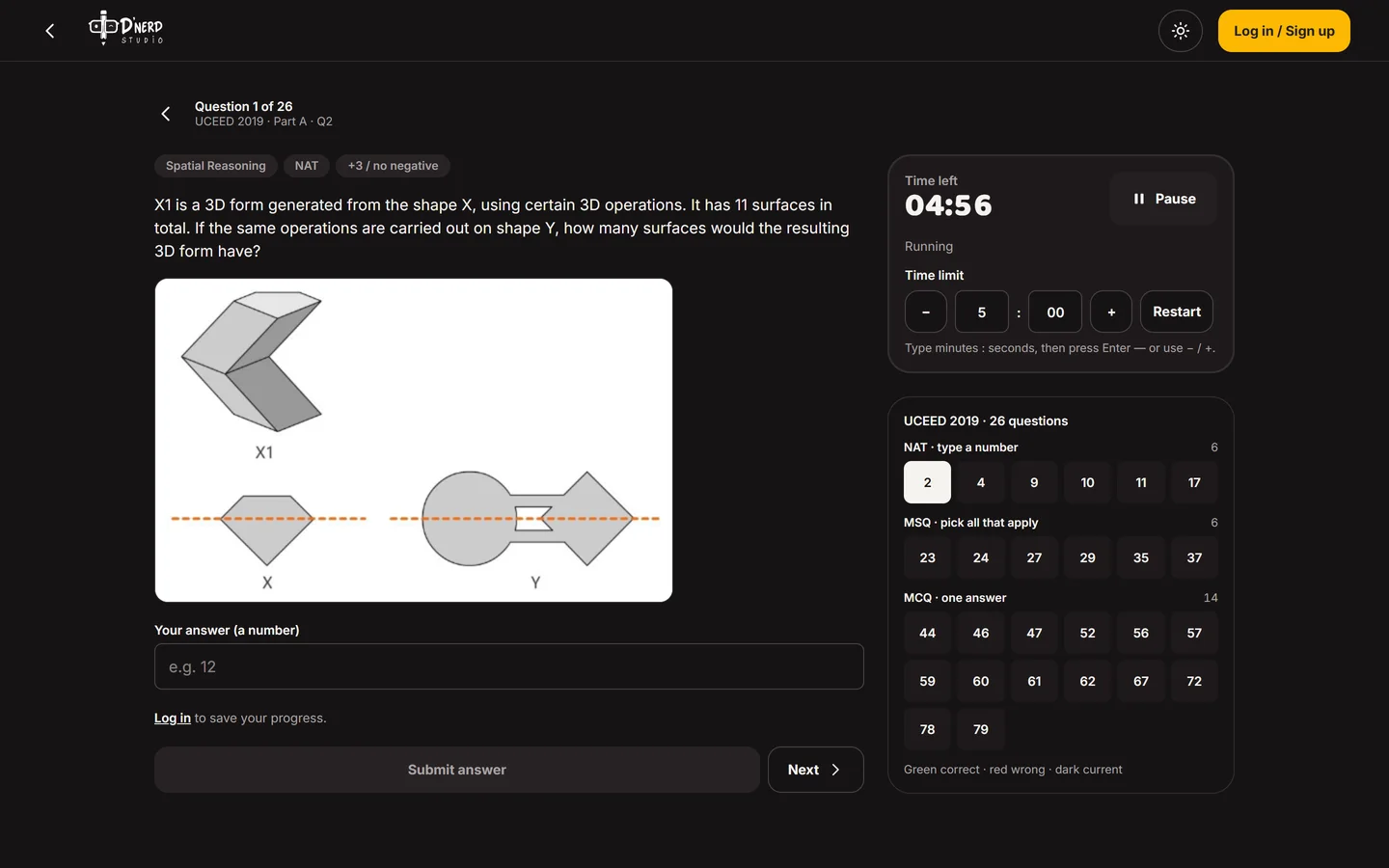
    Solve it like the exam

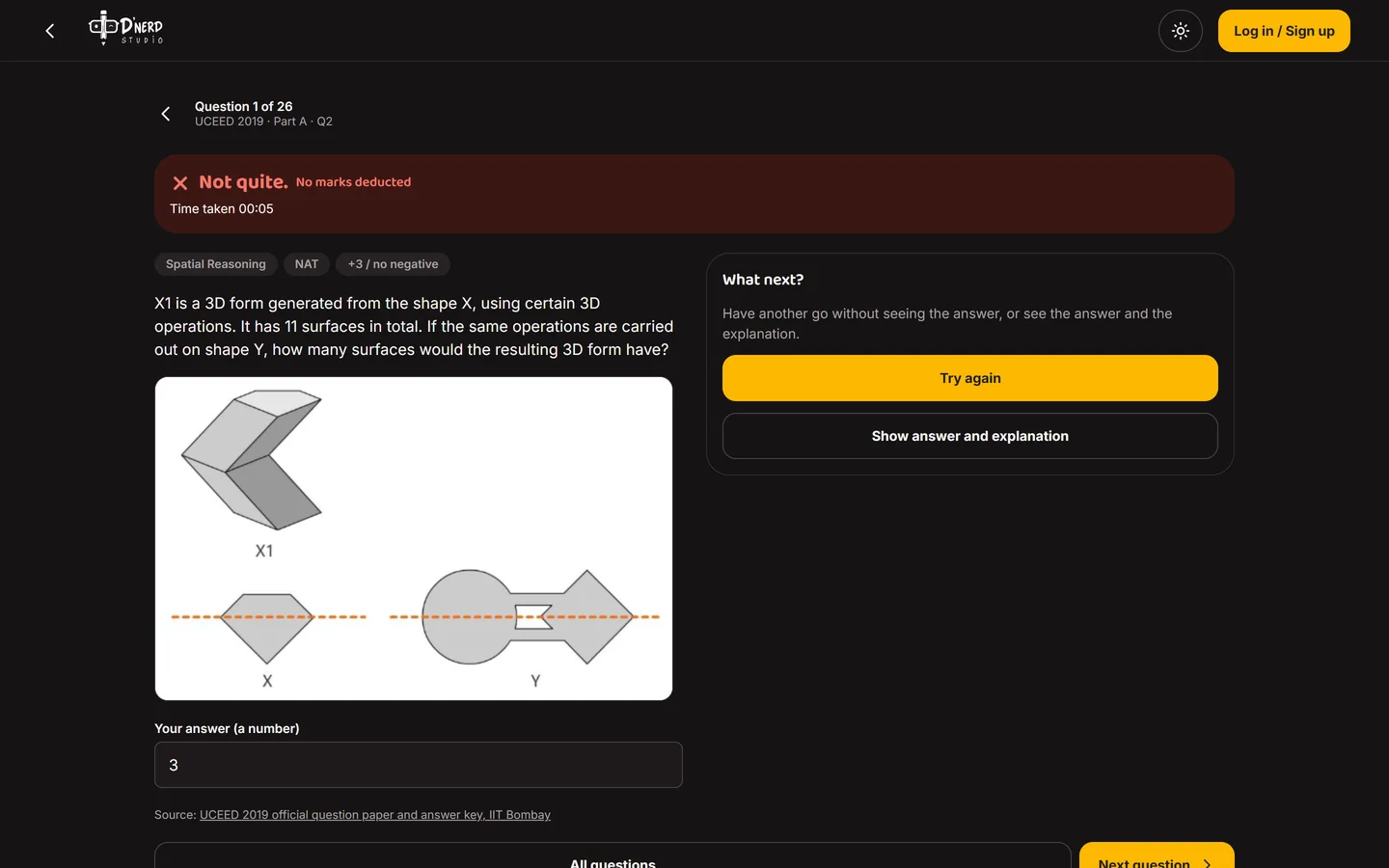
    The real question with its marking, a question palette and a timer, exactly as the paper sets it.
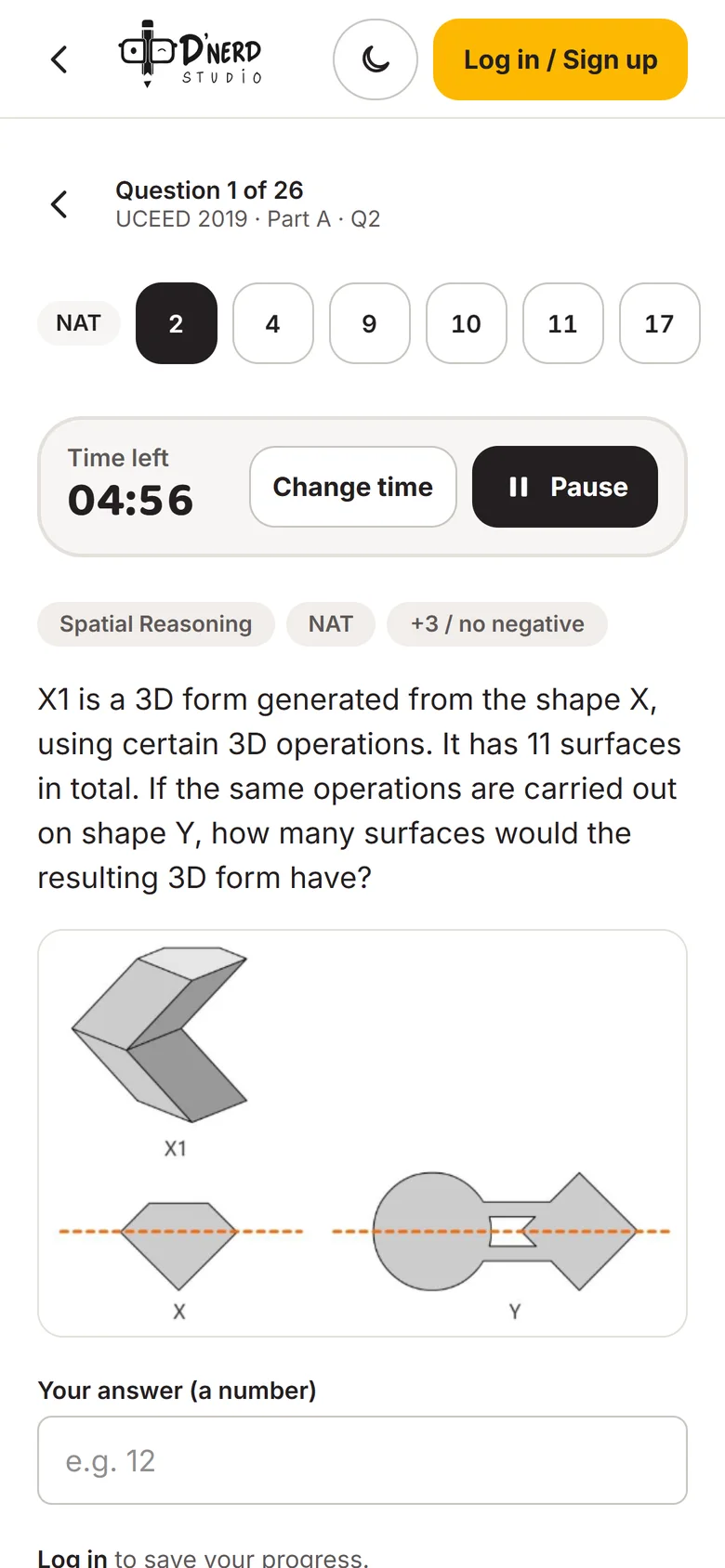
    A spatial reasoning question with exam timerA spatial reasoning question with exam timer
  6. Scene 6 of 7

    Wrong? Think again first

    "Not quite. No marks deducted." The big button is Try again. The answer is the second choice, so the student keeps thinking.
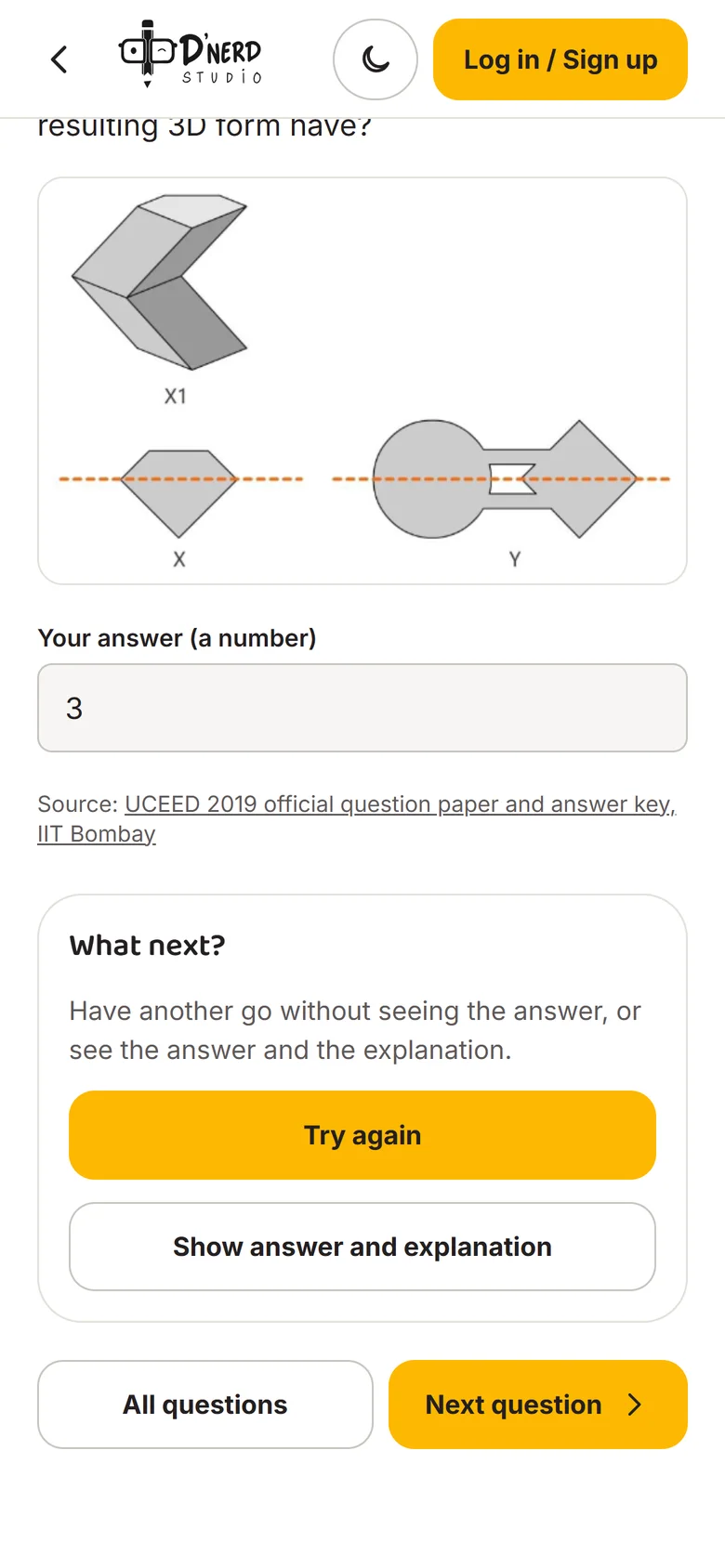
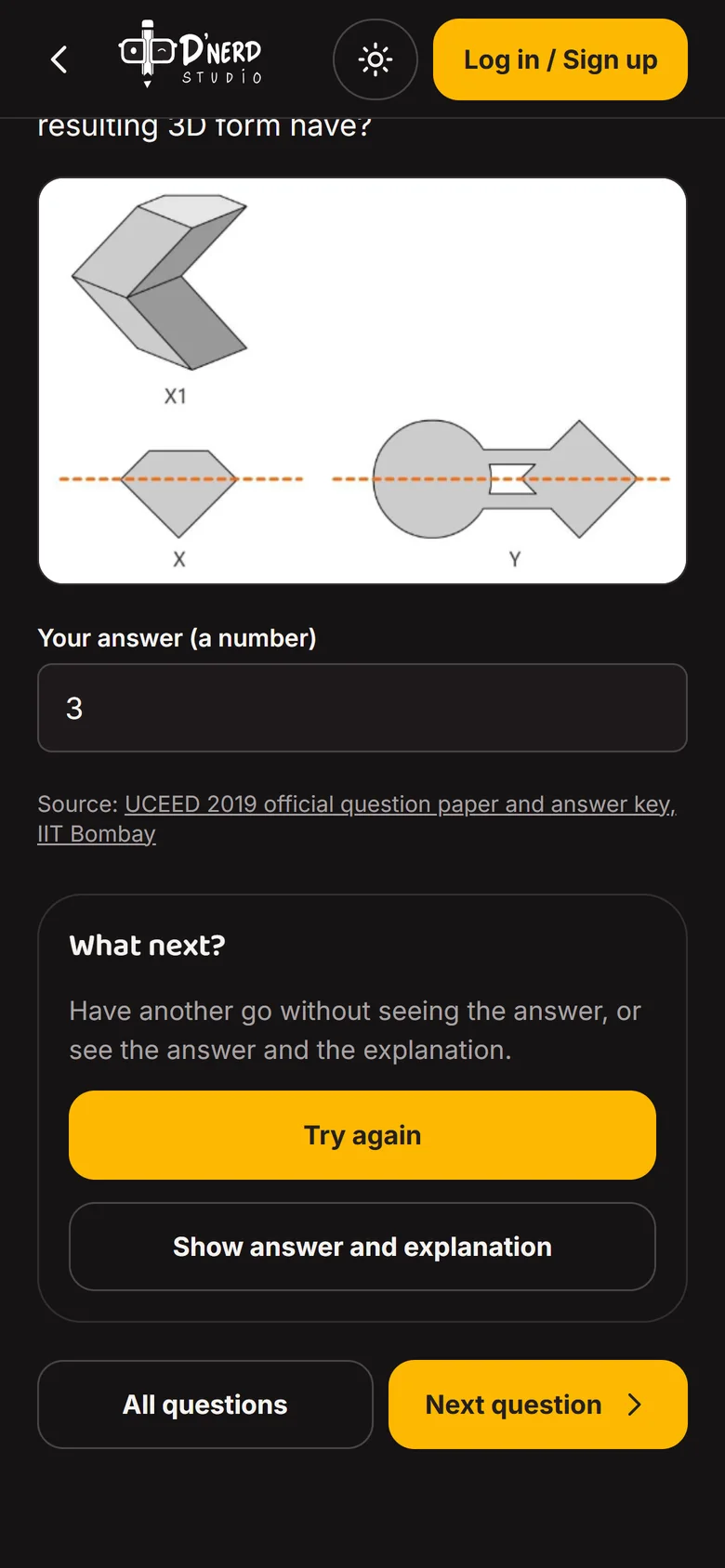
    Wrong-answer state with Try again as the main buttonWrong-answer state with Try again as the main button
  7. Scene 7 of 7

    Then the answer

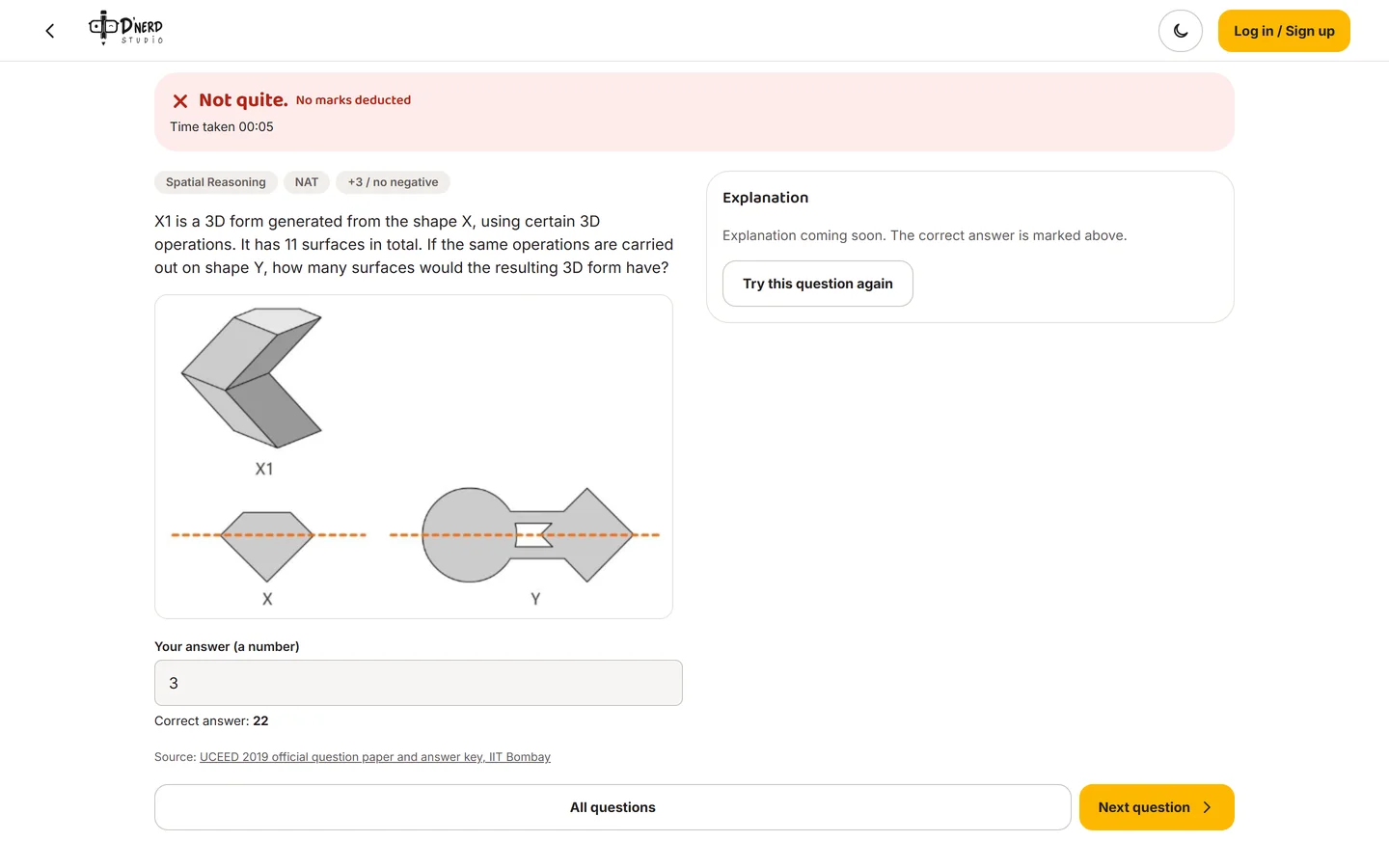
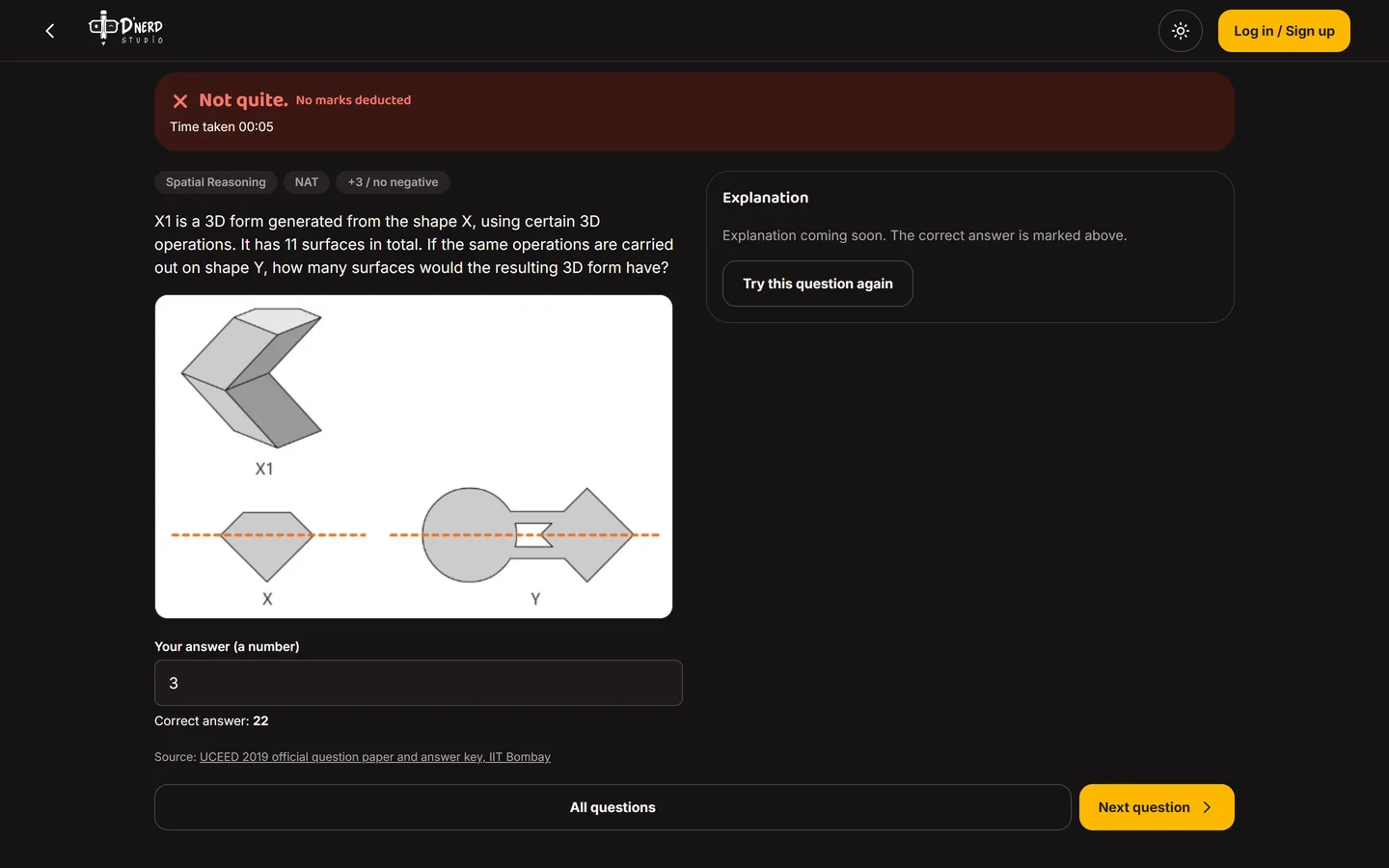
    Only when they ask: the correct answer, the official source and the next question. Questions without a written explanation yet say so honestly.
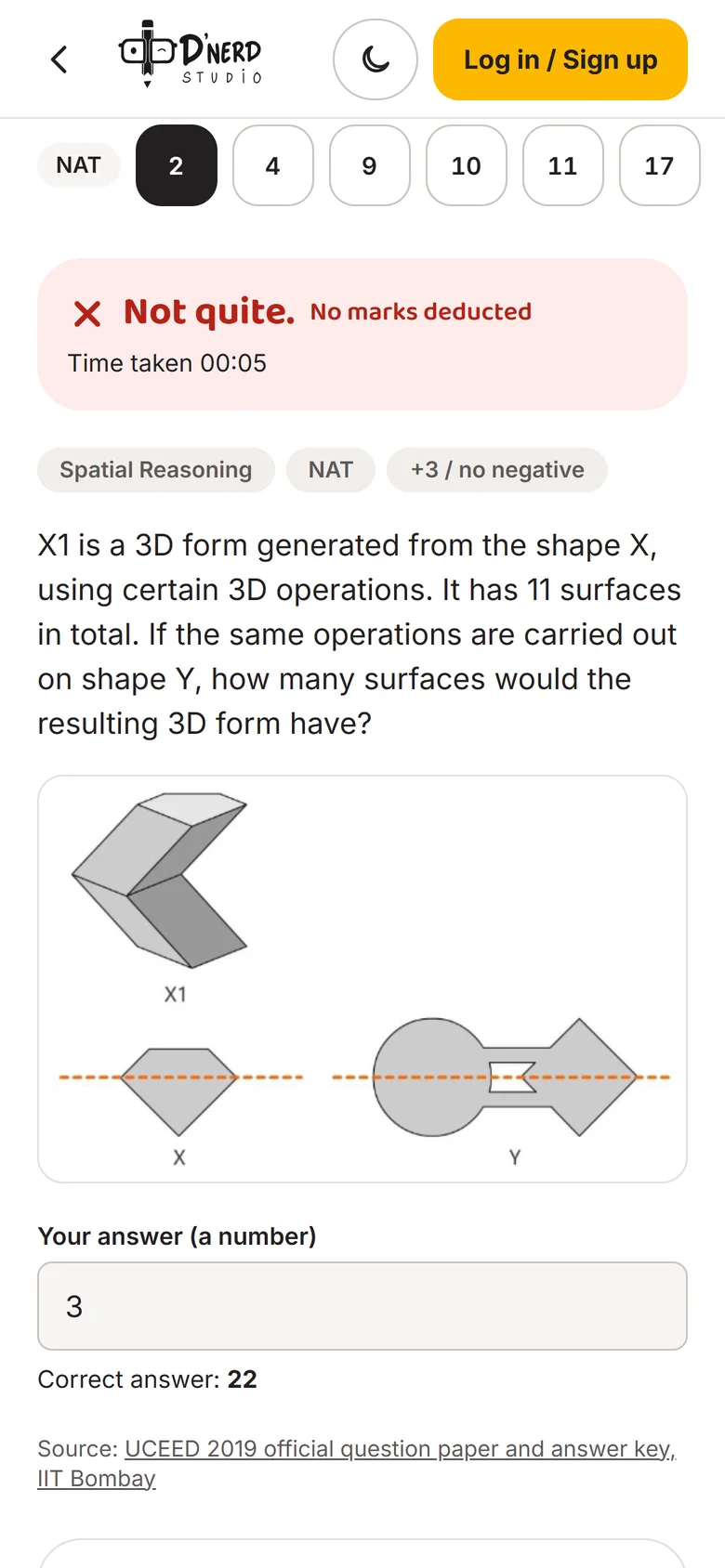
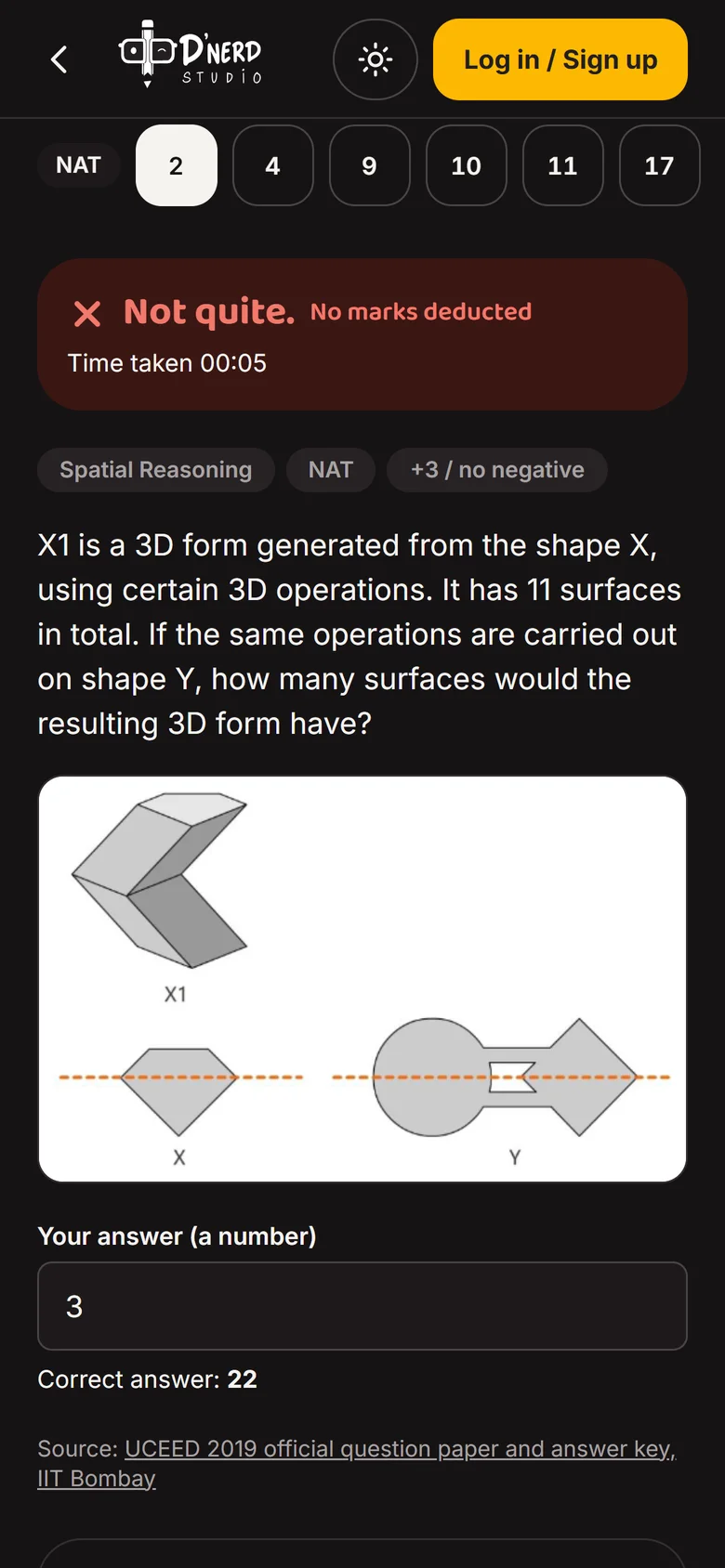
    Correct answer shown with the official sourceCorrect answer shown with the official source
Door 2 · Batch student · answers Spriha, and the fear

From the next class to visible progress

ThenLinks lost in chat, drawings sent into a group, no idea how they were doing.
NowA calendar with a Join button, drawings marked in class, every upload tracked, and a dashboard that shows progress.
  1. Scene 1 of 5Batch student

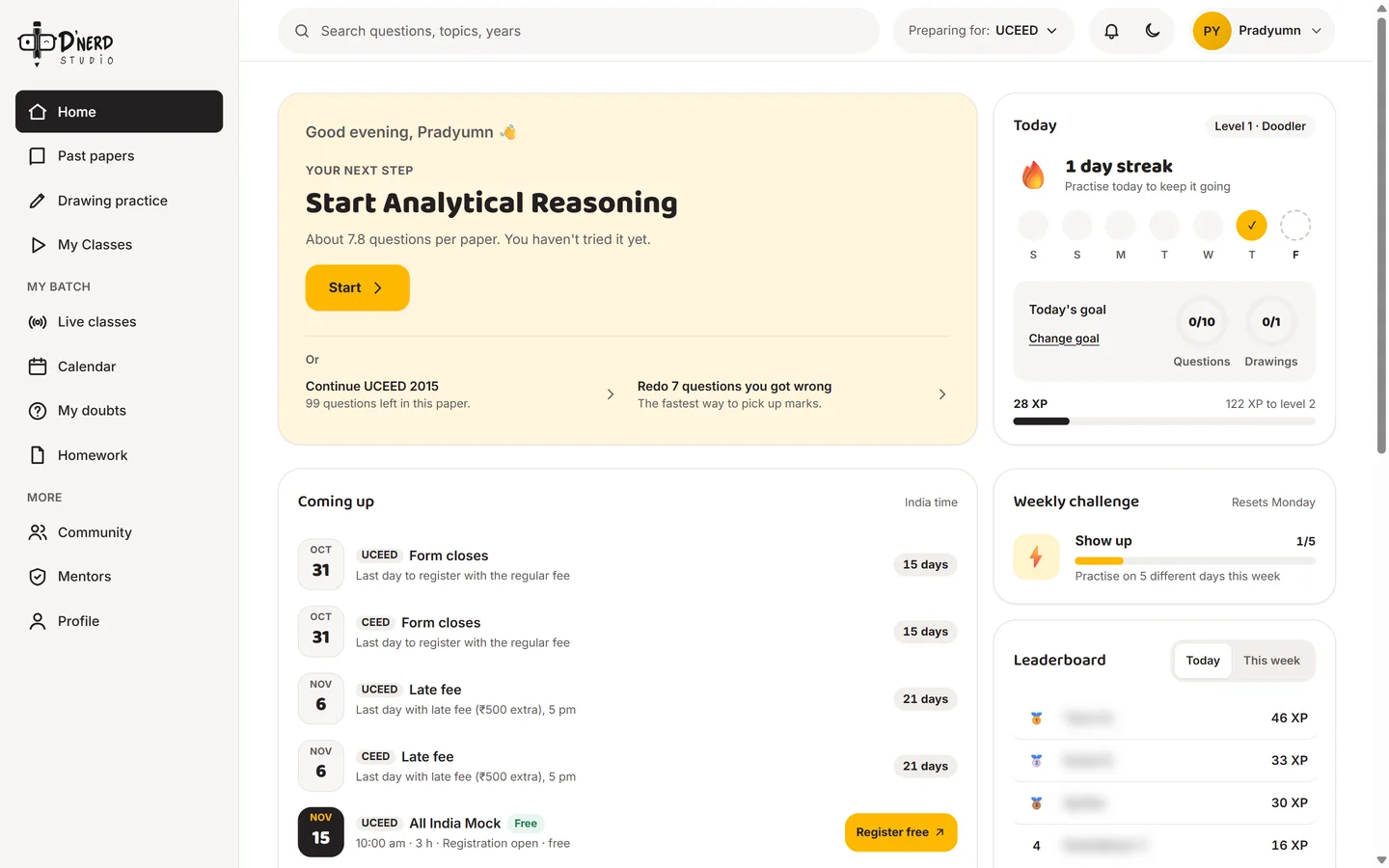
    A dashboard that shows progress

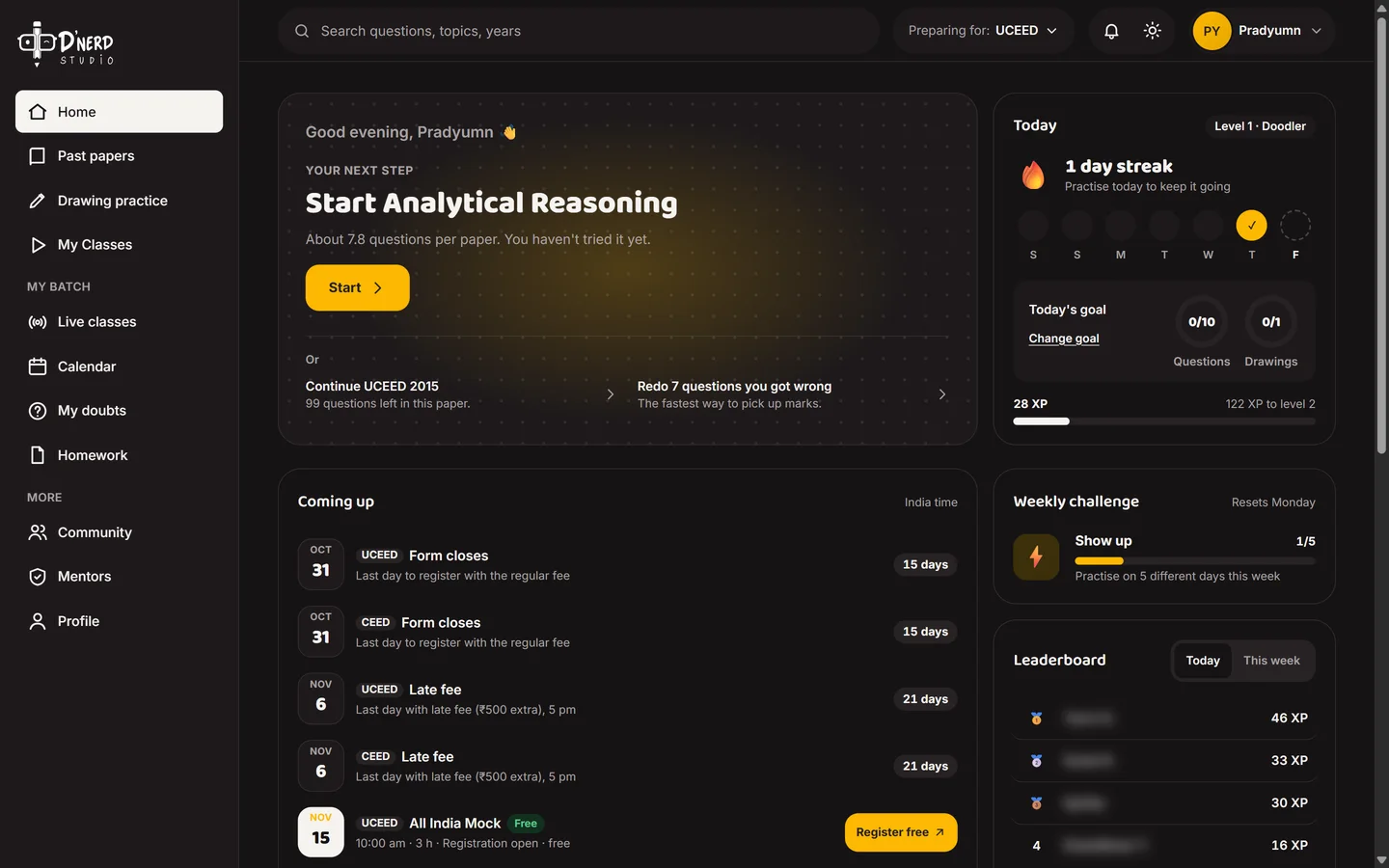
    The next step, today's goal, a streak and "Redo 7 questions you got wrong". Students see how they're doing instead of guessing. Leaderboard names are blurred here.
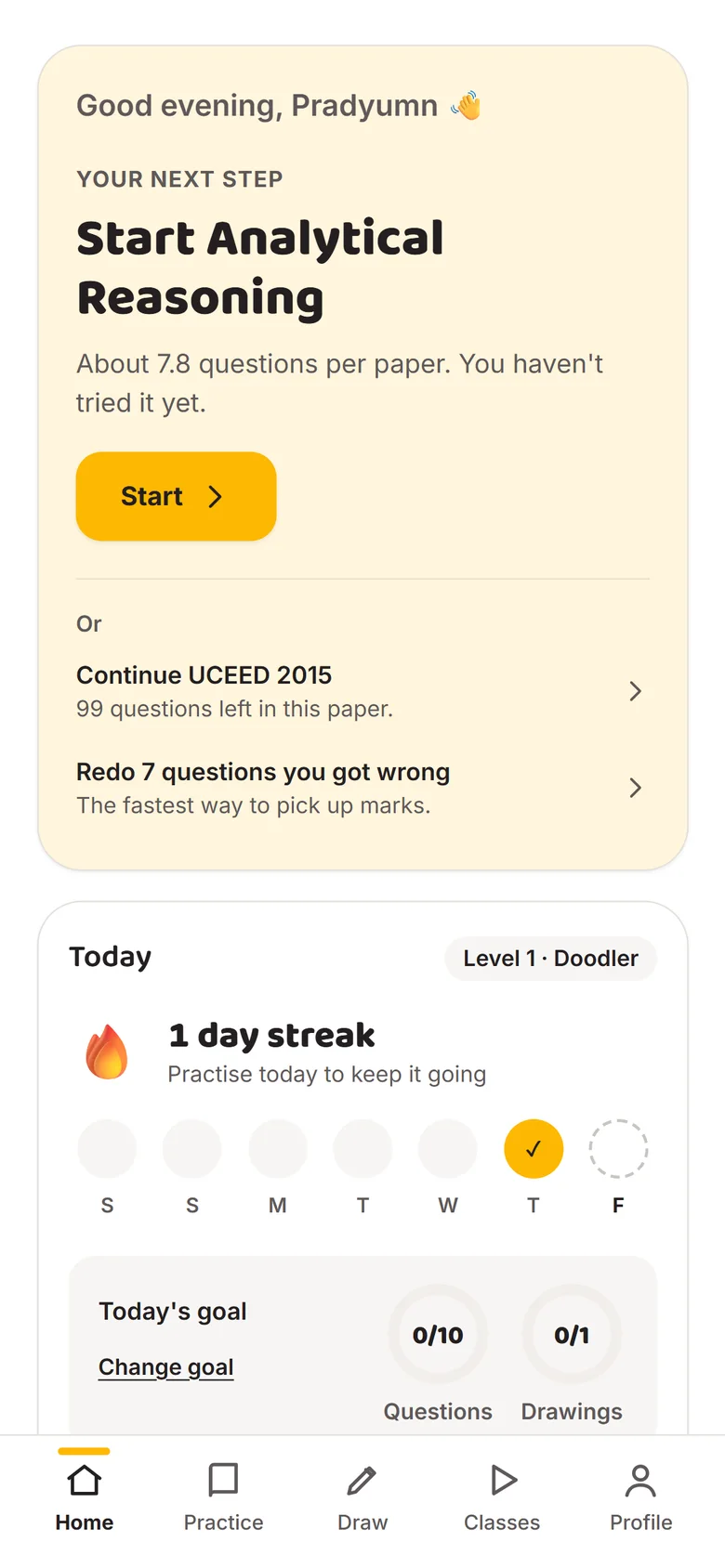
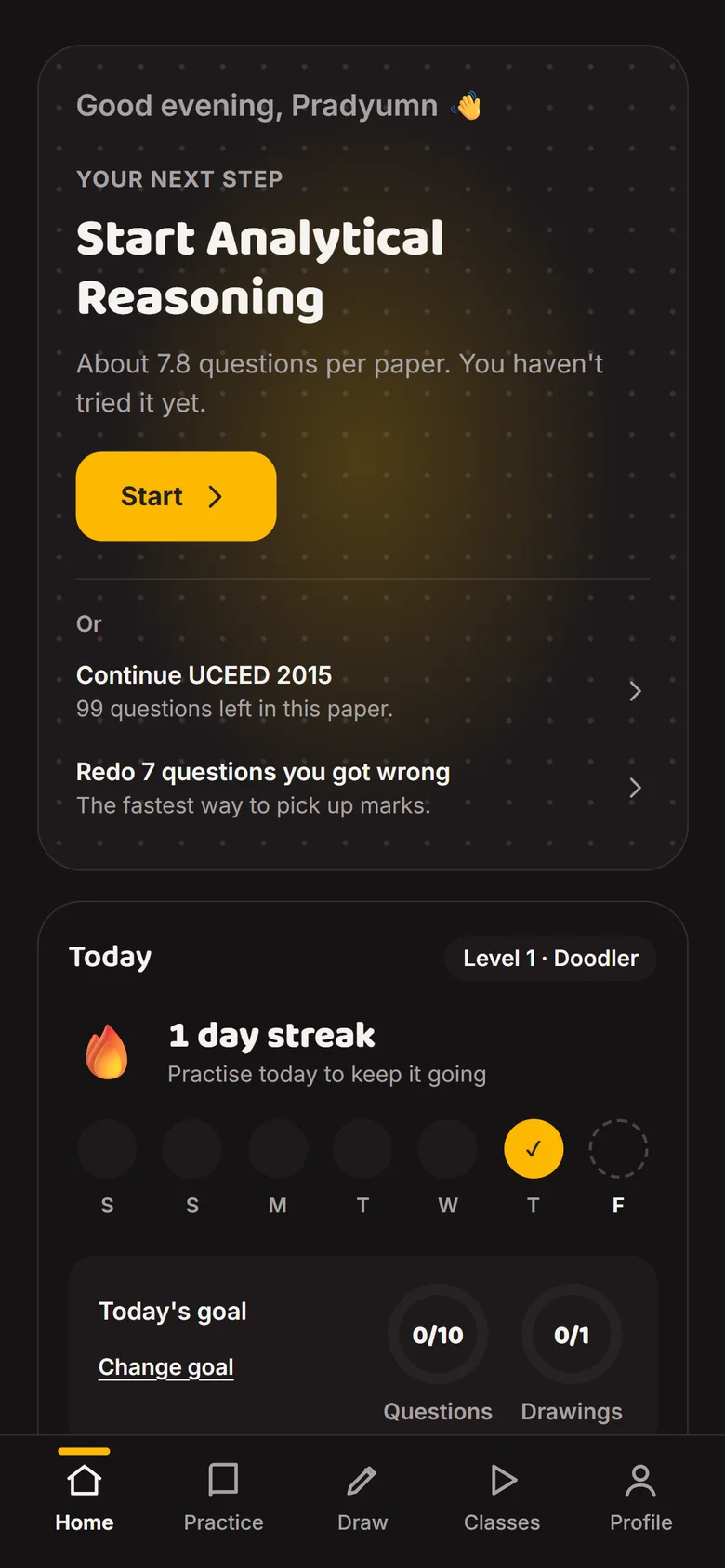
    Student dashboard with next step, streak, goals and upcoming exam datesStudent dashboard with next step, streak, goals and upcoming exam dates
  2. Scene 2 of 5Batch student

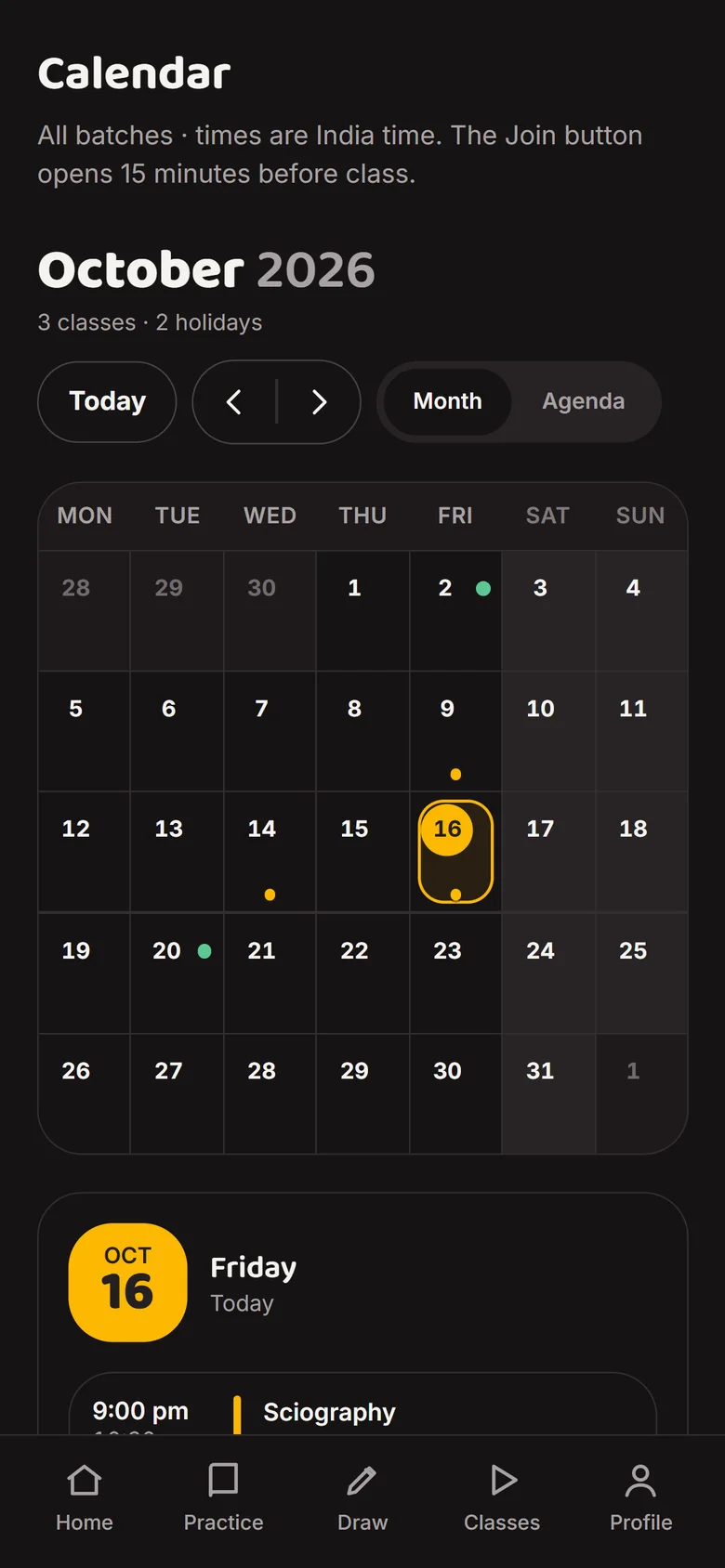
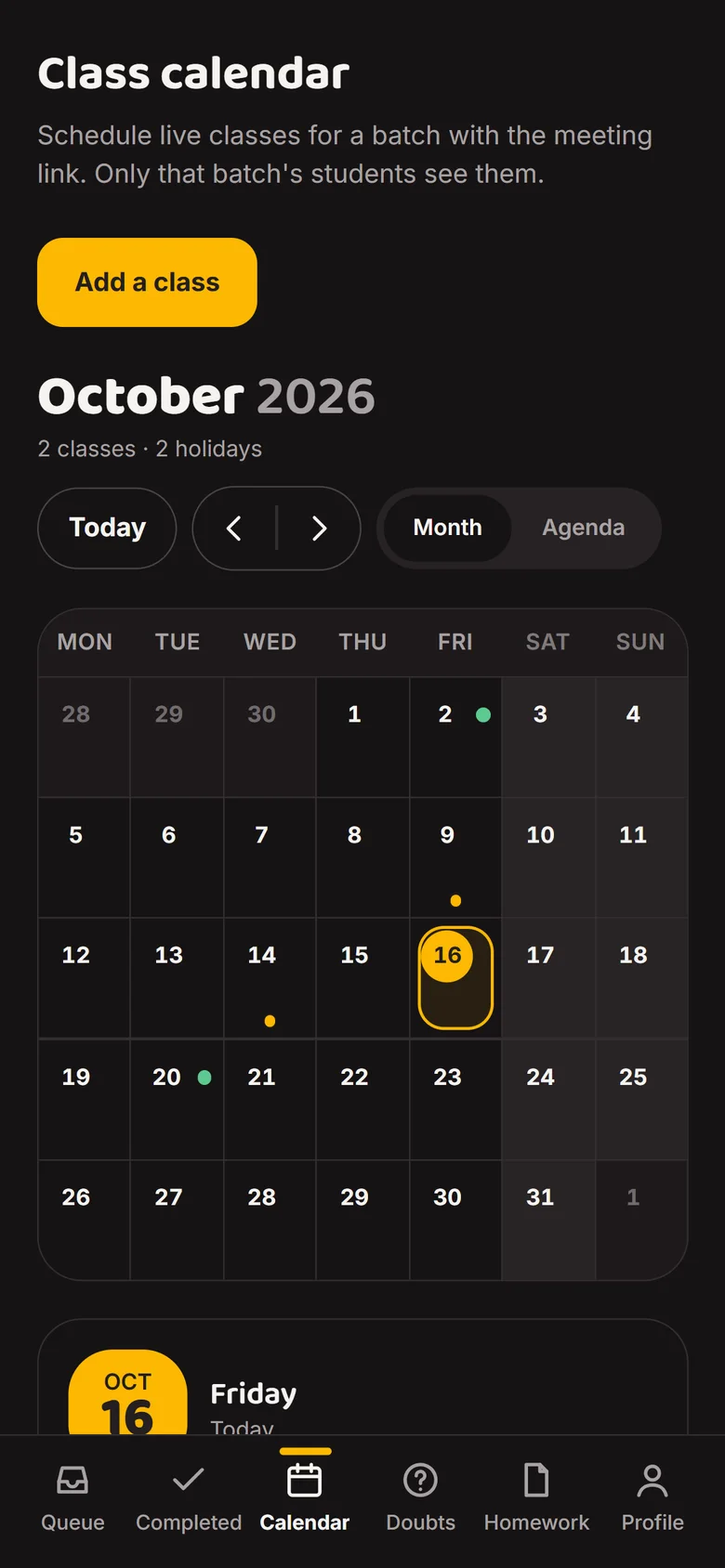
    See the next class

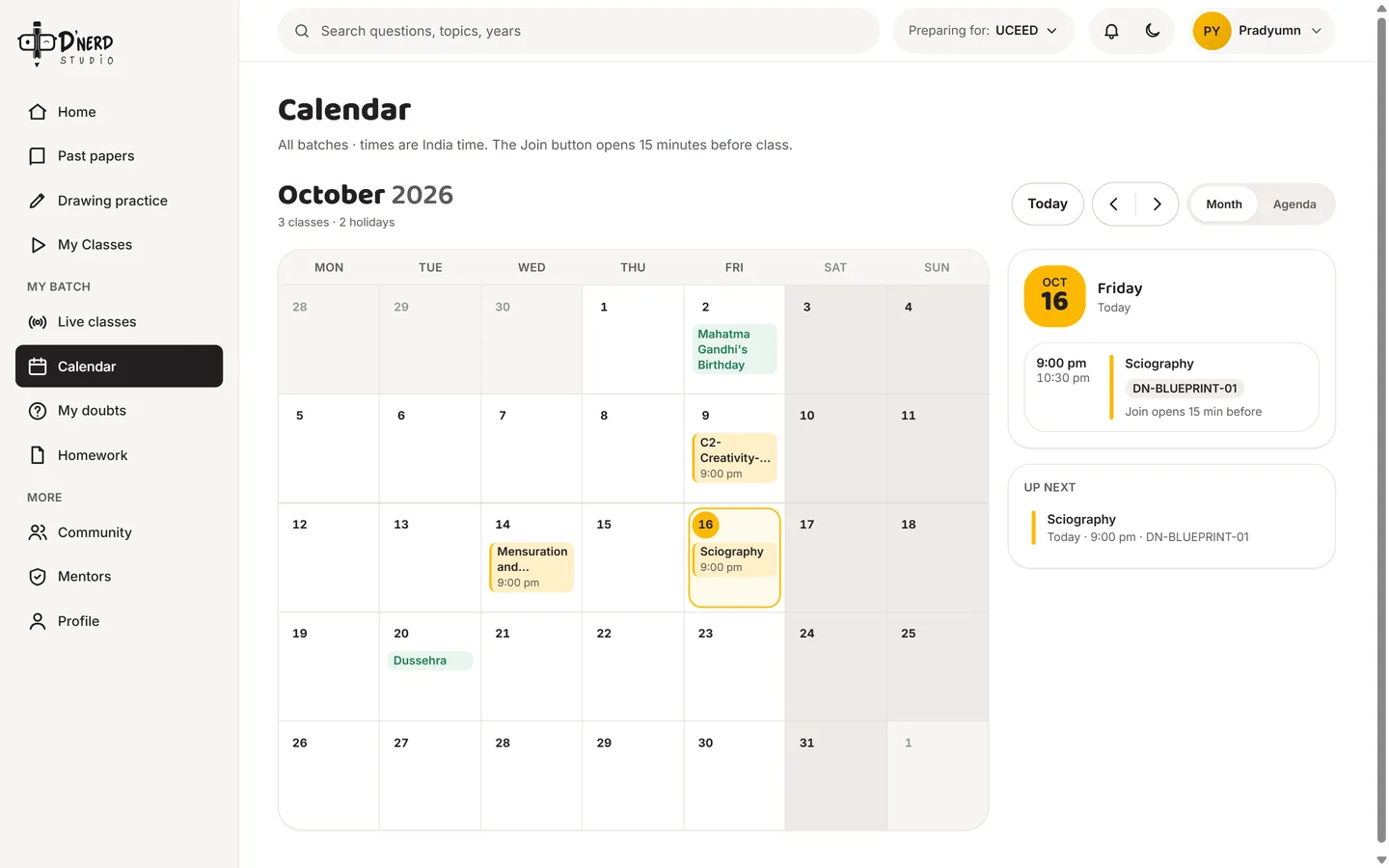
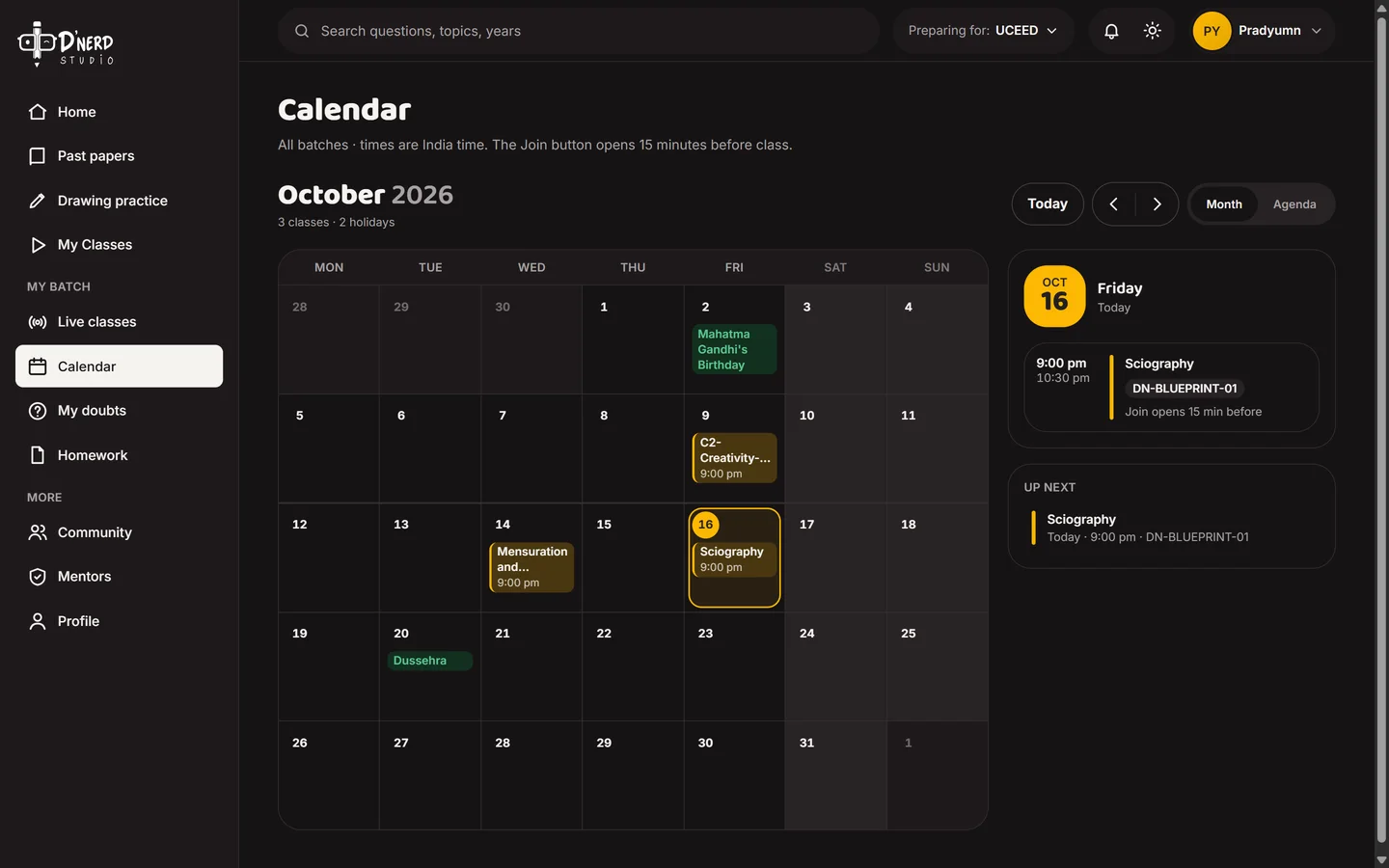
    Every class and holiday for the batch, in India time. Today's class is highlighted on the right.
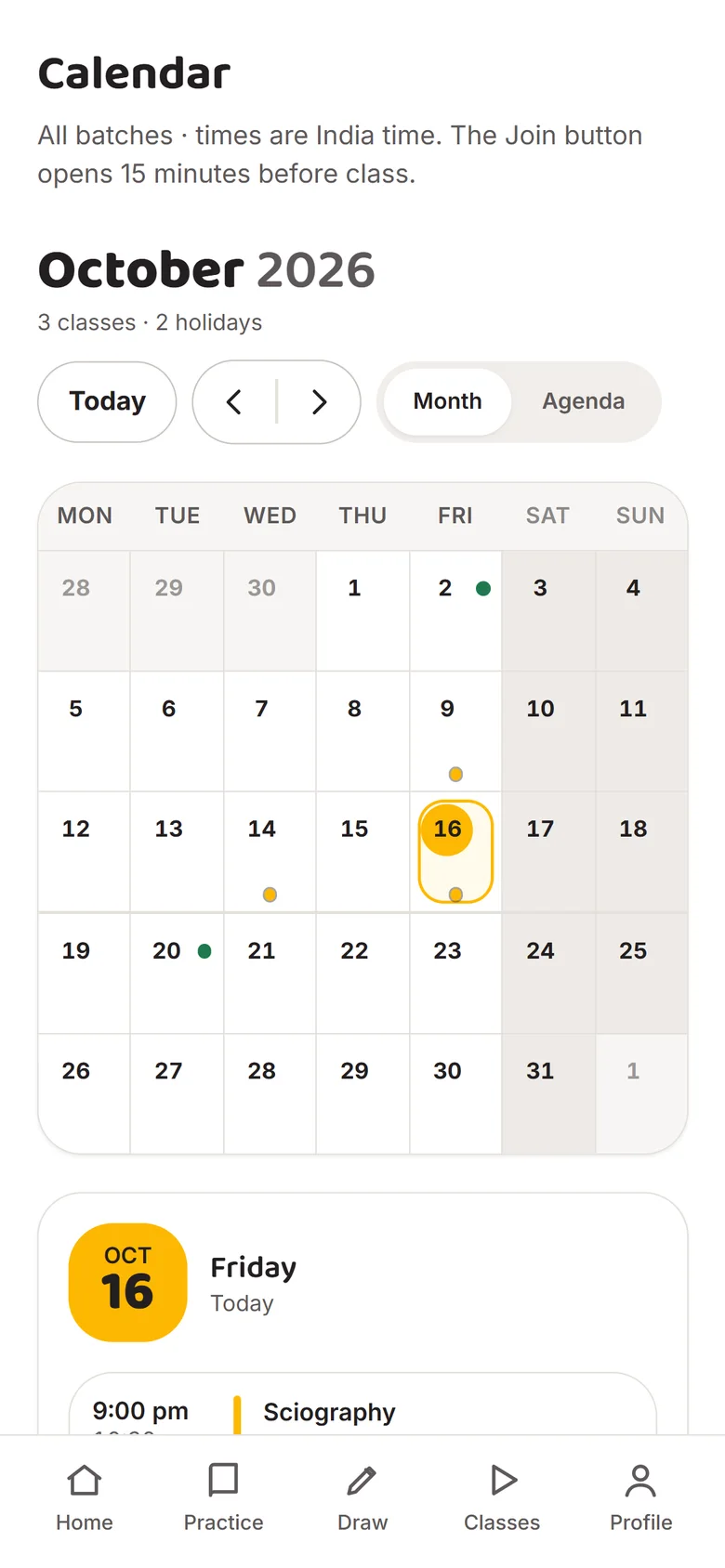
    Class calendar with today's class highlightedClass calendar with today's class highlighted
  3. Scene 3 of 5Batch student

    Join from here, not from chat

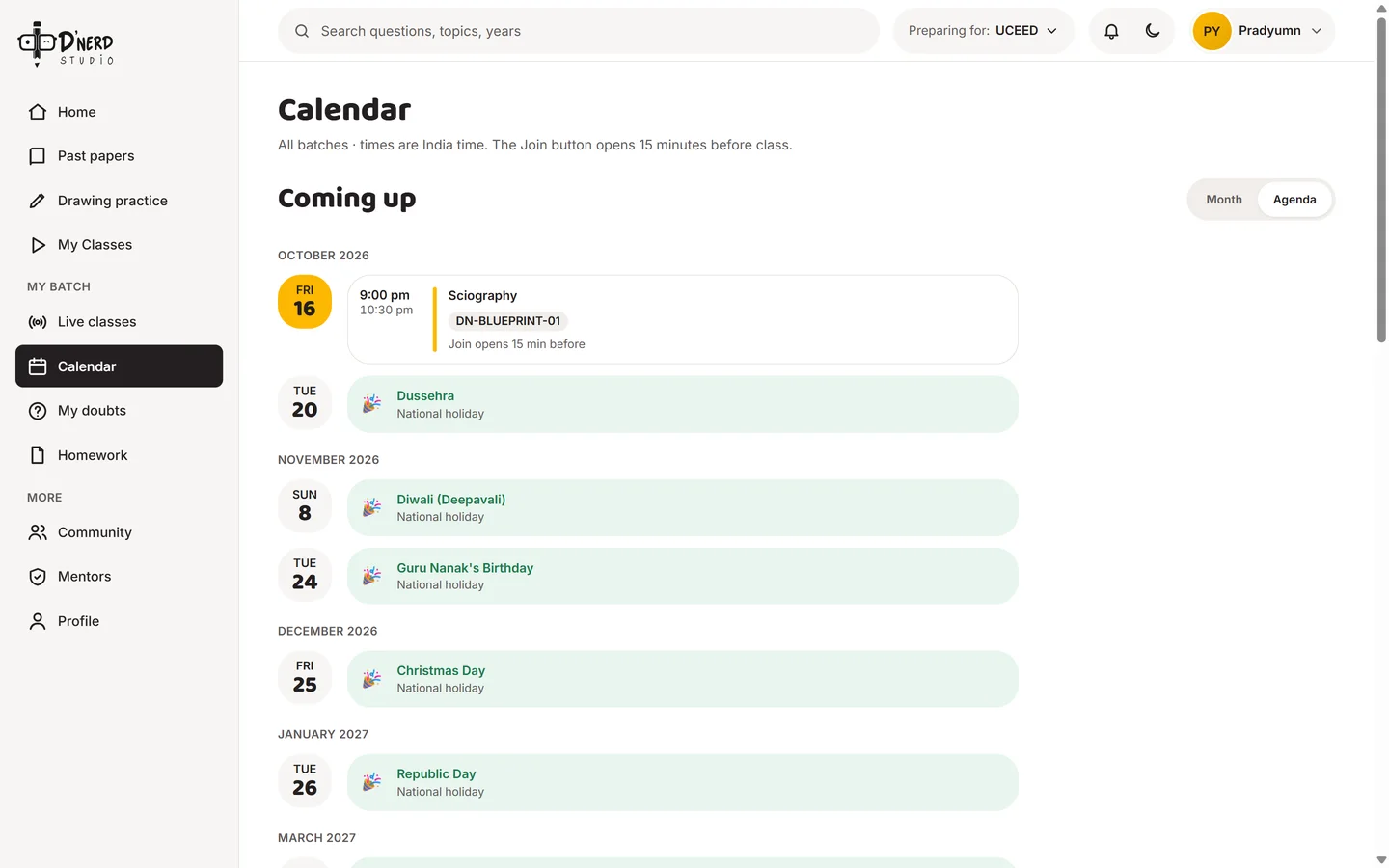
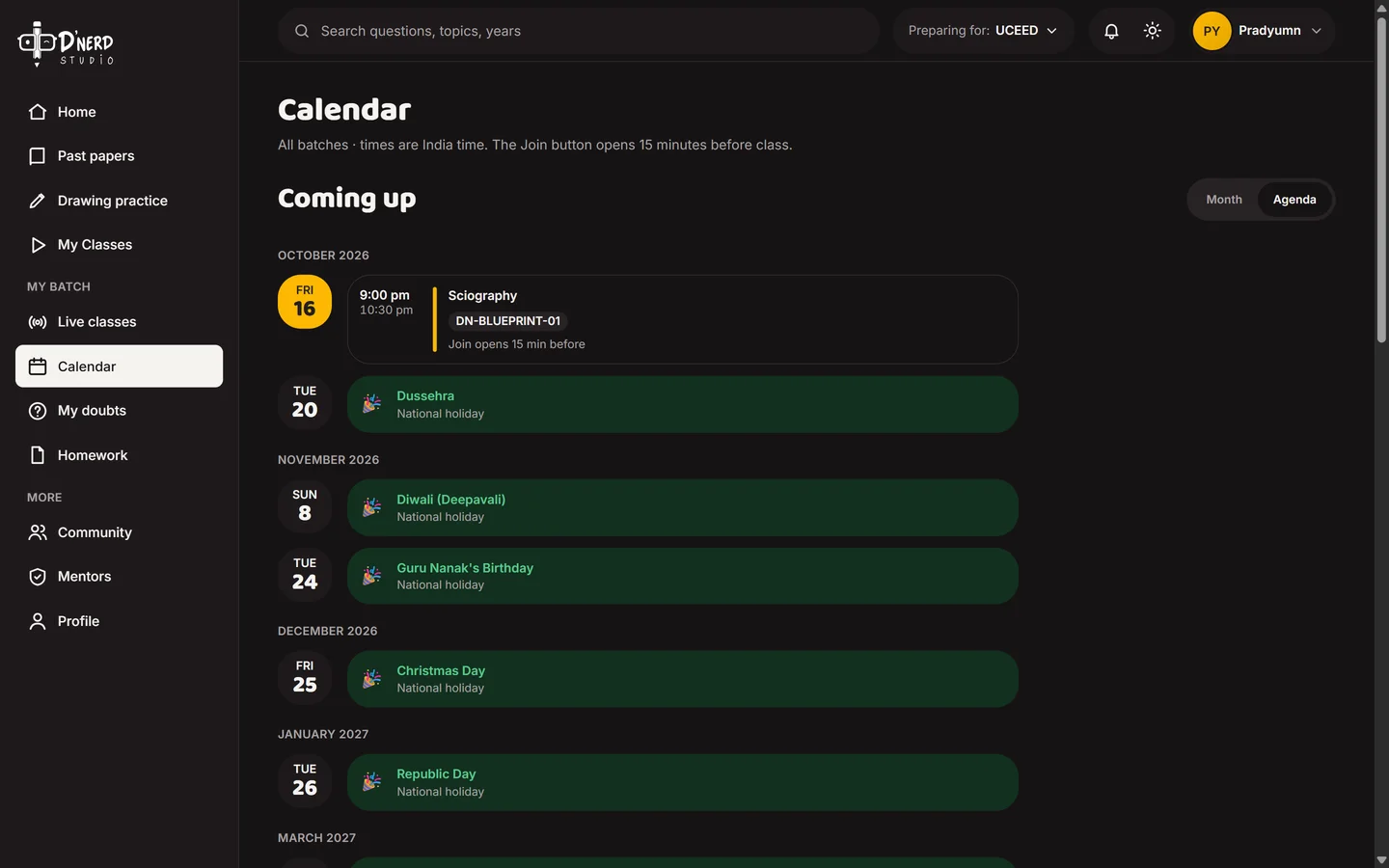
    The agenda lists what's next. The Join button opens 15 minutes before class, so no one asks for the link again.
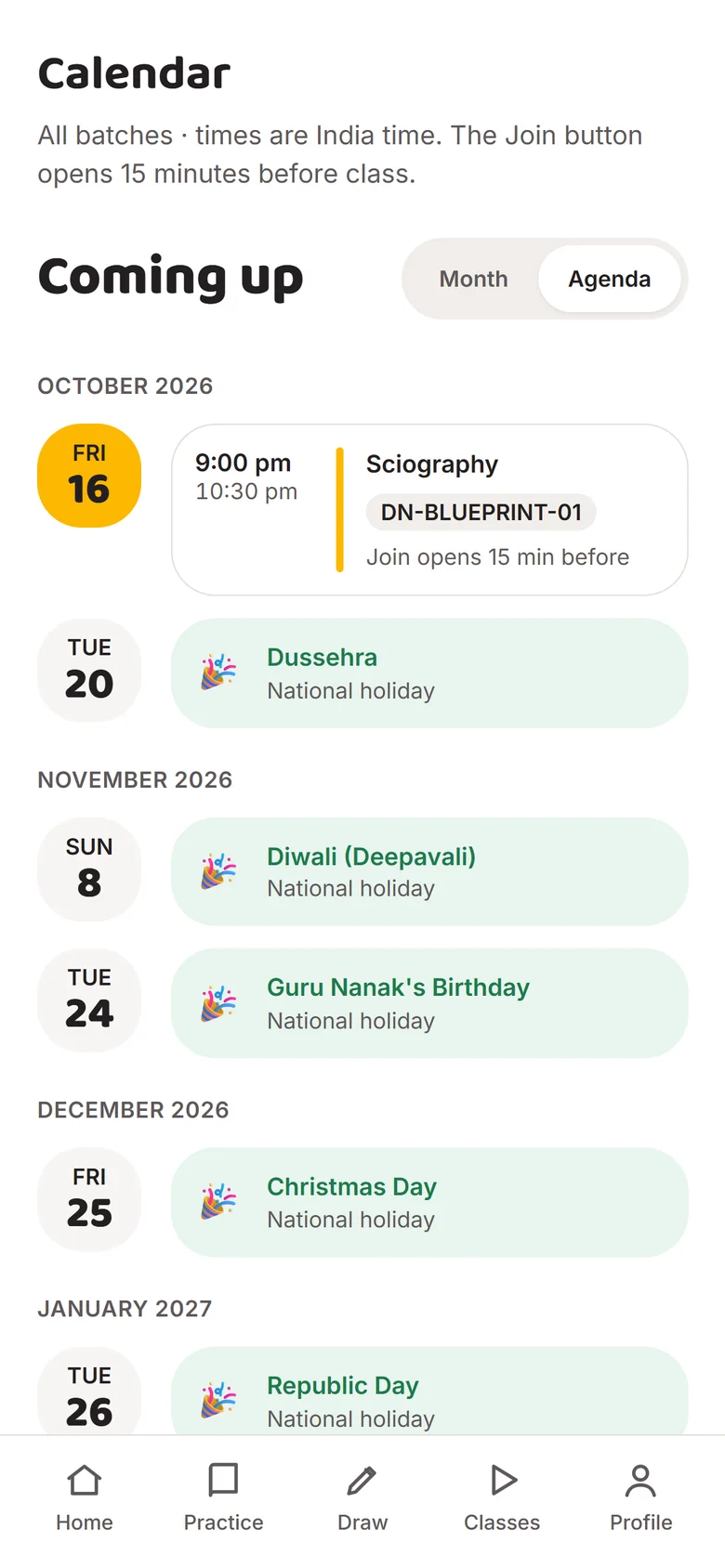
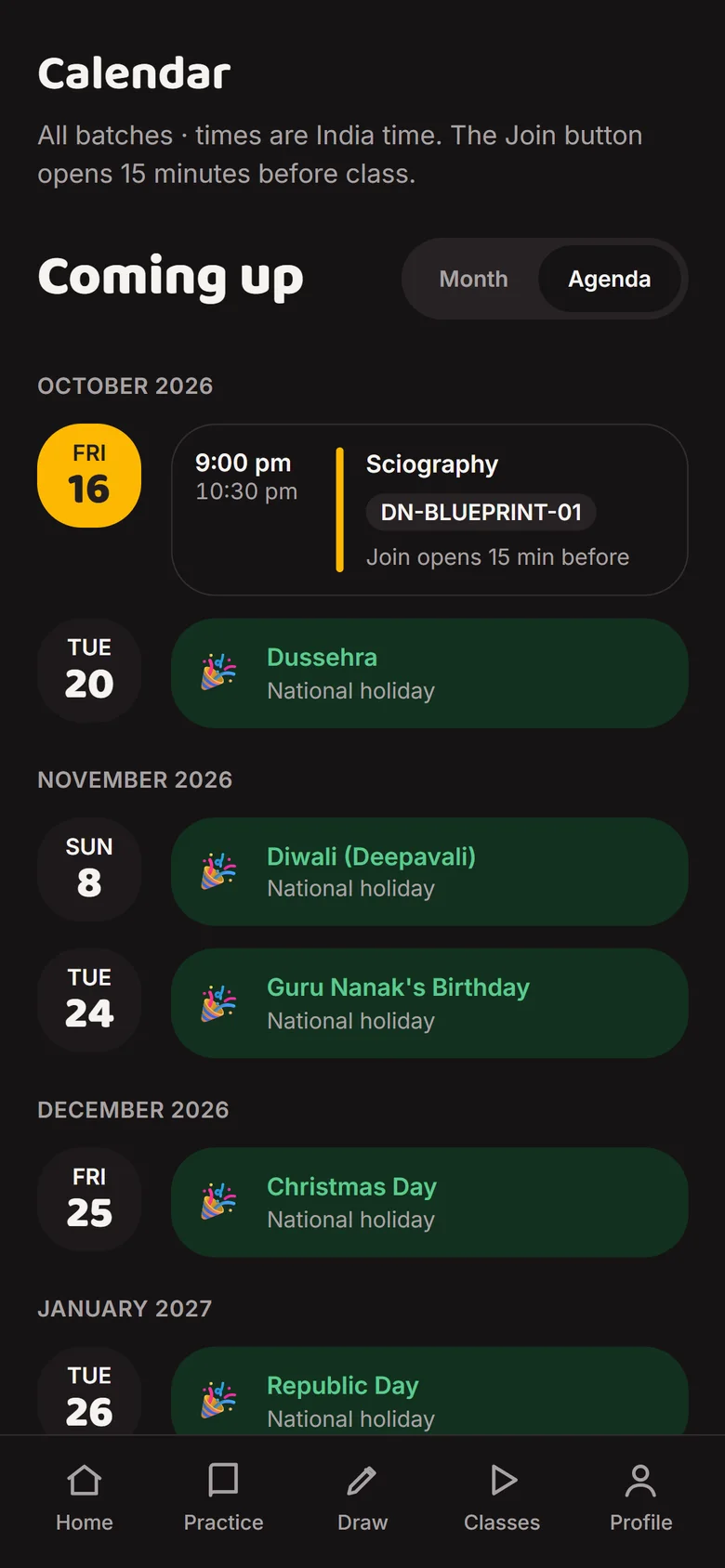
    Agenda of upcoming classesAgenda of upcoming classes
  4. Scene 4 of 5Batch student

    Draw in class, get marked in class

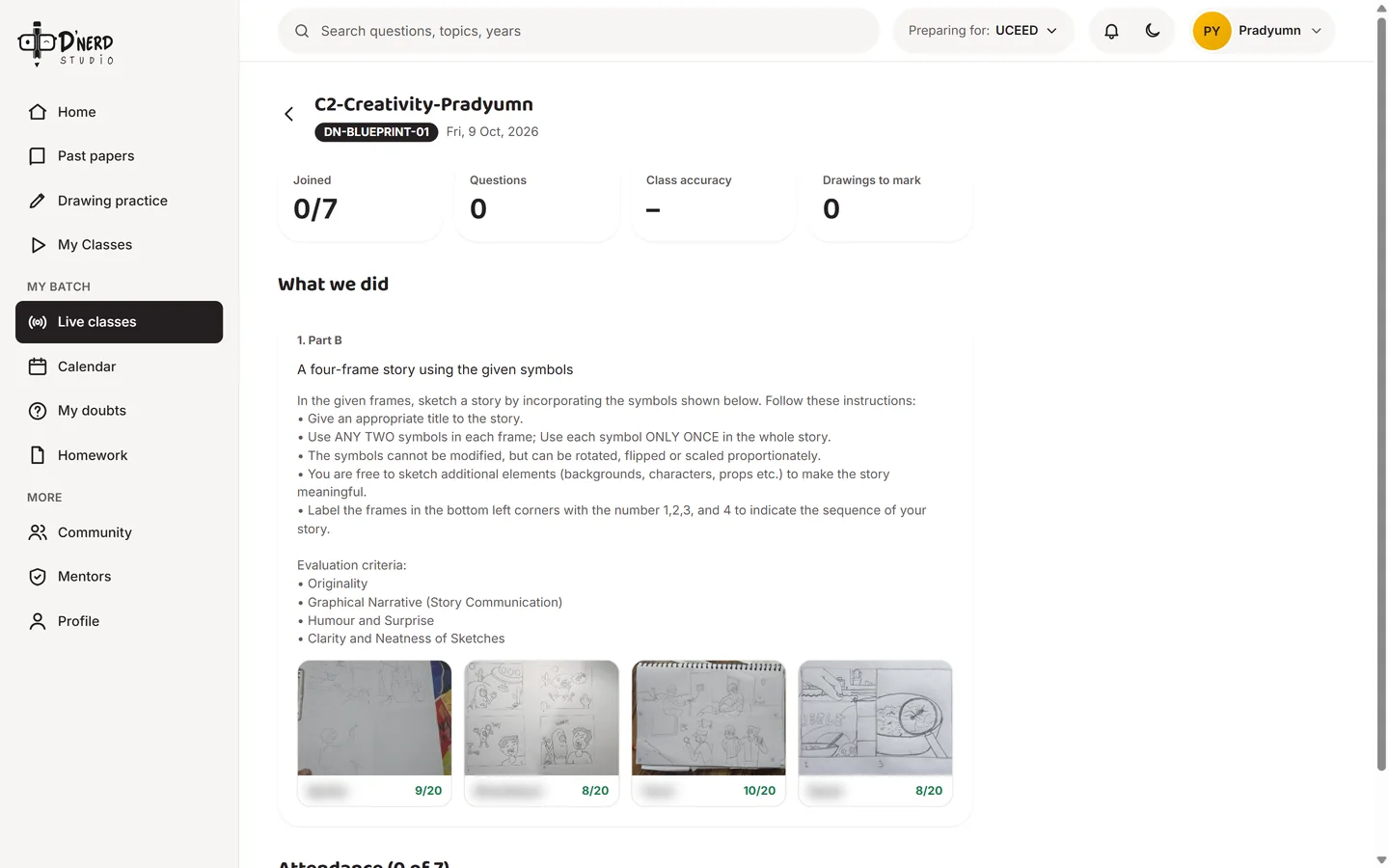
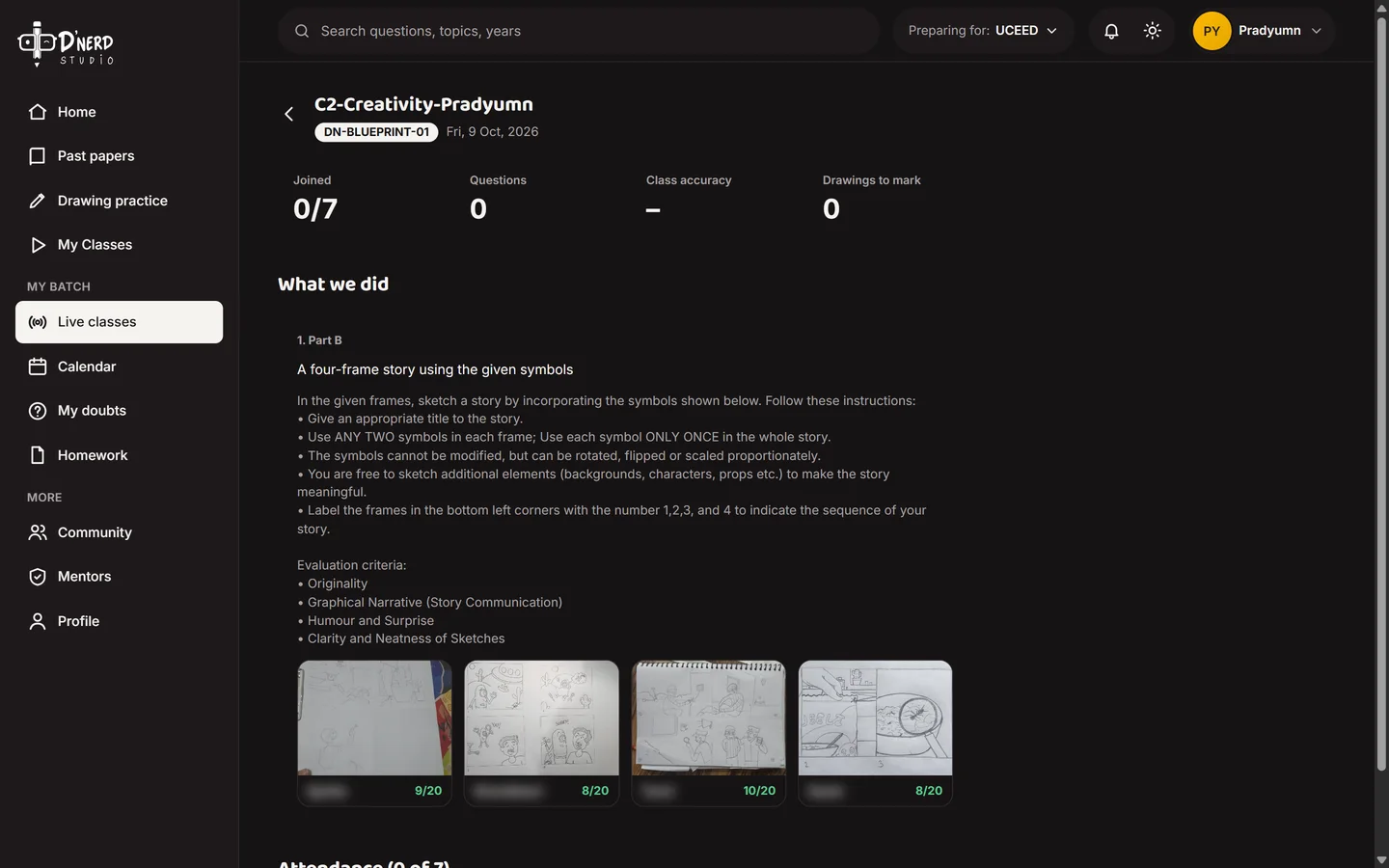
    Drawings uploaded during the class are marked by the mentor out of 20 and stay on the class page with the prompt. Student names are blurred.
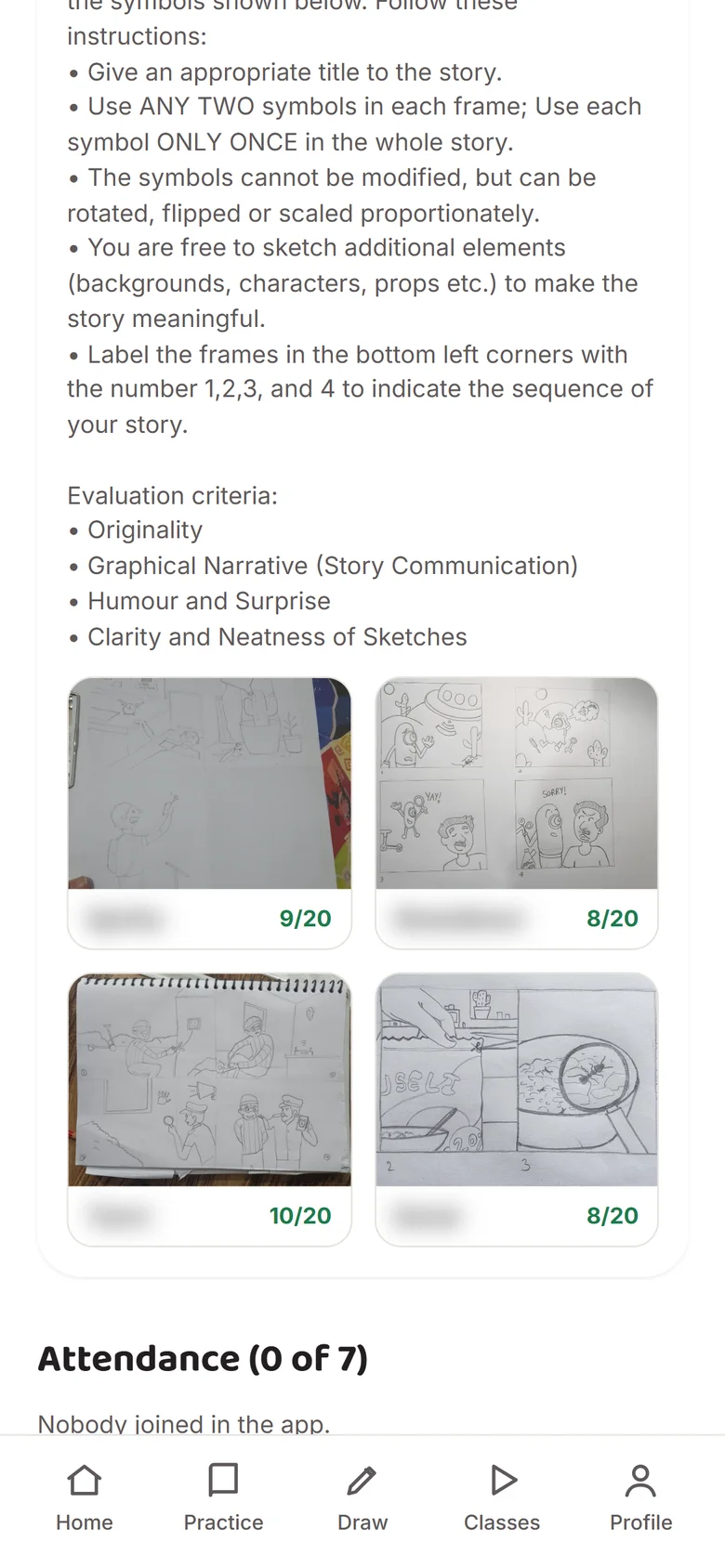
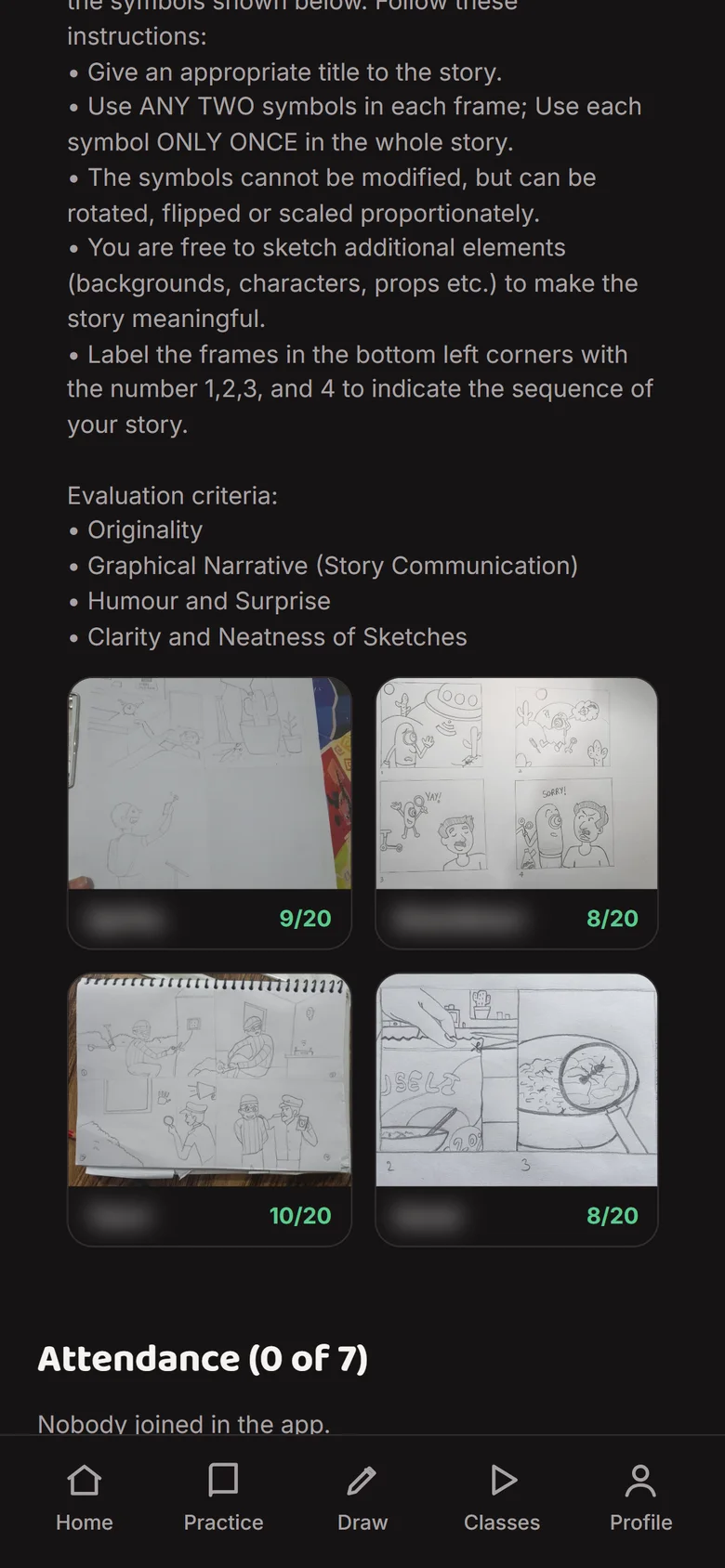
    Class page with the day's prompt and marked drawingsClass page with the day's prompt and marked drawings
  5. Scene 5 of 5Batch student

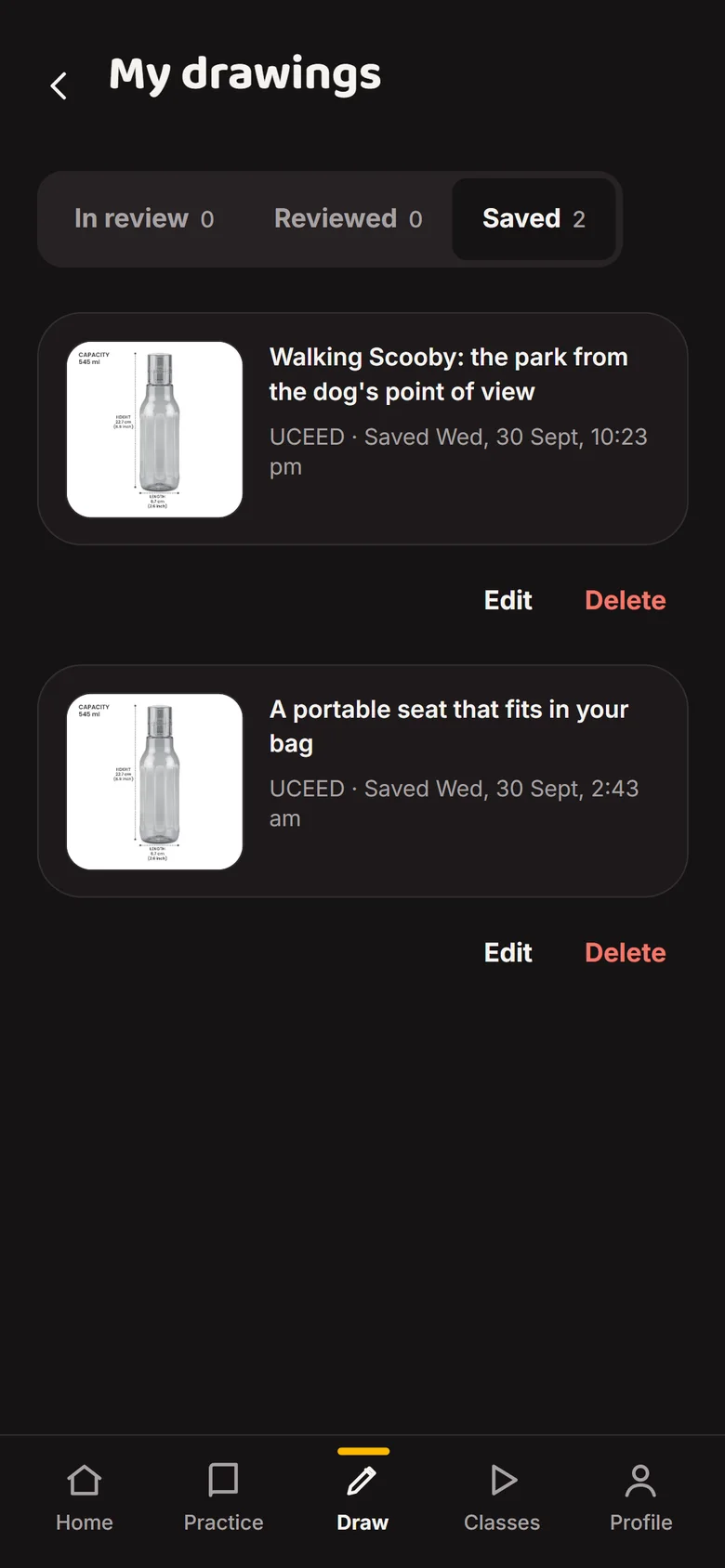
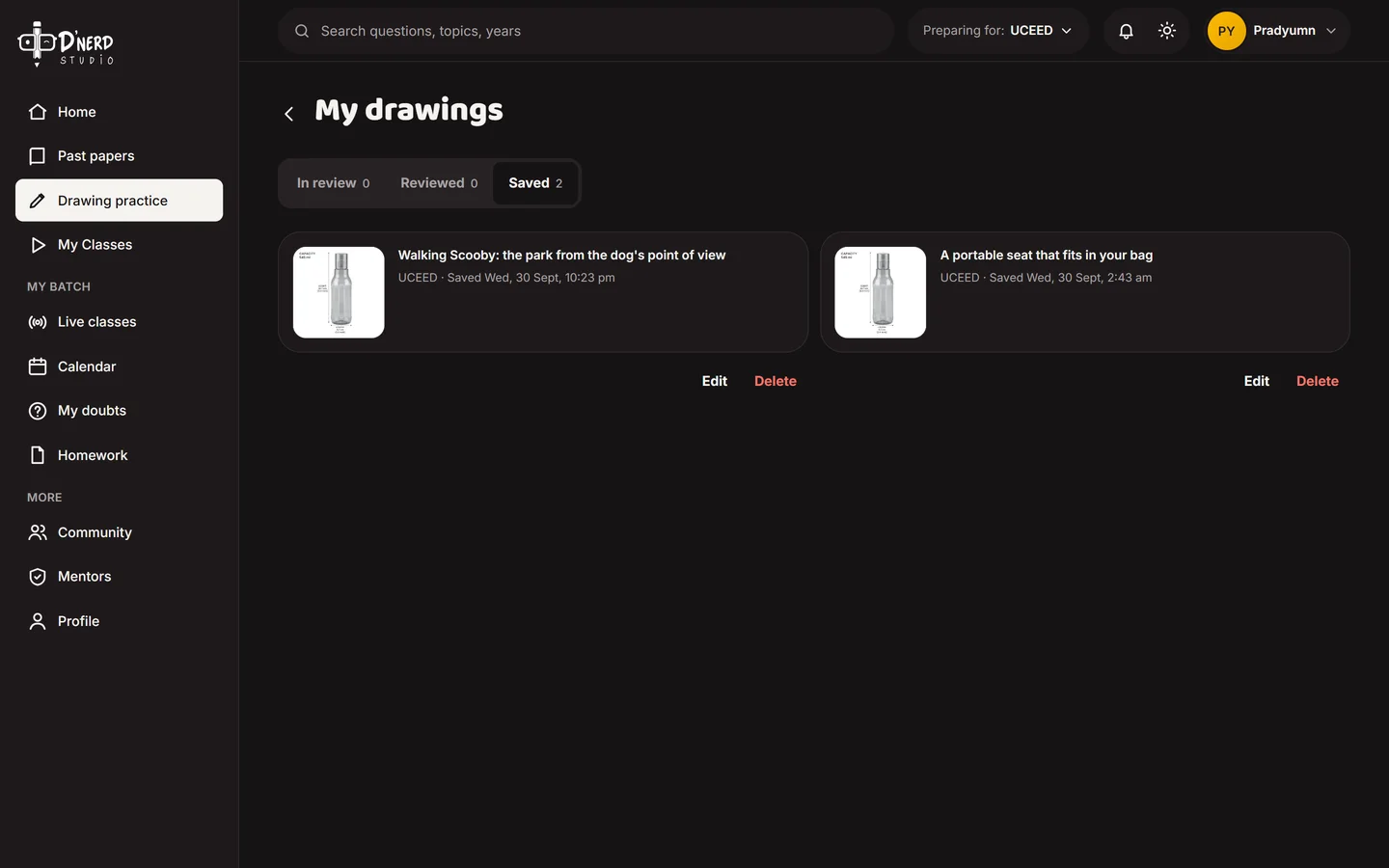
    Every drawing, tracked

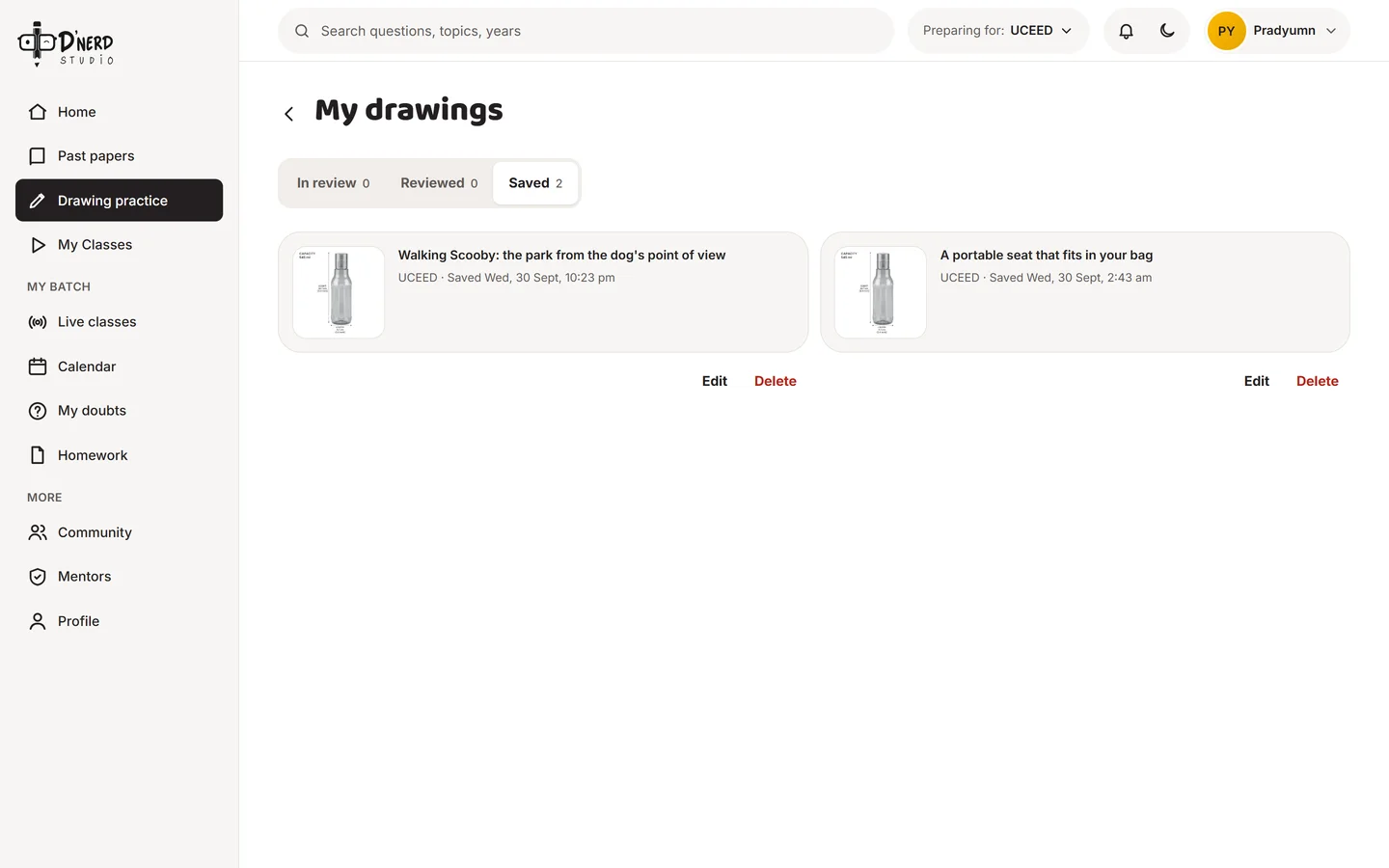
    Uploads move from Saved to In review to Reviewed, so nothing gets lost in a chat again.
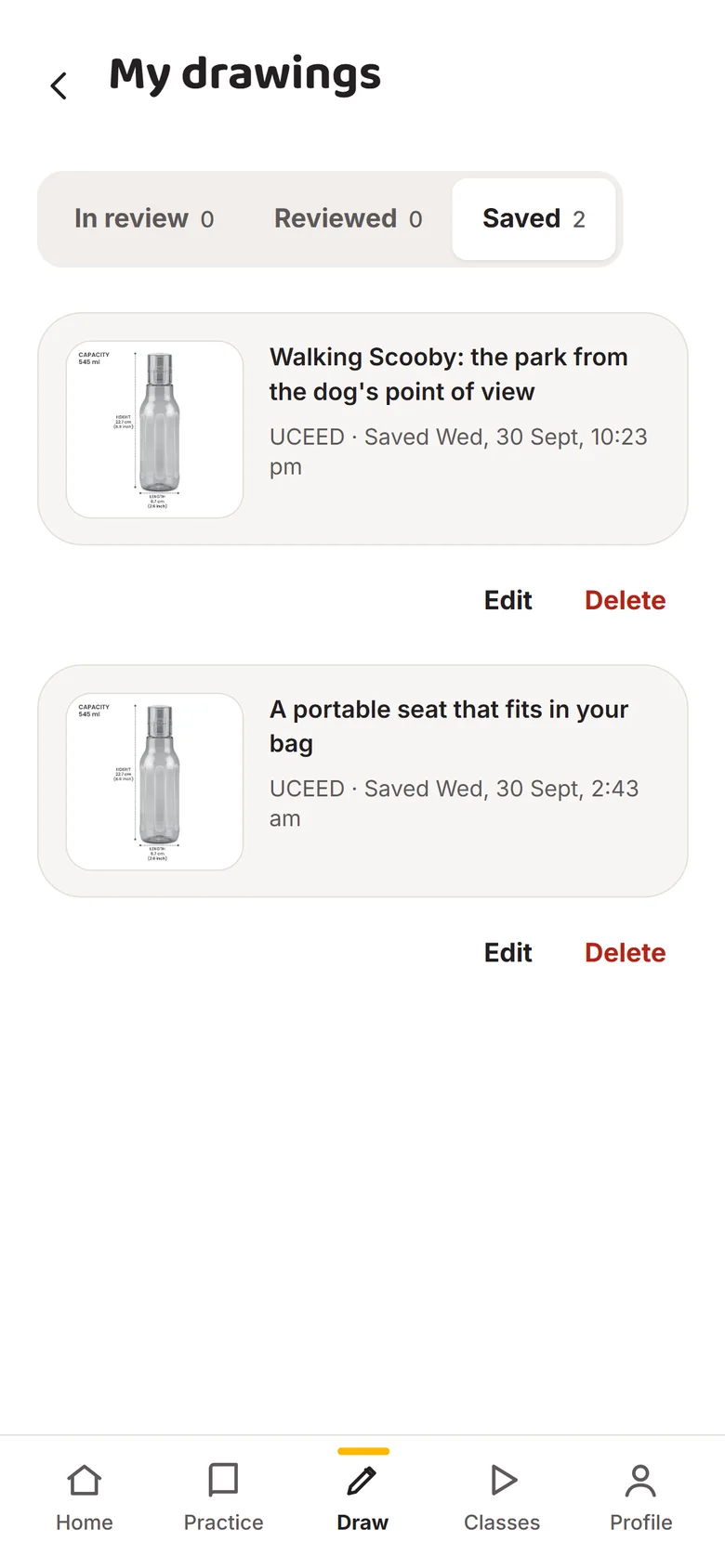
    My drawings with In review, Reviewed and Saved tabsMy drawings with In review, Reviewed and Saved tabs
Door 3 · Mentor · answers Pradyumn and Ganesh

Run a class without the chaos

ThenSeven tools per class, a frozen screen share, homework scattered across a chat.
NowClasses scheduled with their Meet link, lessons planned from past papers, homework marked on the page, doubts answered in one queue.
  1. Scene 1 of 6Mentor

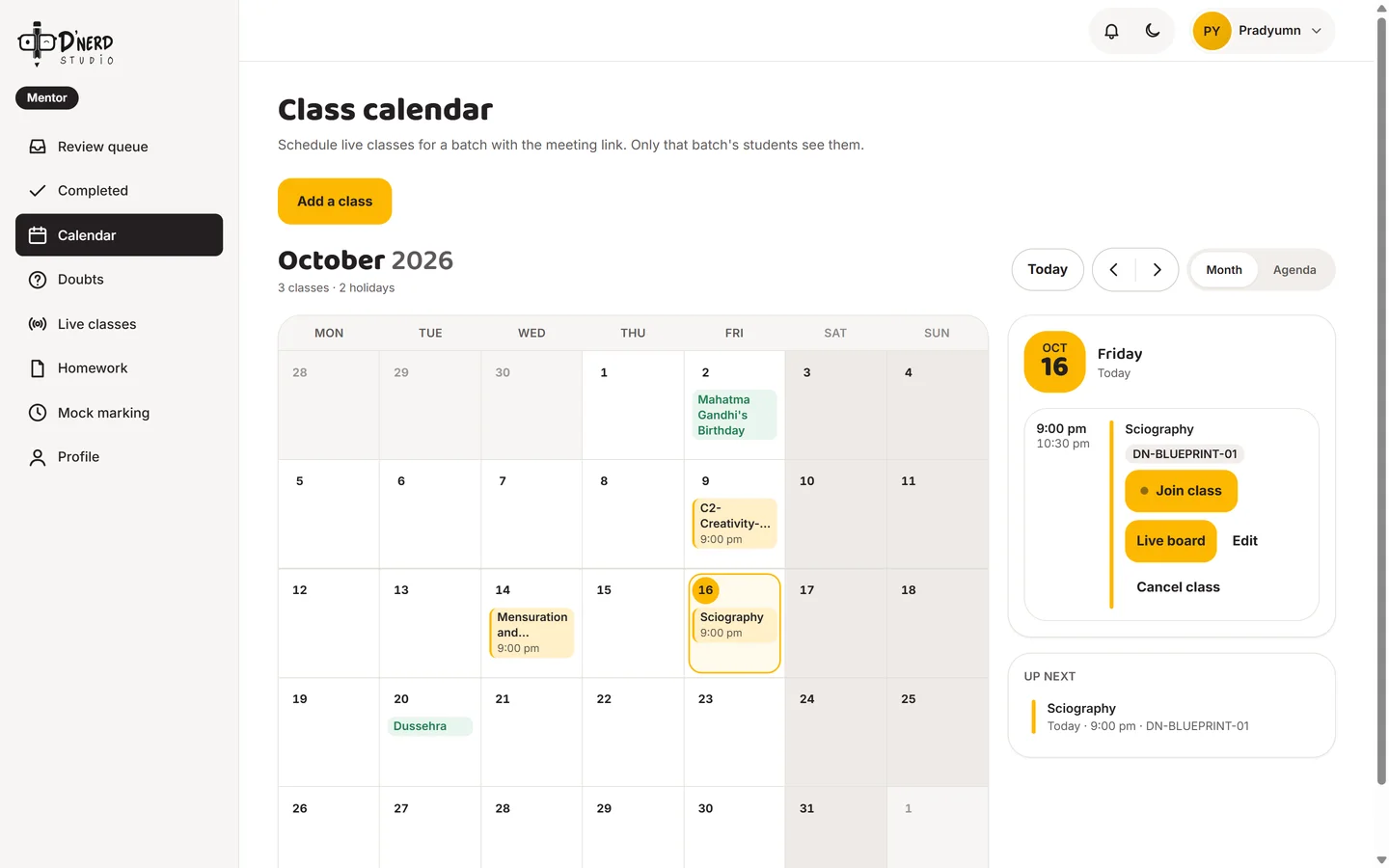
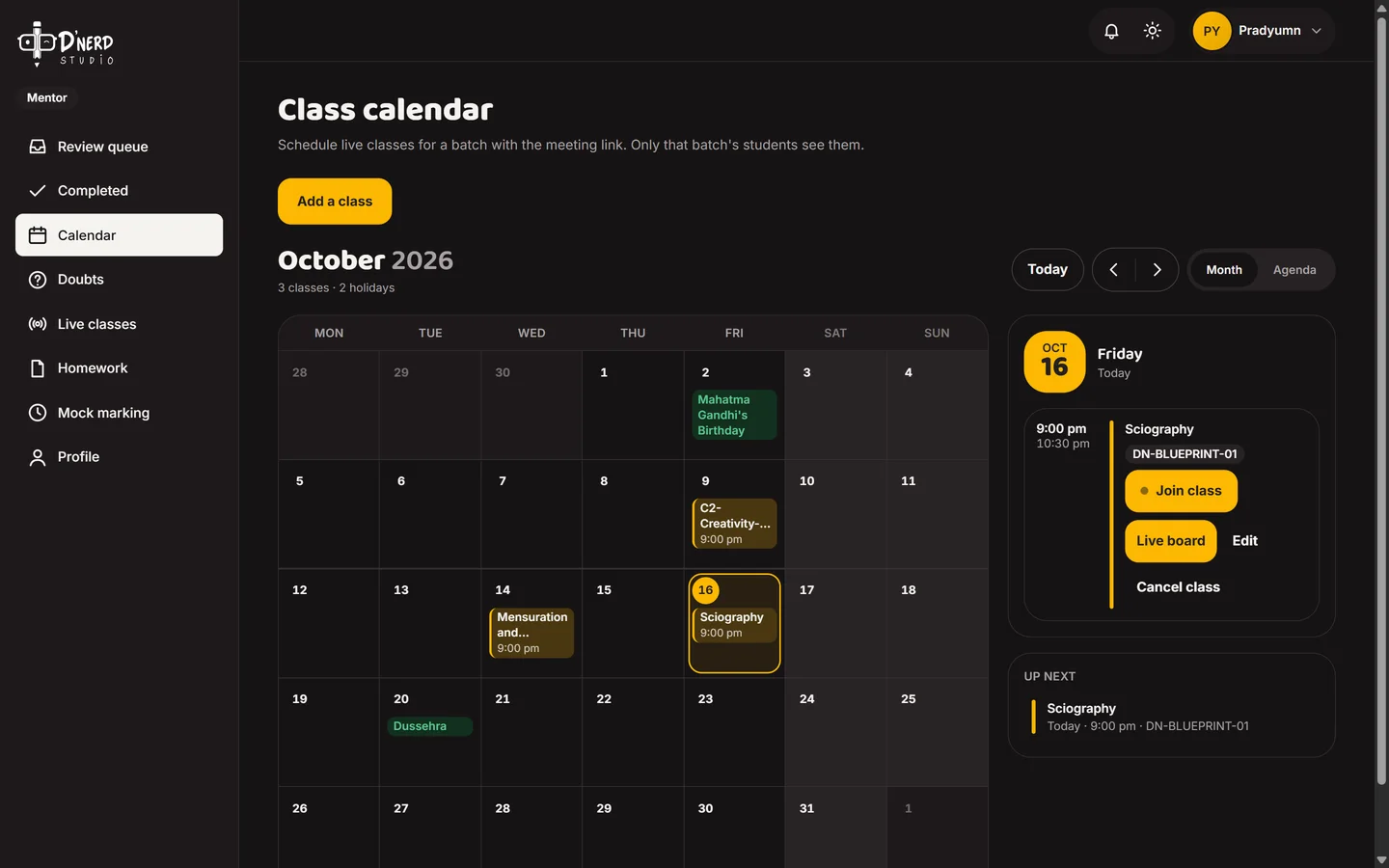
    The class calendar

    Every class for the batch. Today's class has Join, Live board, Edit and Cancel.
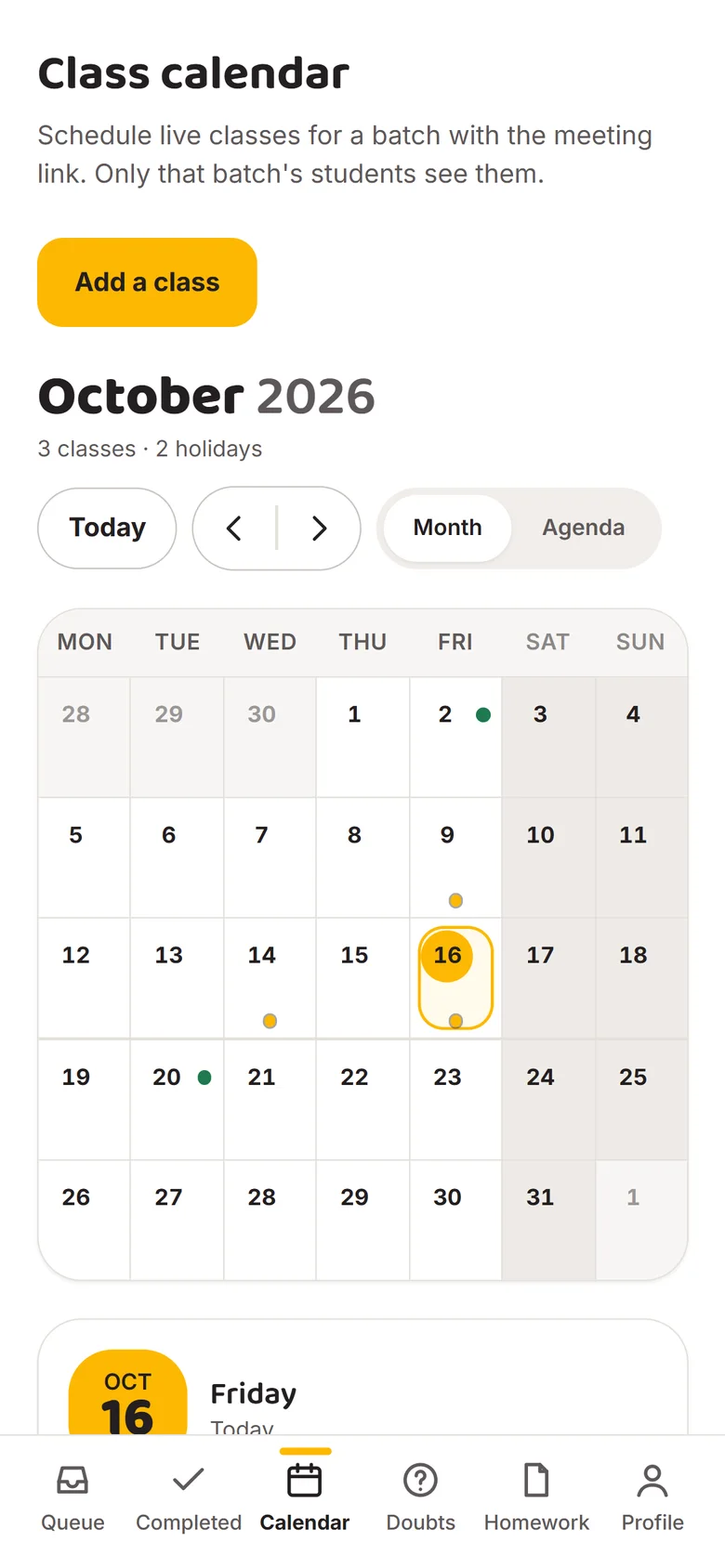
    Mentor class calendarMentor class calendar
  2. Scene 2 of 6Mentor

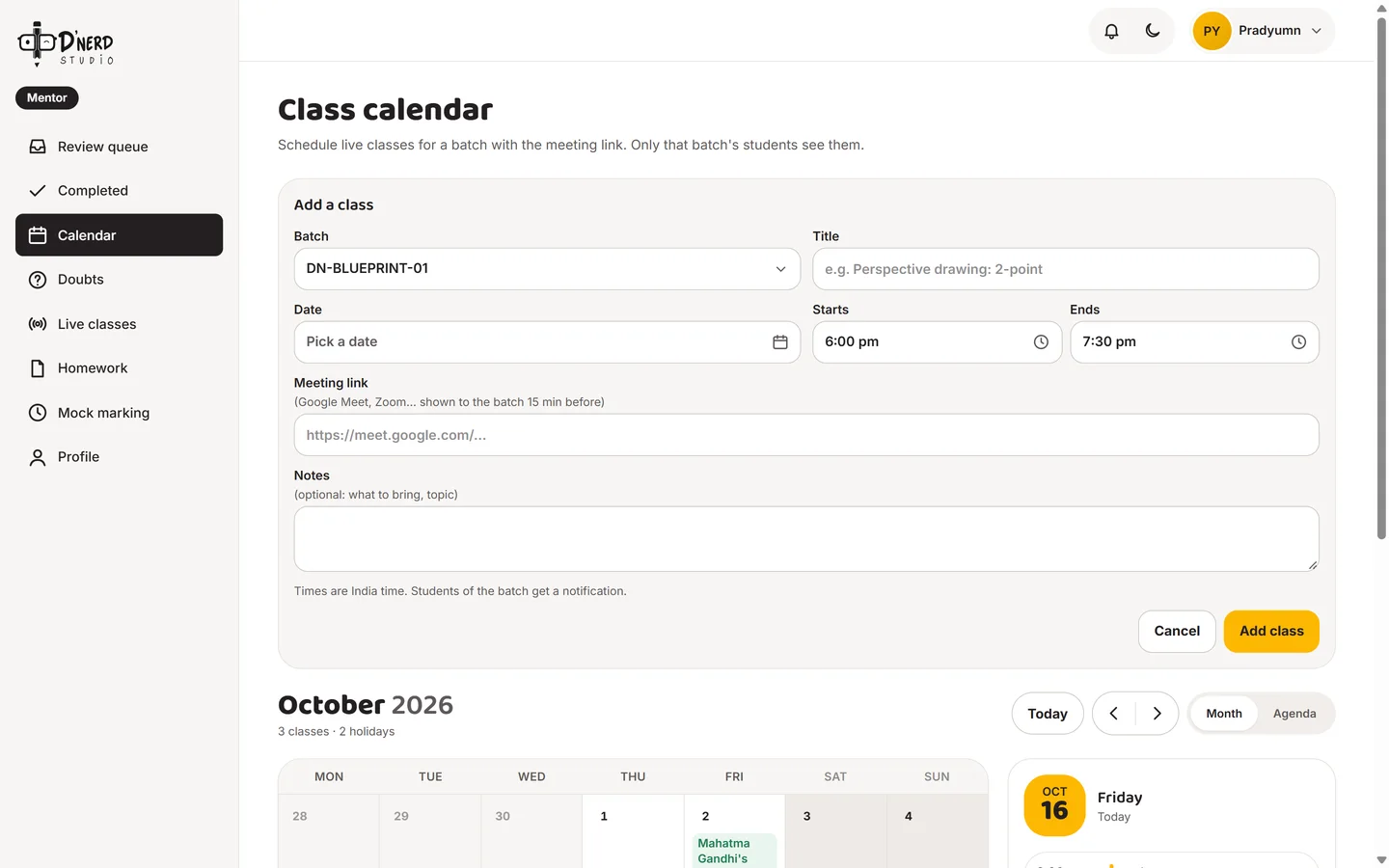
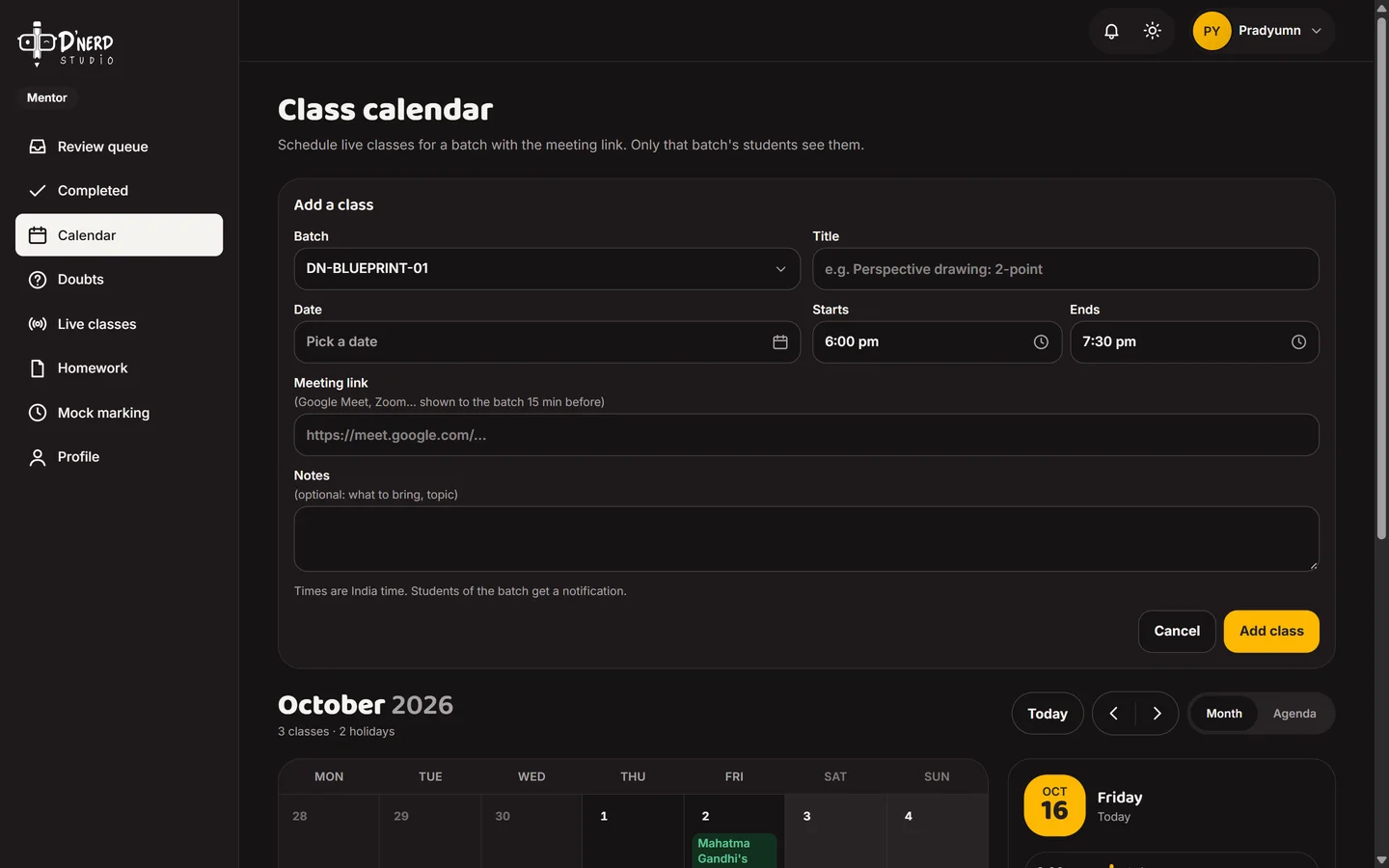
    Add a class in one form

    Pick the batch, write the topic, set the time and paste the Google Meet link. Students in that batch get a notification.
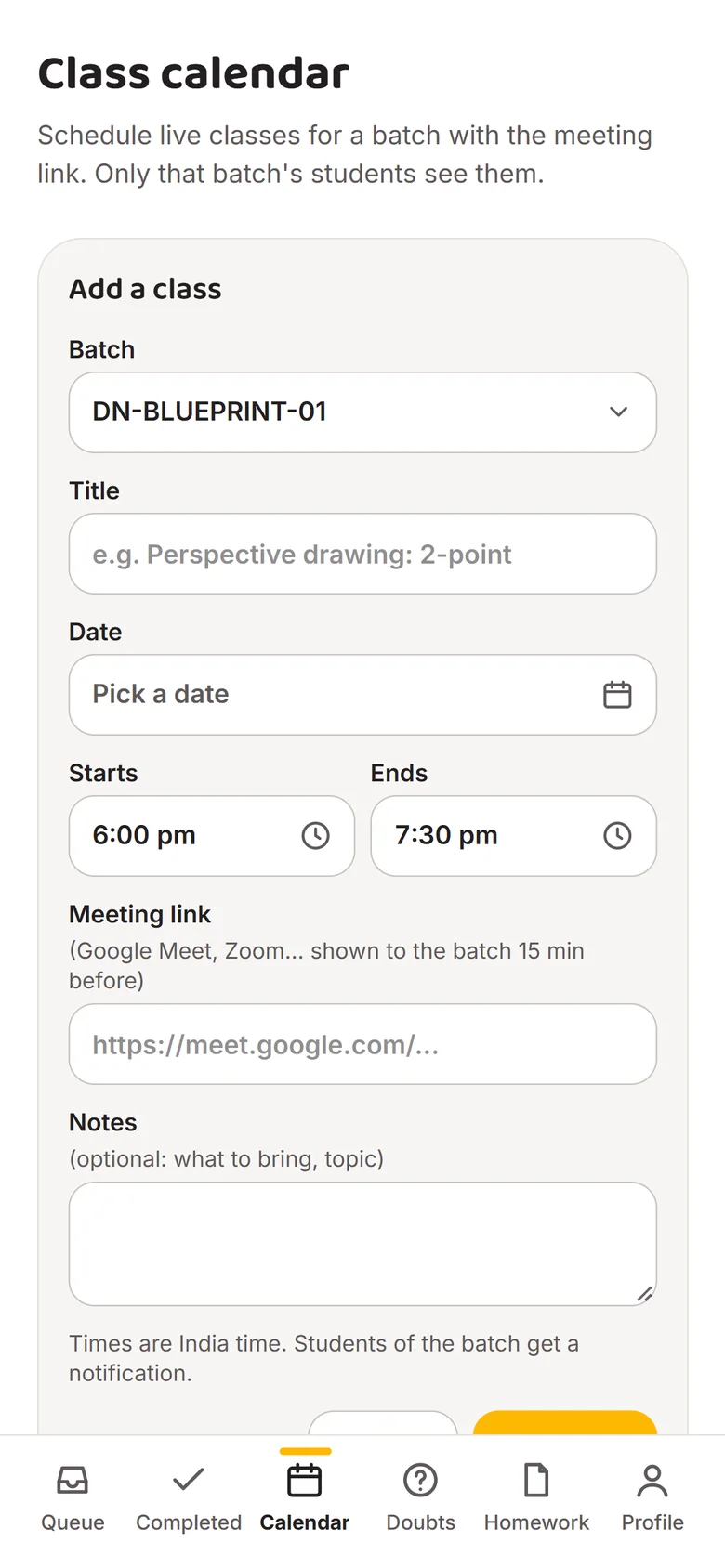
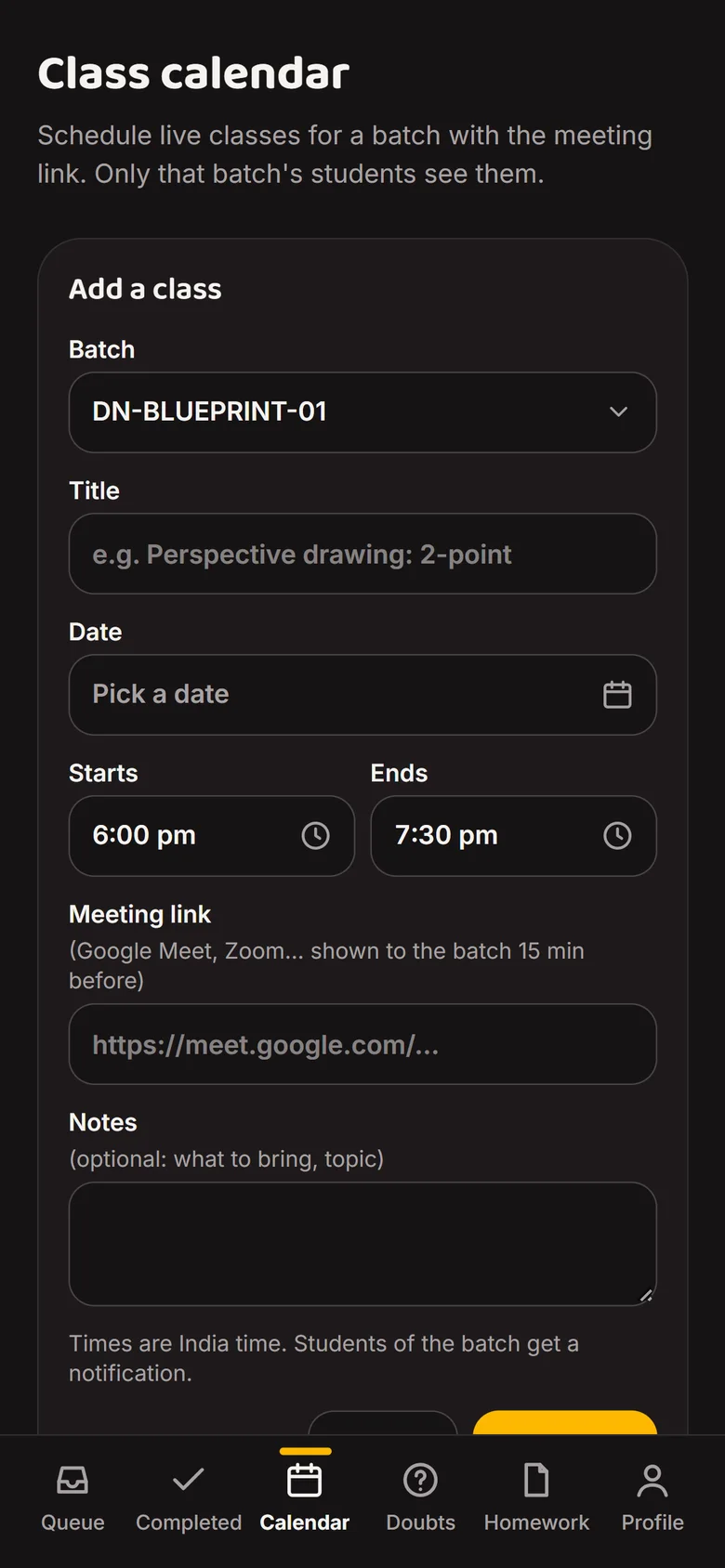
    Add a class form with batch, title, date, time and meeting linkAdd a class form with batch, title, date, time and meeting link
  3. Scene 3 of 6Mentor

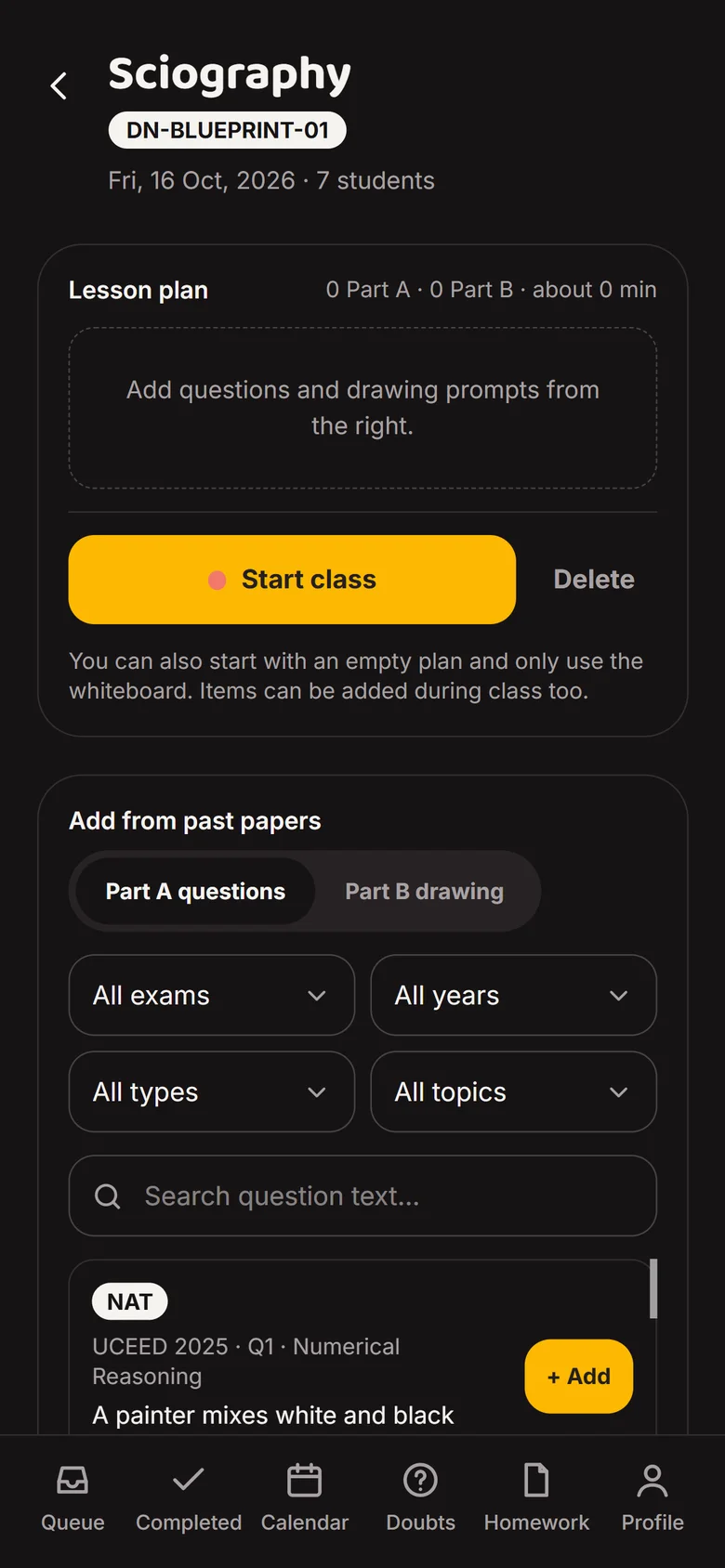
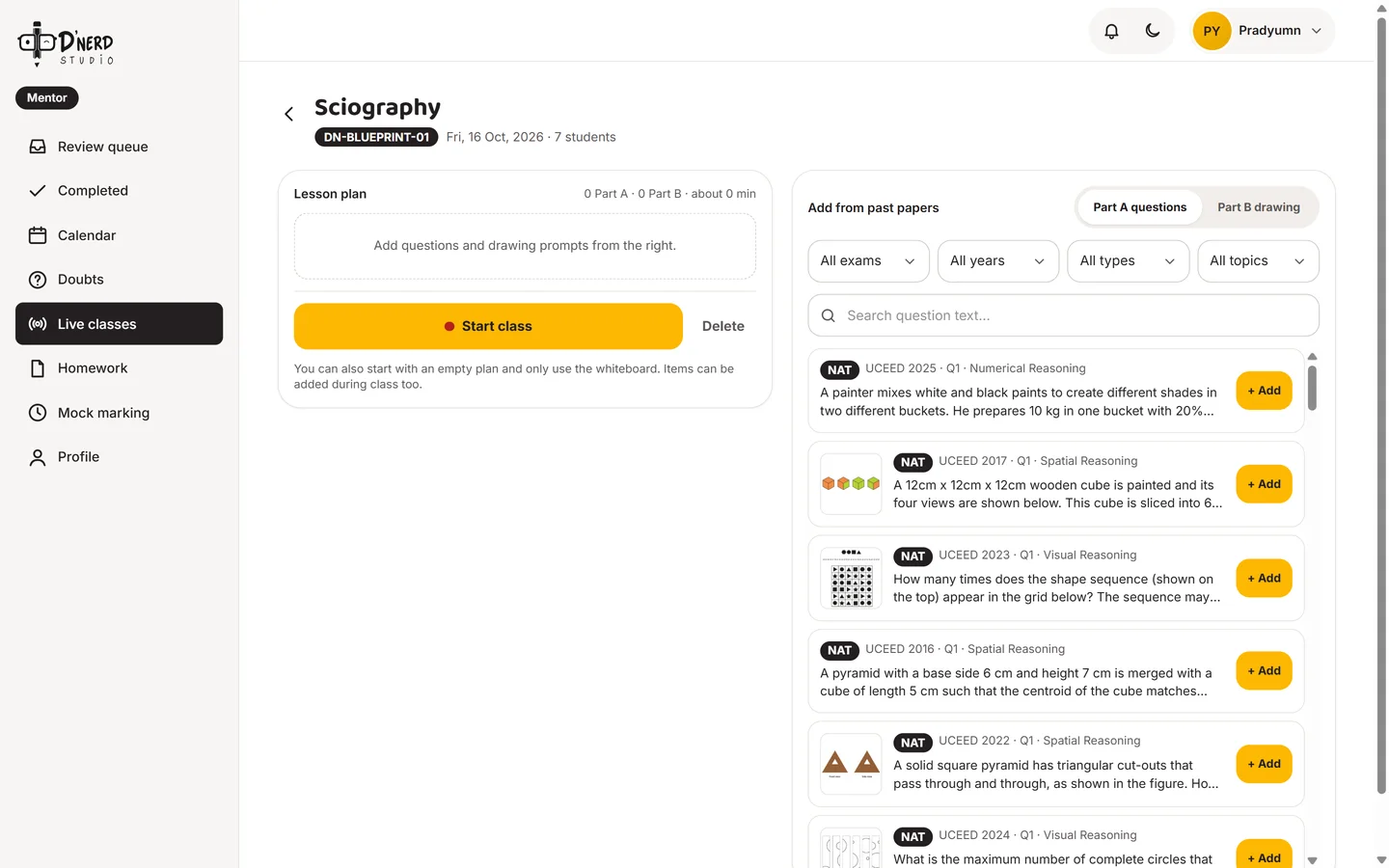
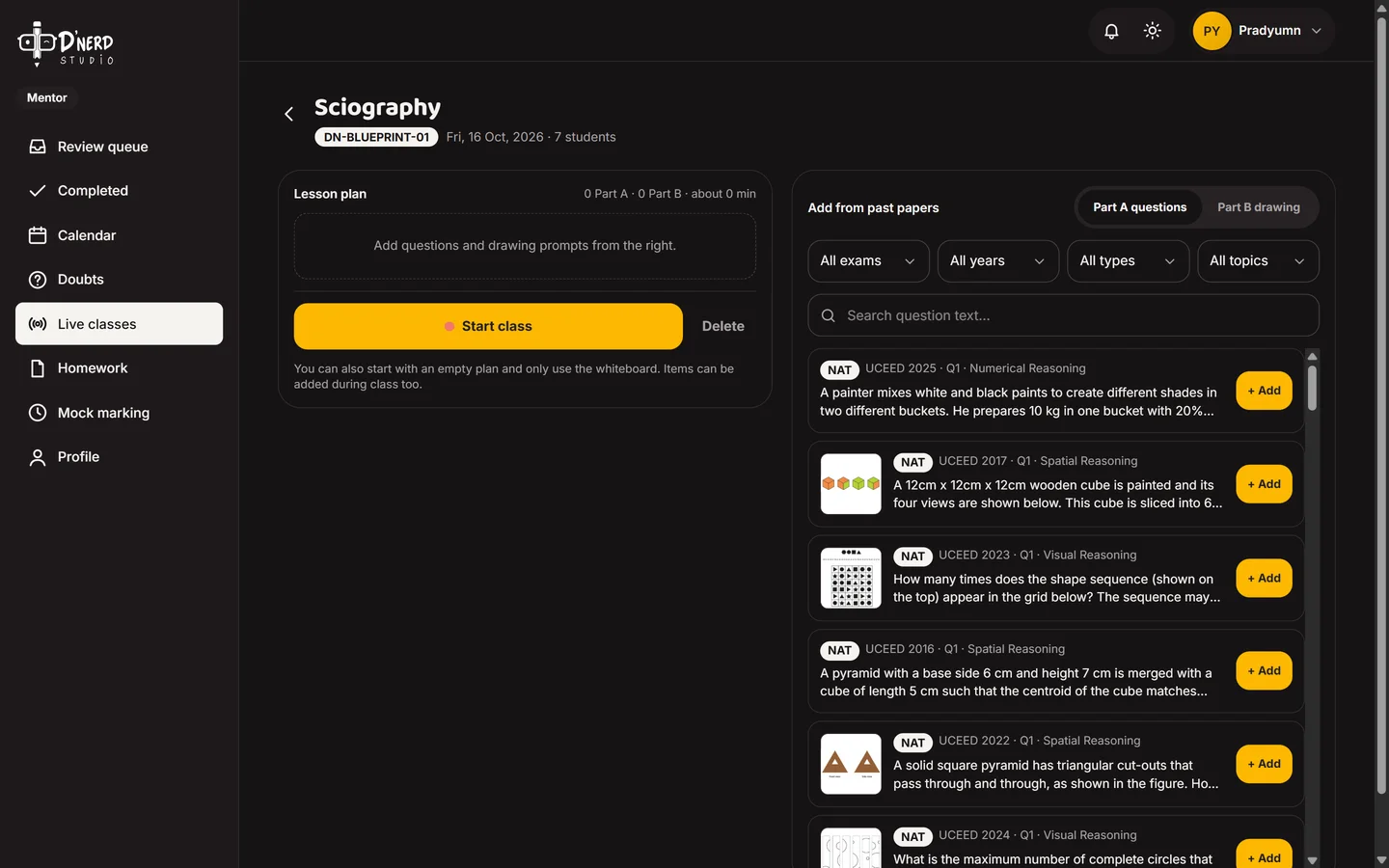
    Plan the lesson from past papers

    Add past-paper questions and Part B prompts to the lesson plan, then press Start class.
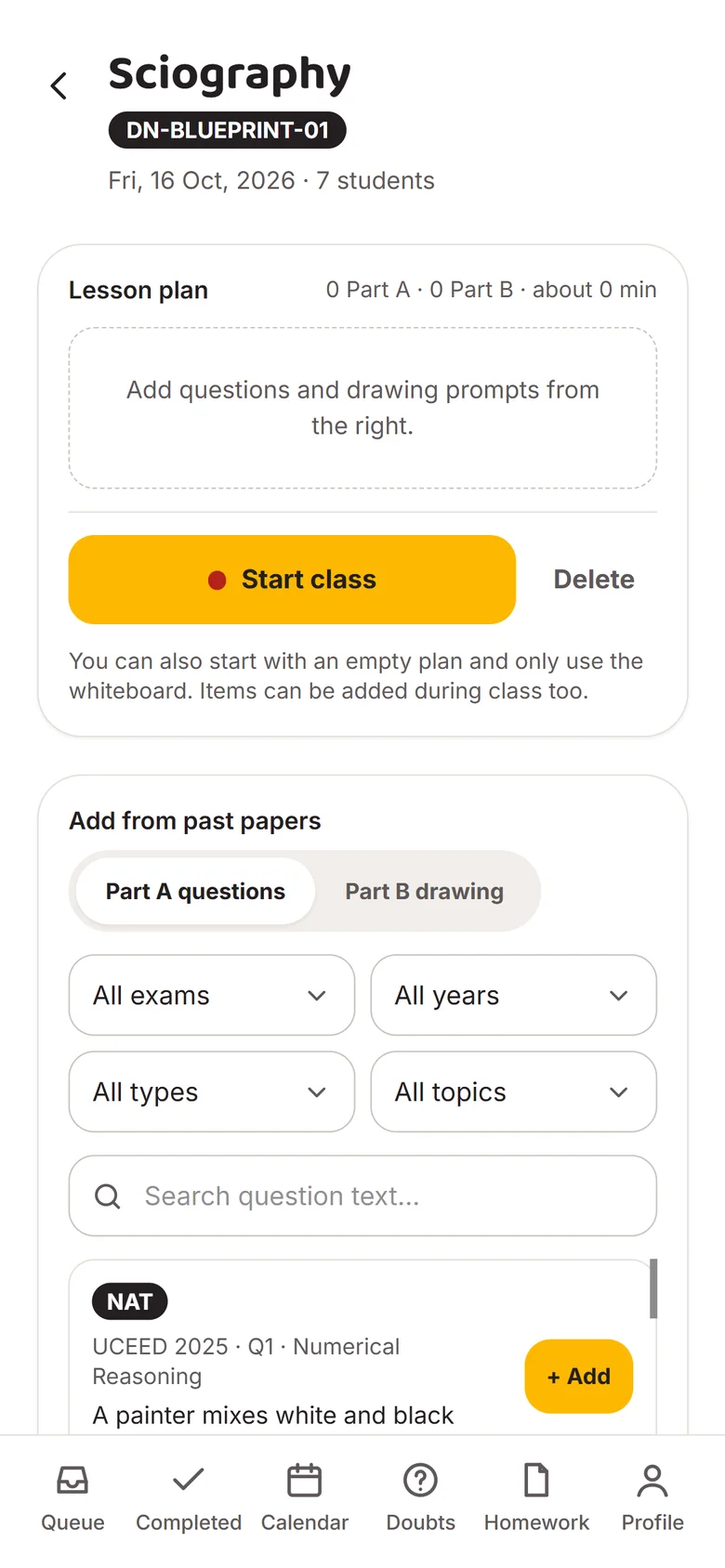
    Lesson plan with past-paper questions to addLesson plan with past-paper questions to add
  4. Scene 4 of 6Mentor

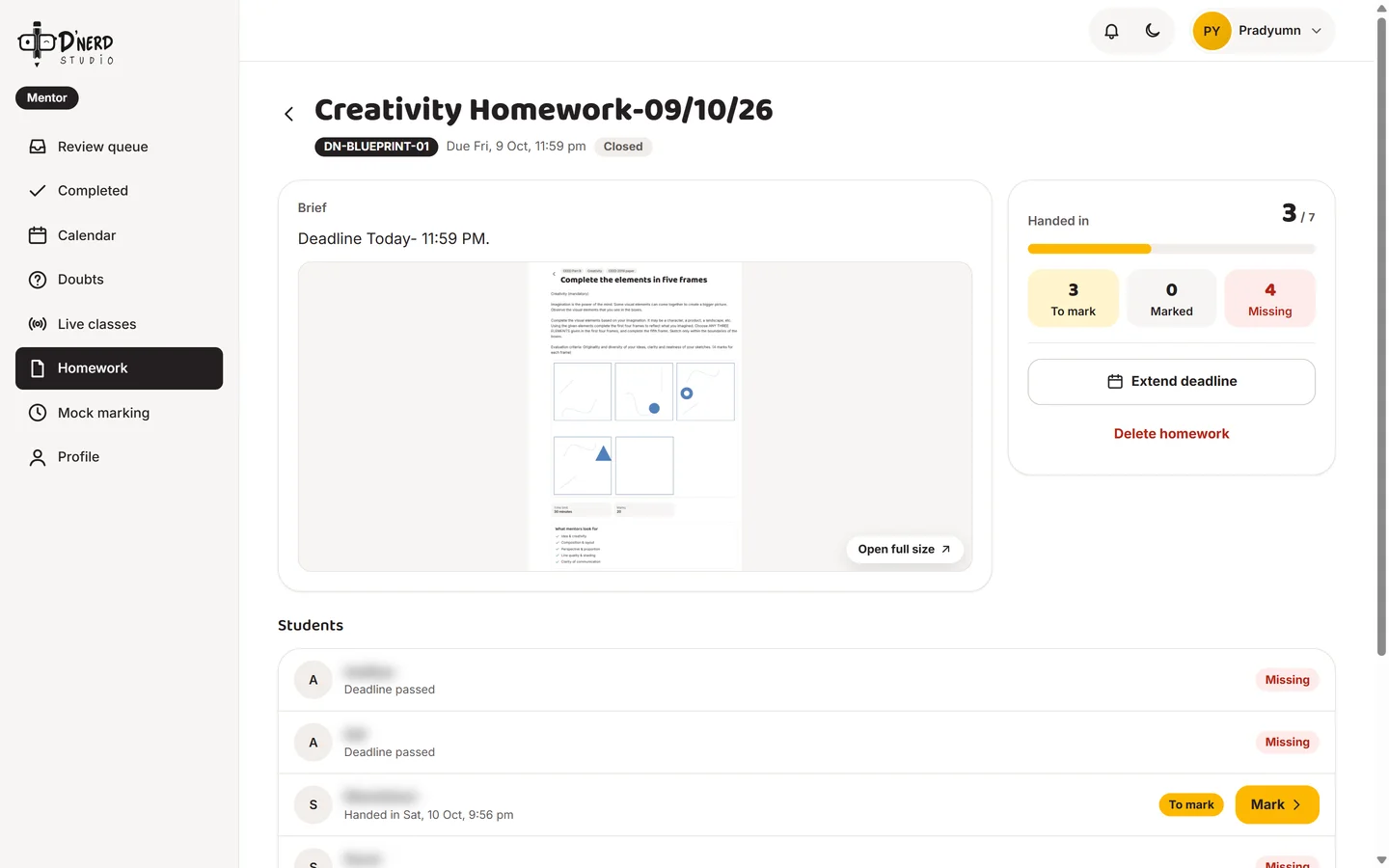
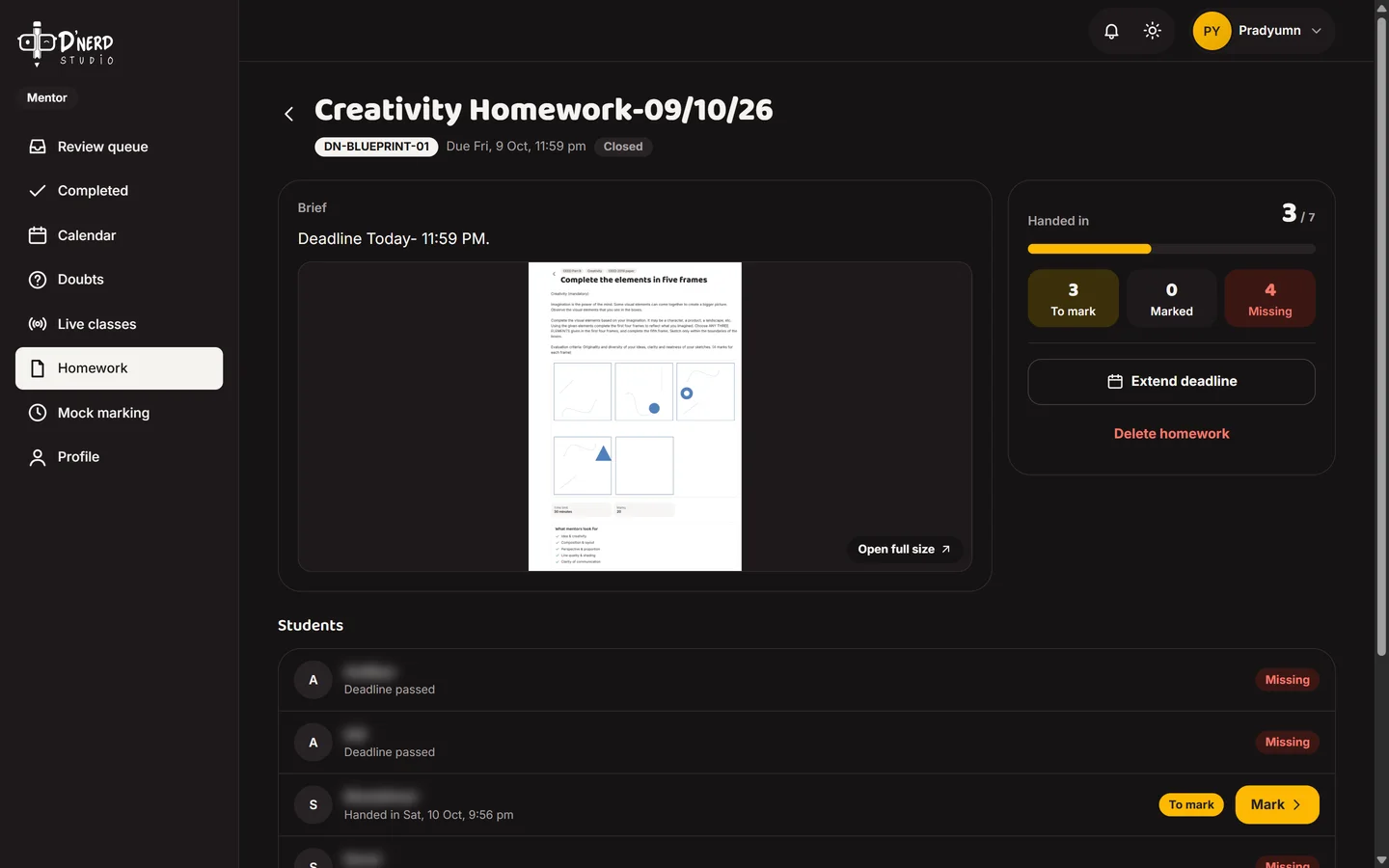
    See who handed in

    3 of 7 handed in, 3 to mark, 4 missing. The deadline can be extended in one tap. Student names are blurred.
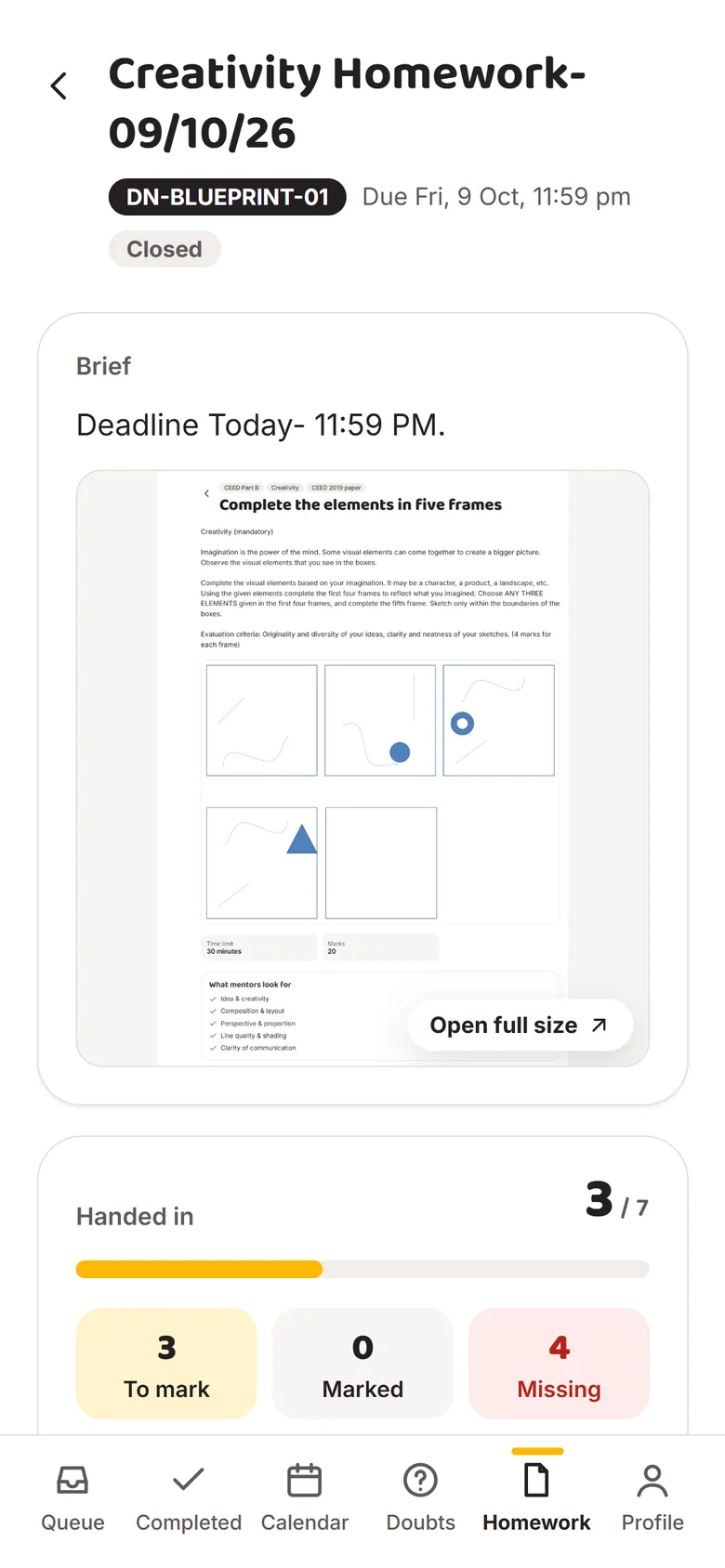
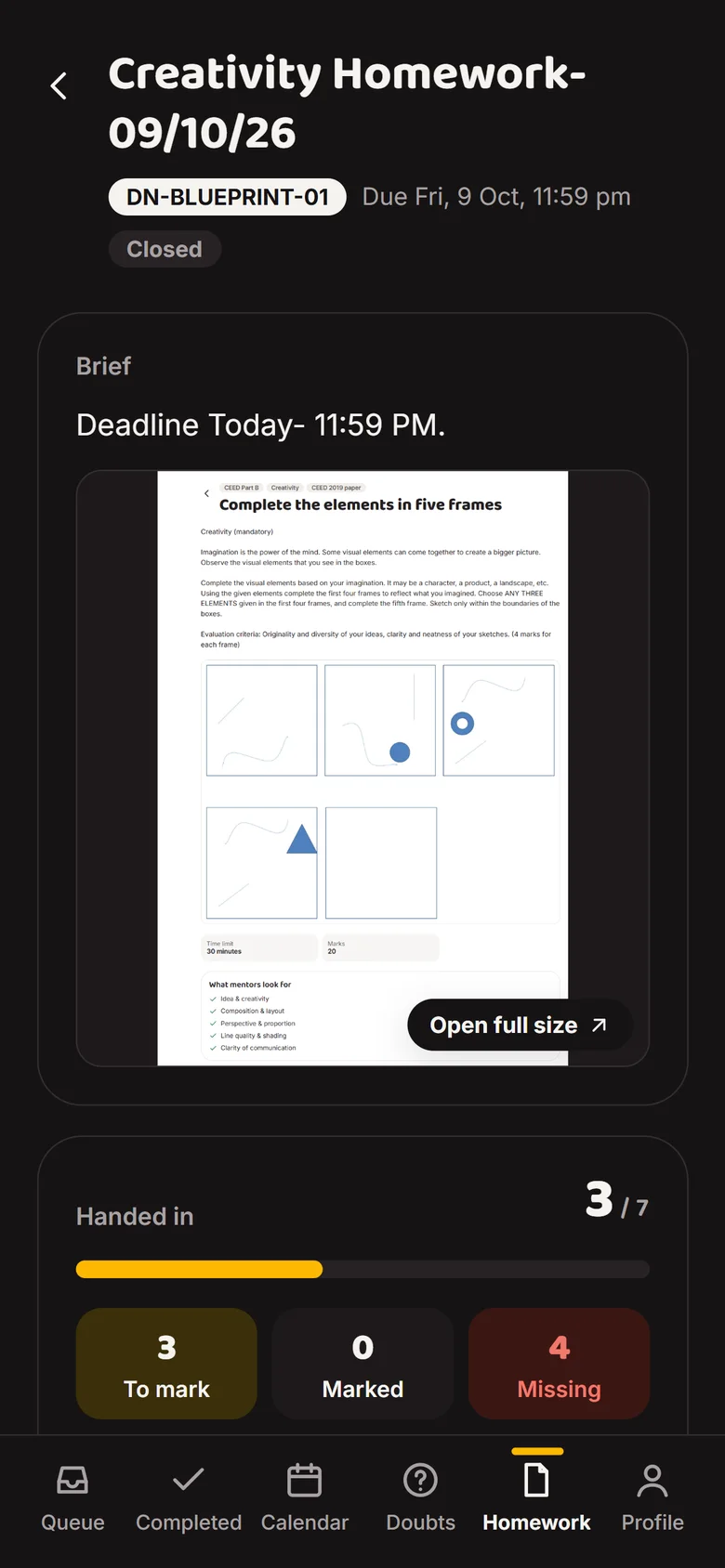
    Homework hand-ins with to mark, marked and missing countsHomework hand-ins with to mark, marked and missing counts
  5. Scene 5 of 6Mentor

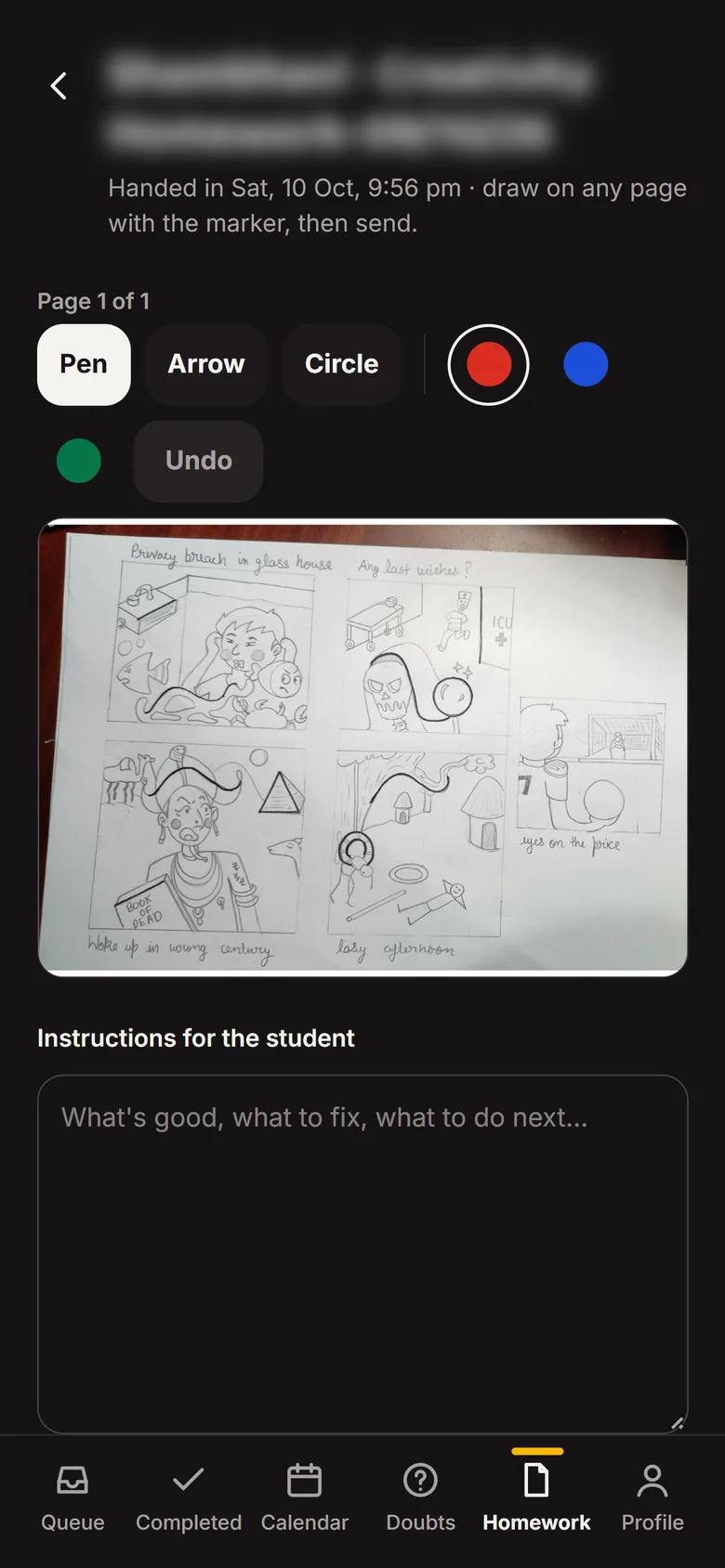
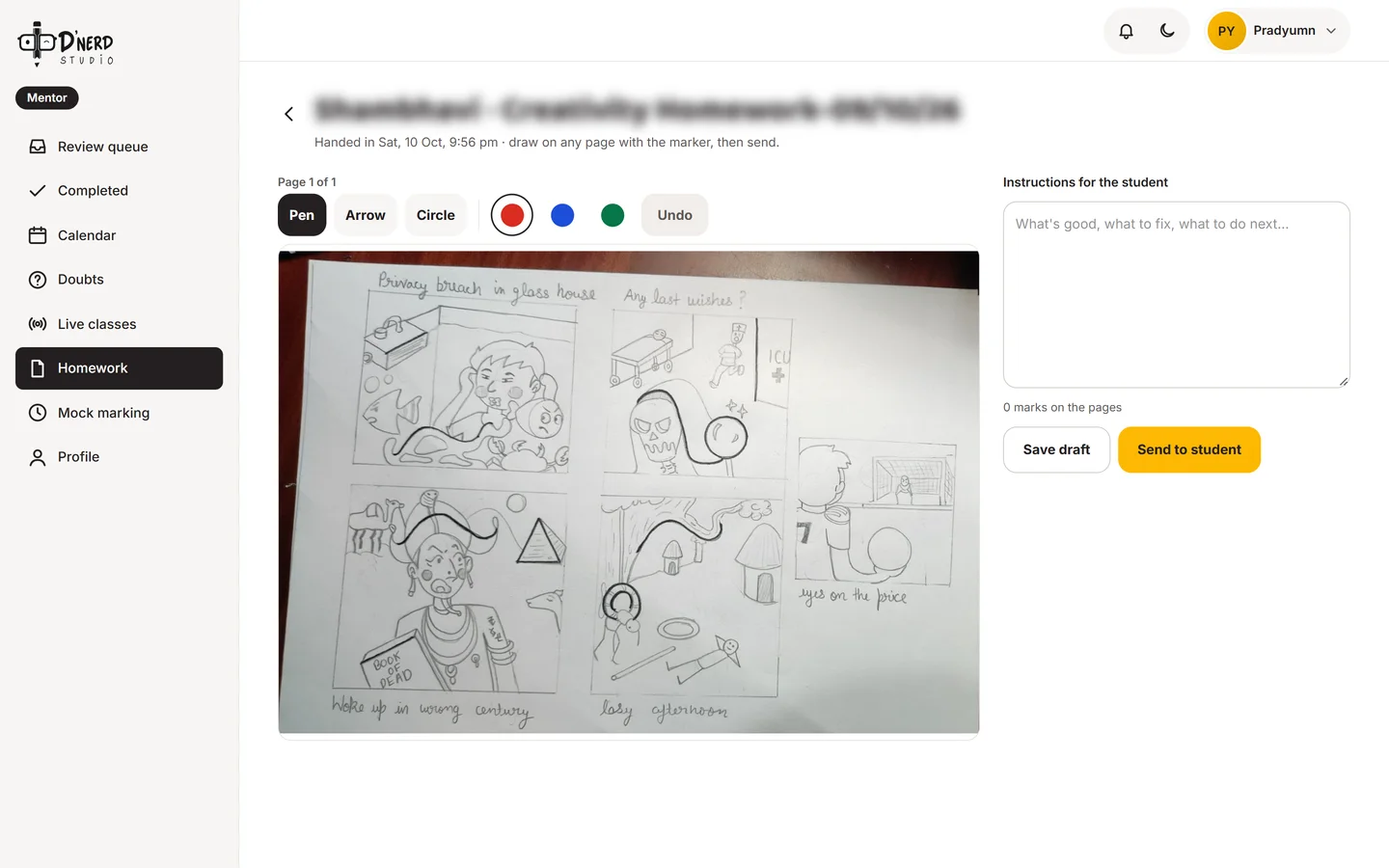
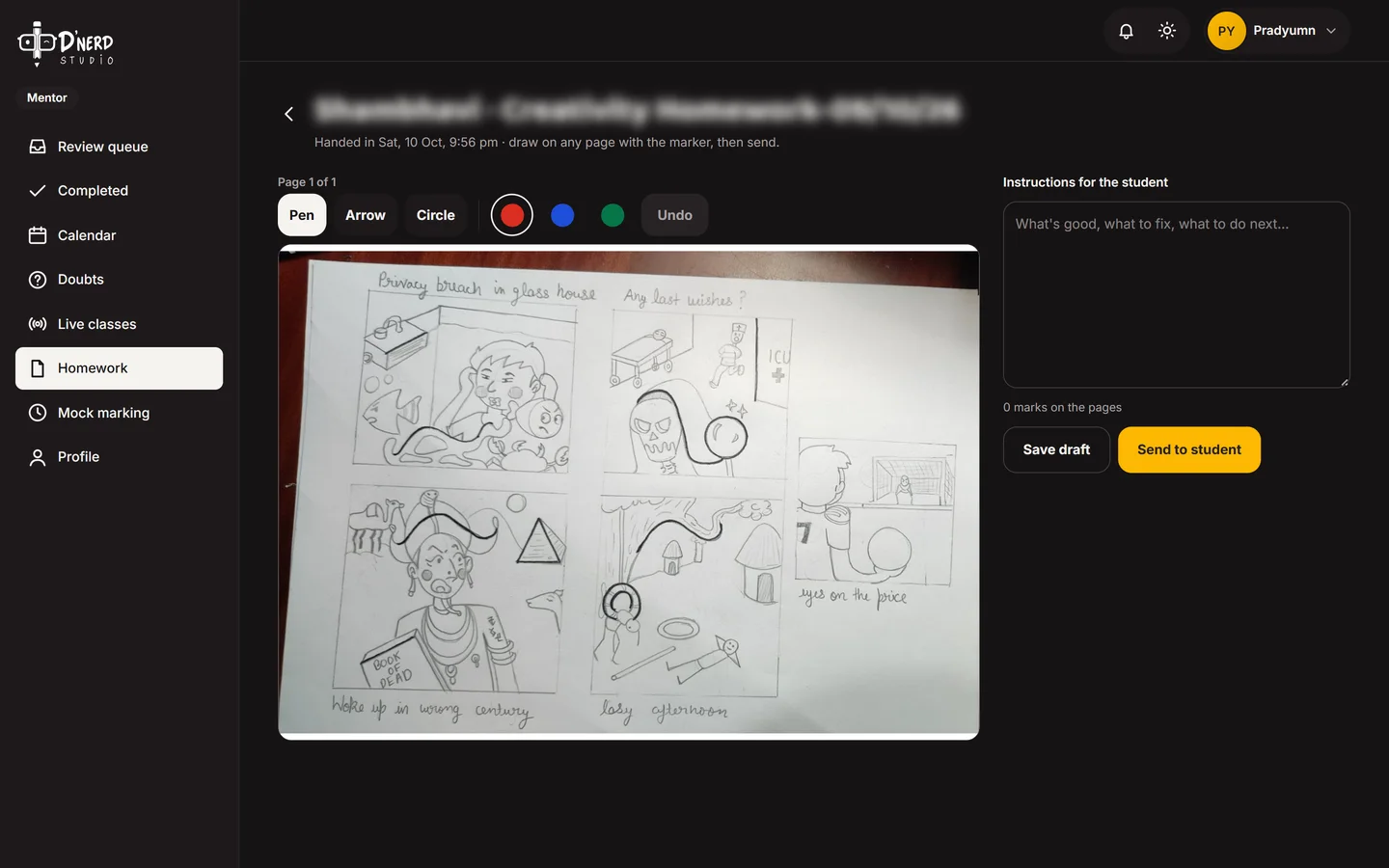
    Mark right on the drawing

    Pen, arrow and circle on the student's page, written instructions, then Send to student.
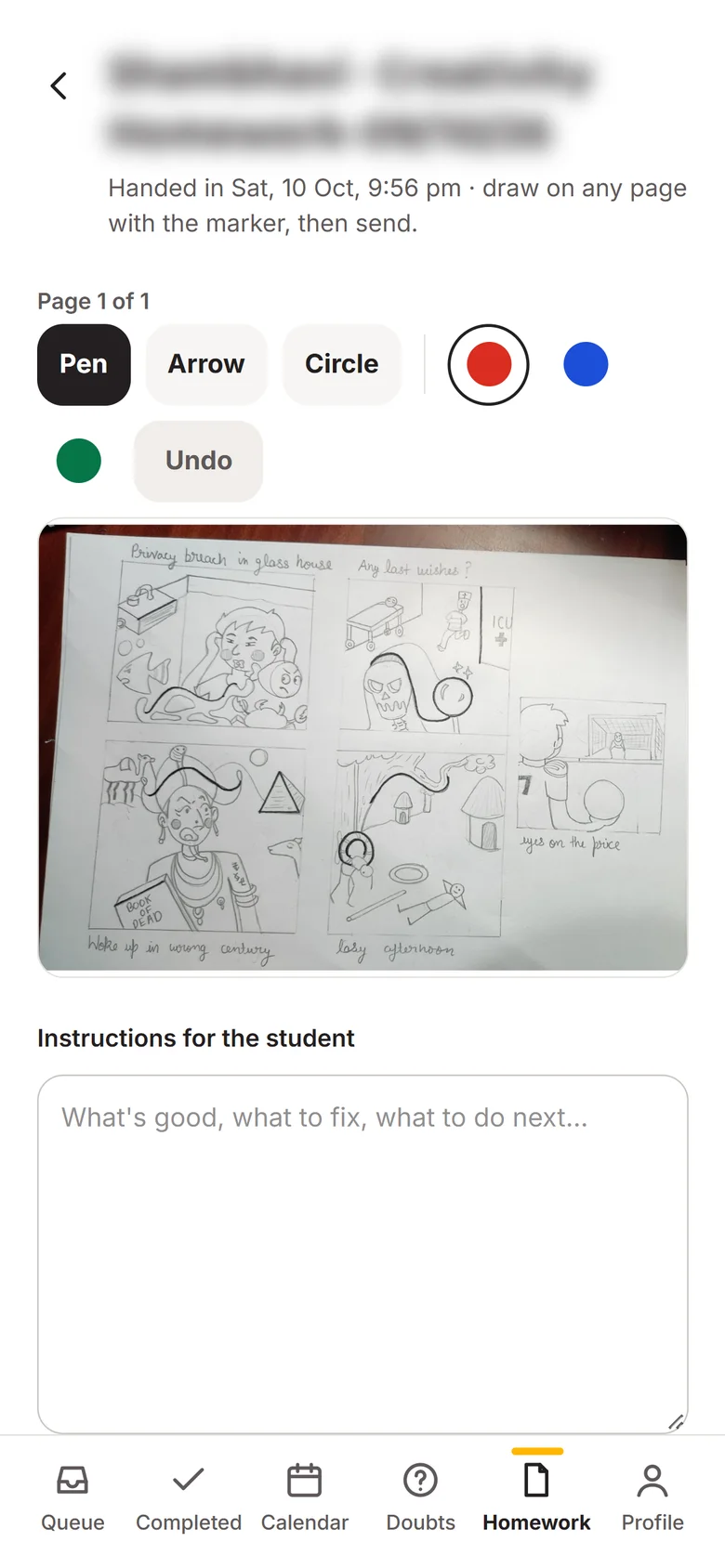
    Marking a student's drawing with pen toolsMarking a student's drawing with pen tools
  6. Scene 6 of 6Mentor

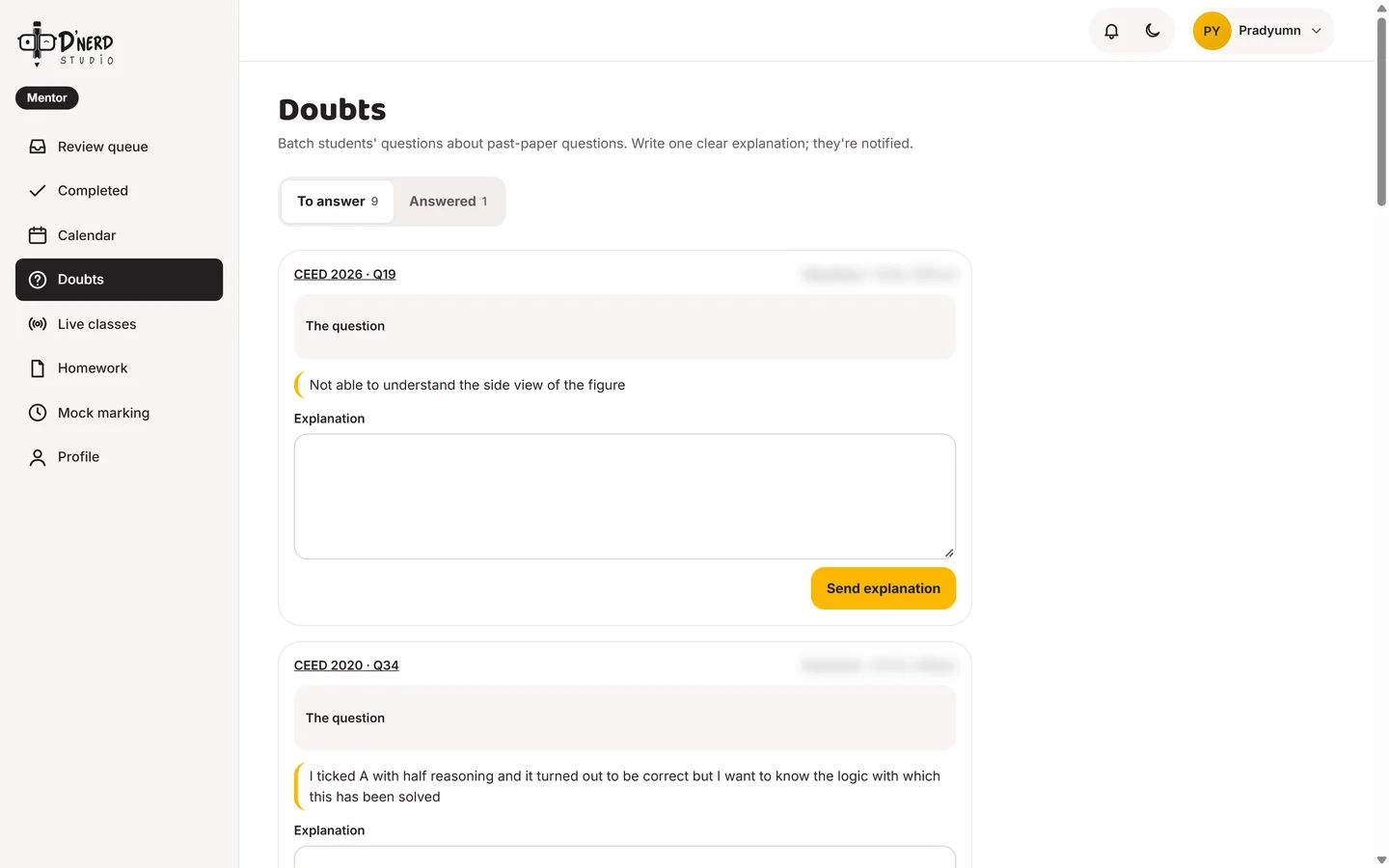
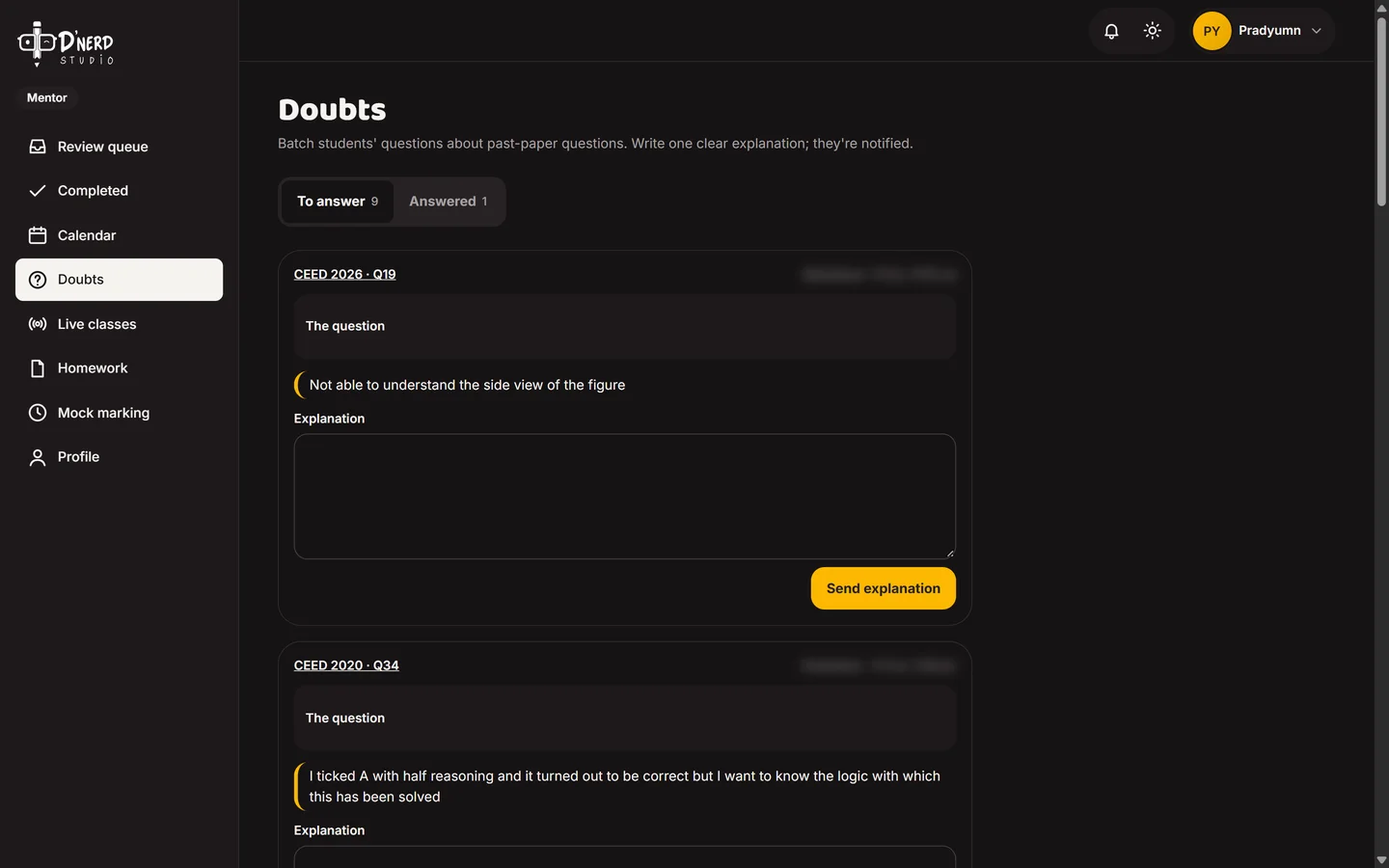
    Answer doubts

    Each doubt arrives with its question. The mentor writes one clear explanation and the student is notified.
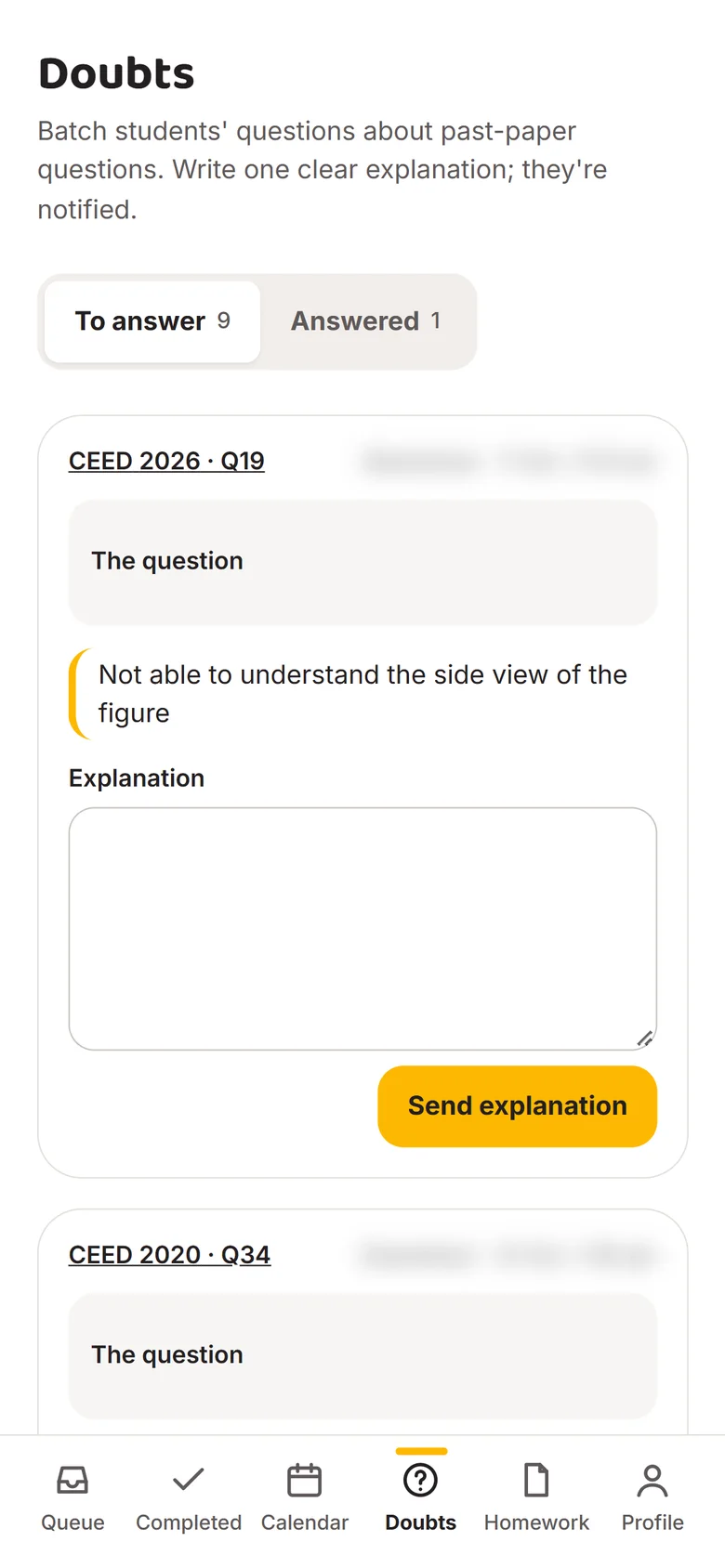
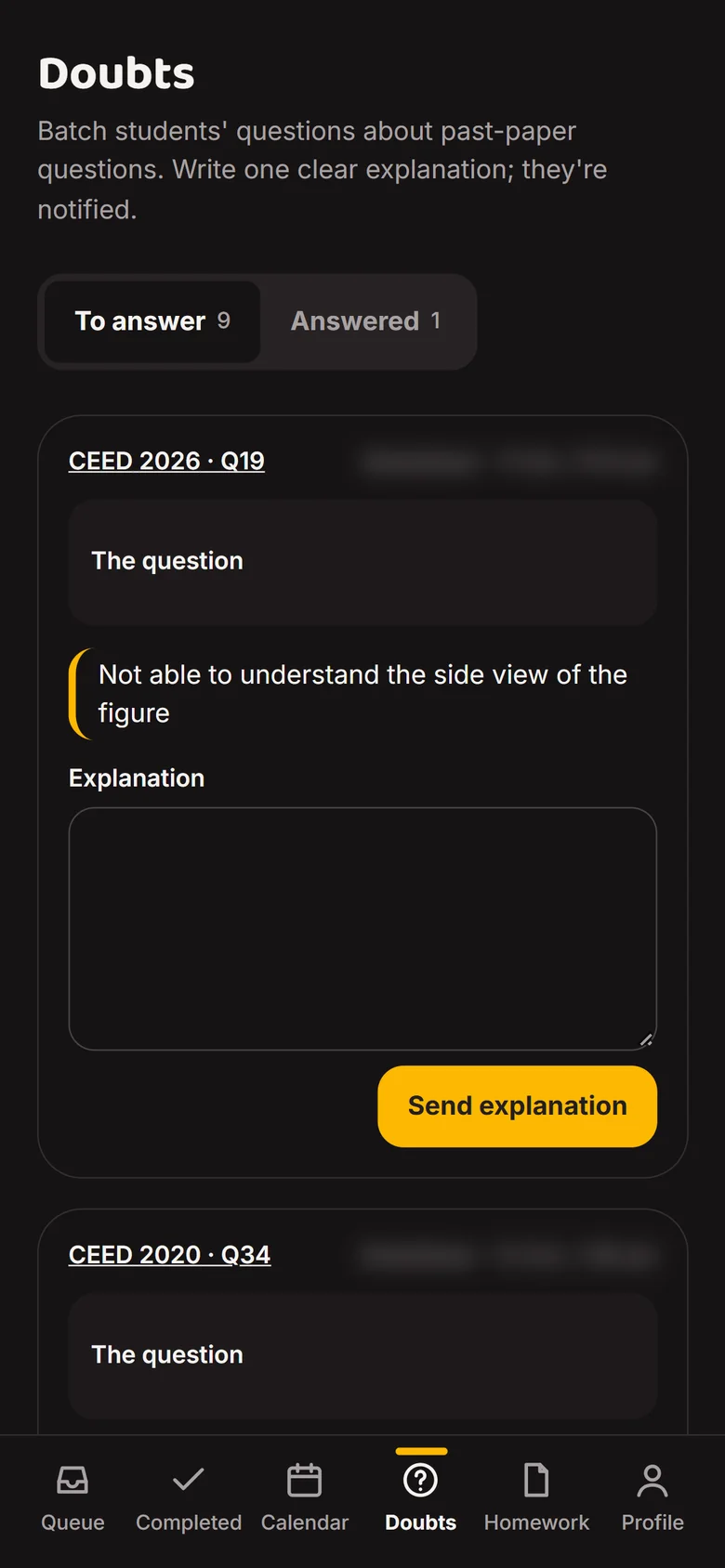
    Doubts queue with student questionsDoubts queue with student questions
Door 4 · Admin · keeps it all true

Manage people, content and exams

ThenExam dates in someone's notes, mentors added over chat, mocks run on forms.
NowOne admin area for students, mentors, exam dates, papers, prompts and timed mocks.
  1. Scene 1 of 8Admin

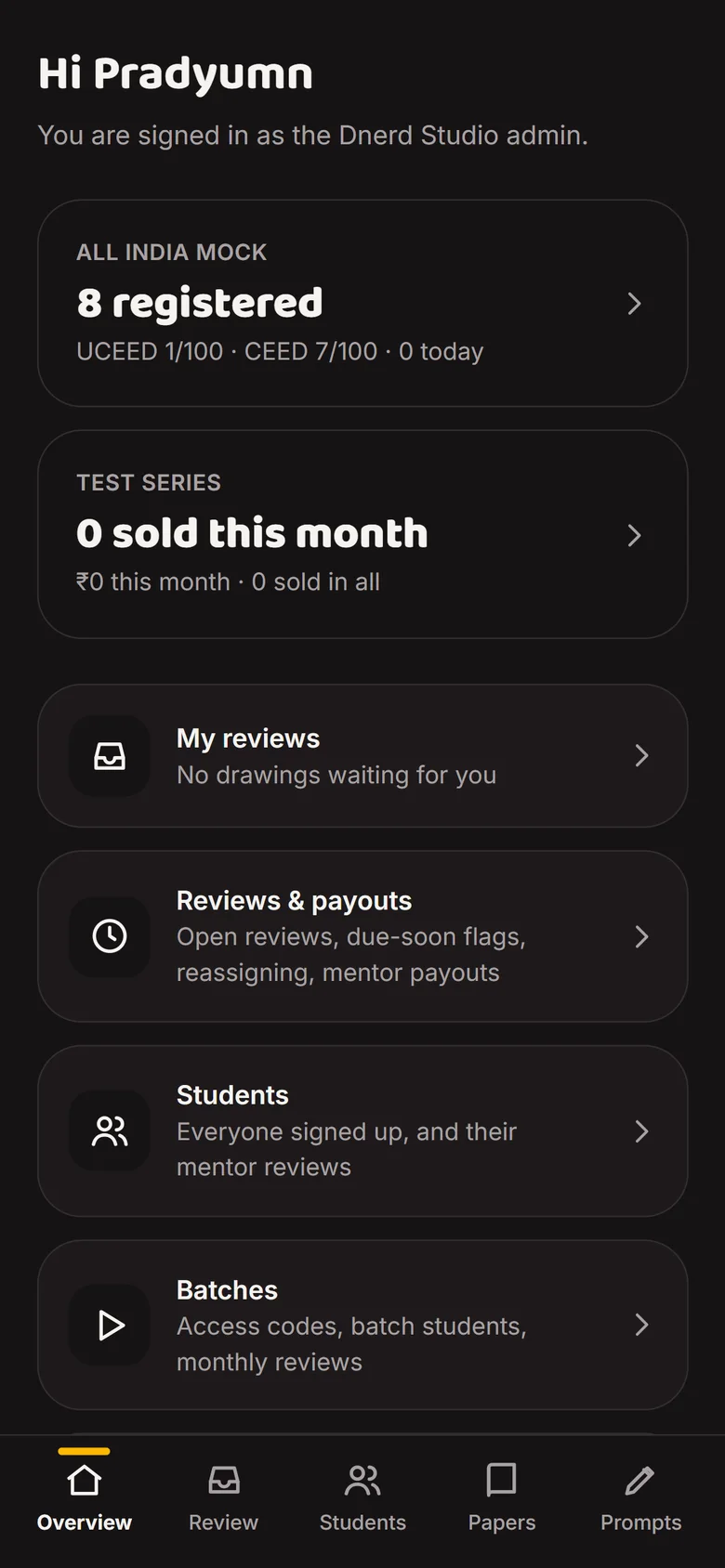
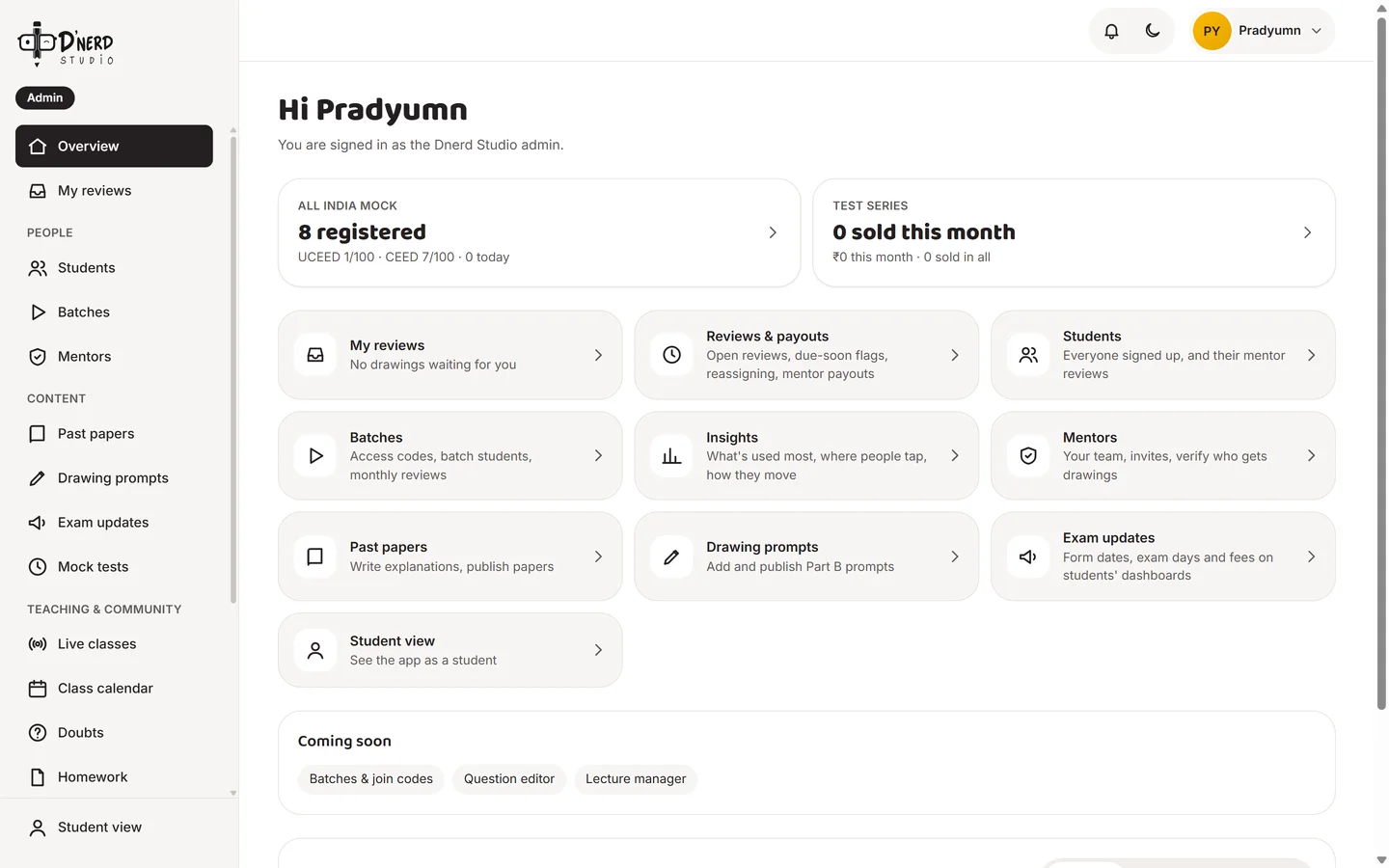
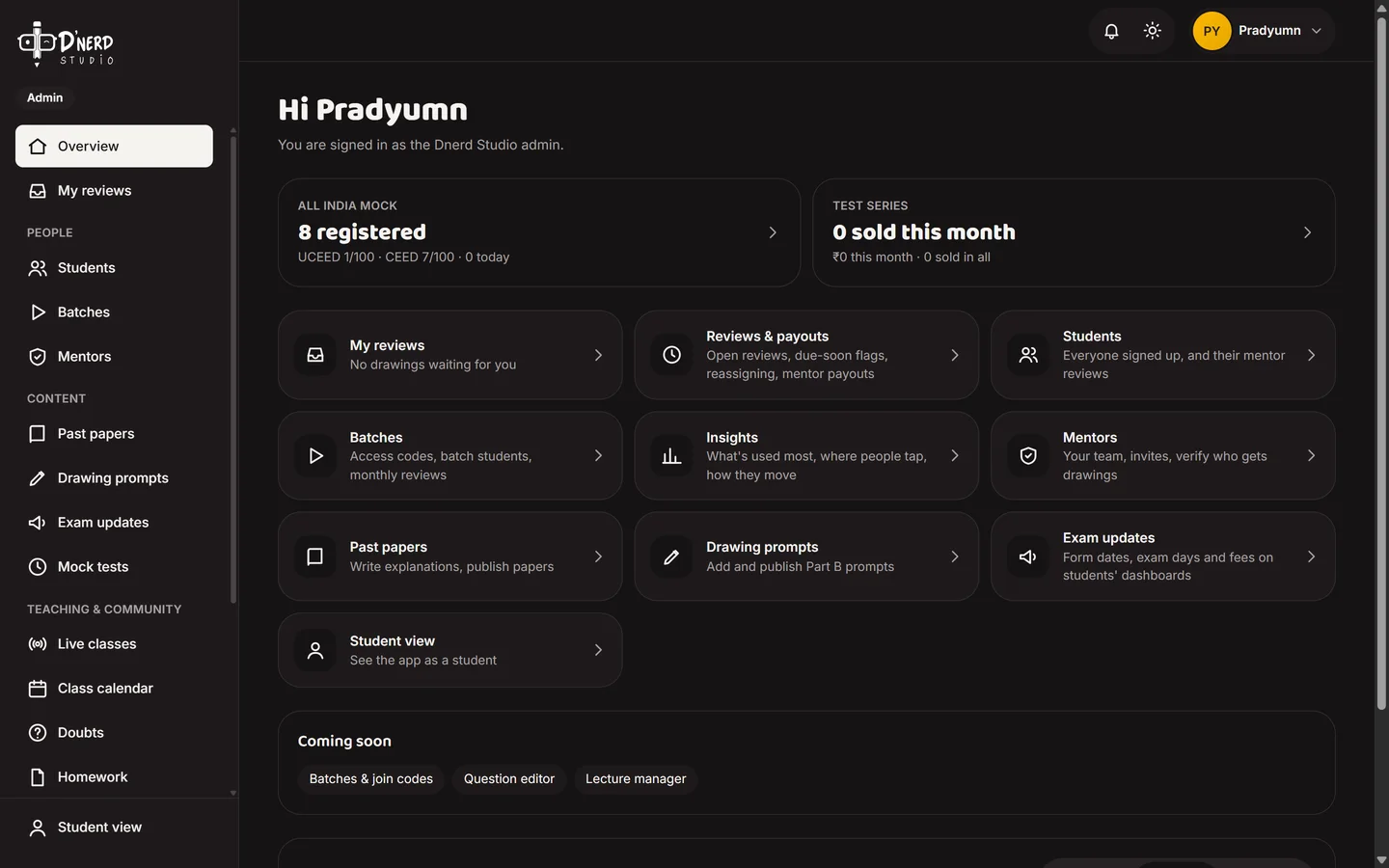
    One overview

    Mock registrations, sales, reviews and a door into every part of the platform.
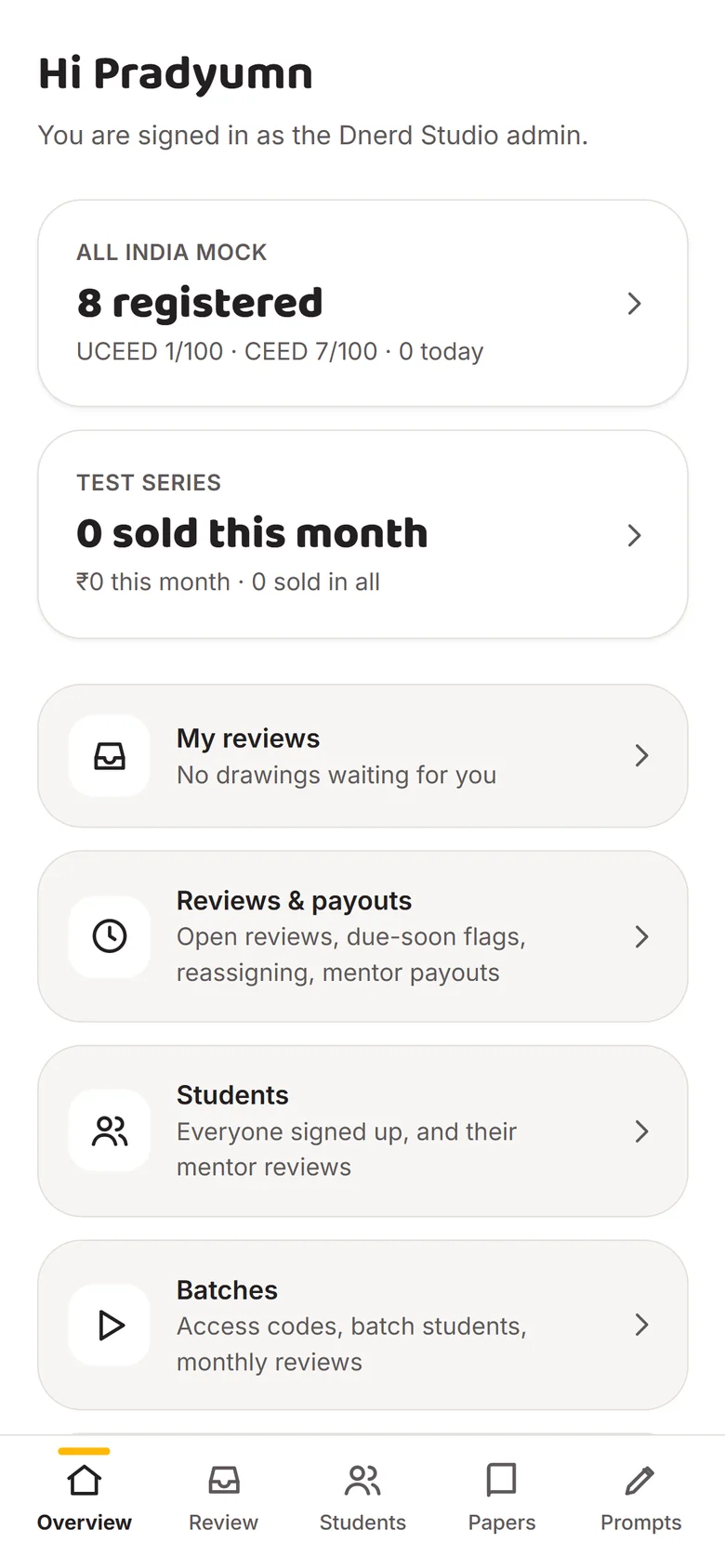
    Admin overviewAdmin overview
  2. Scene 2 of 8Admin

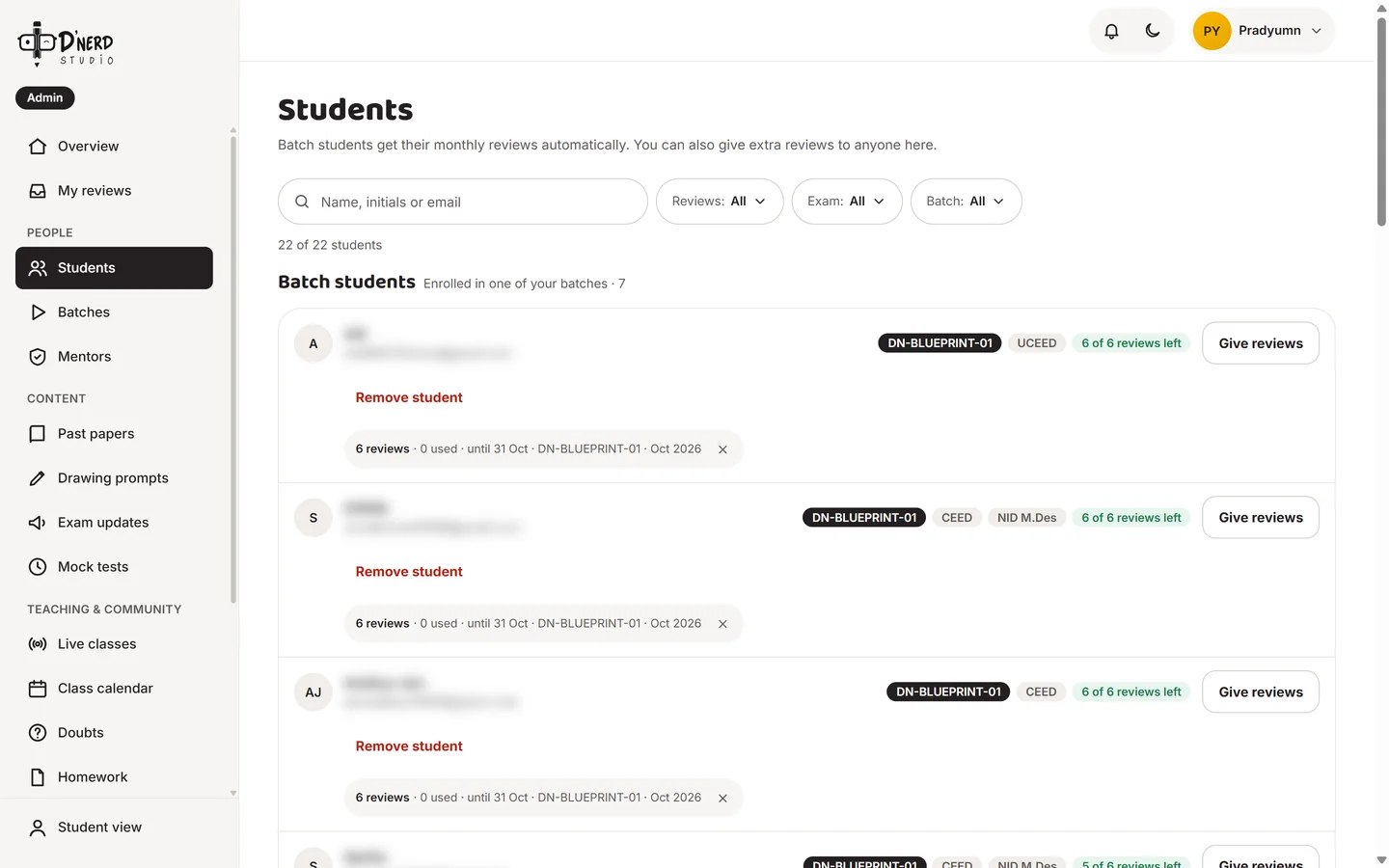
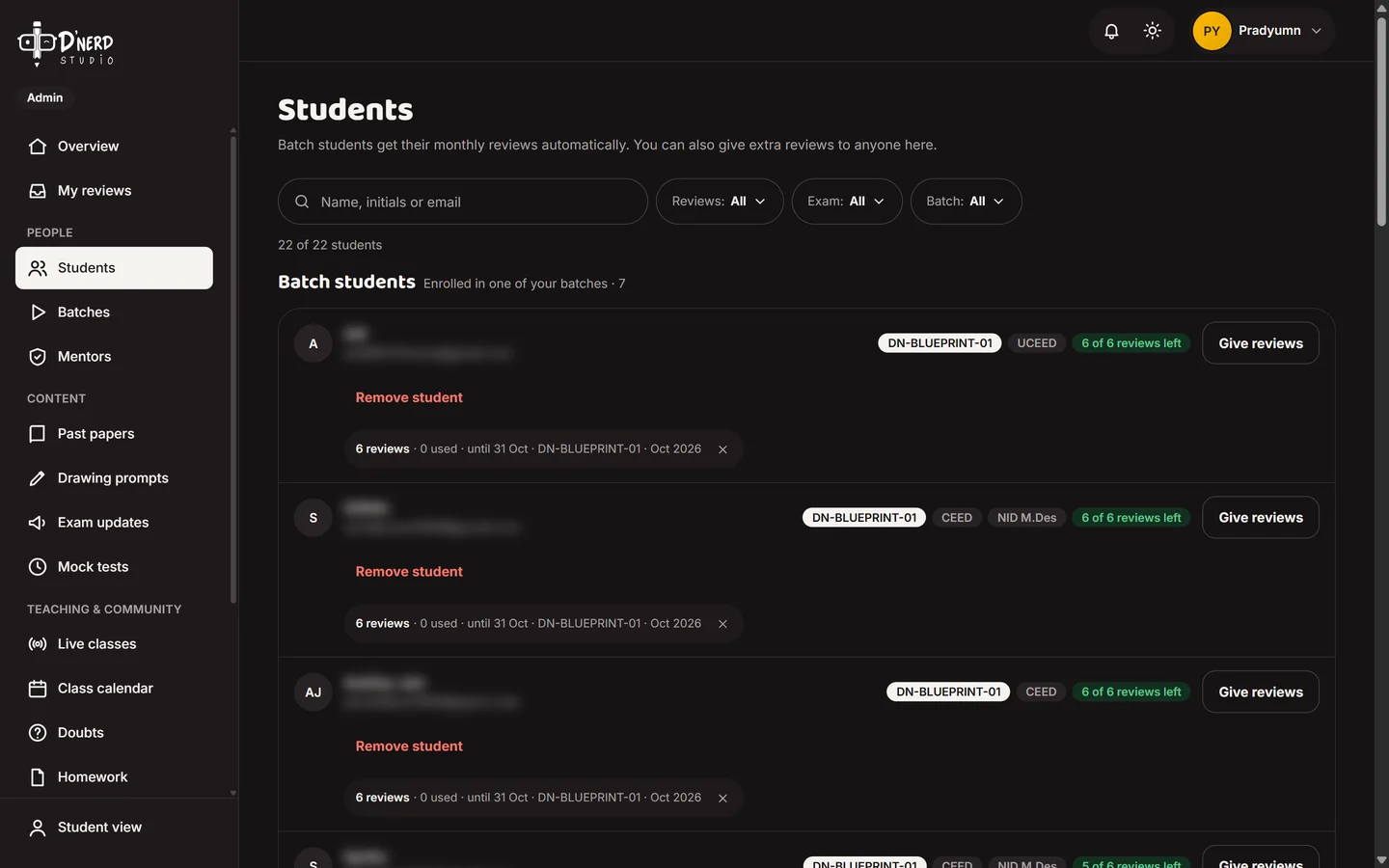
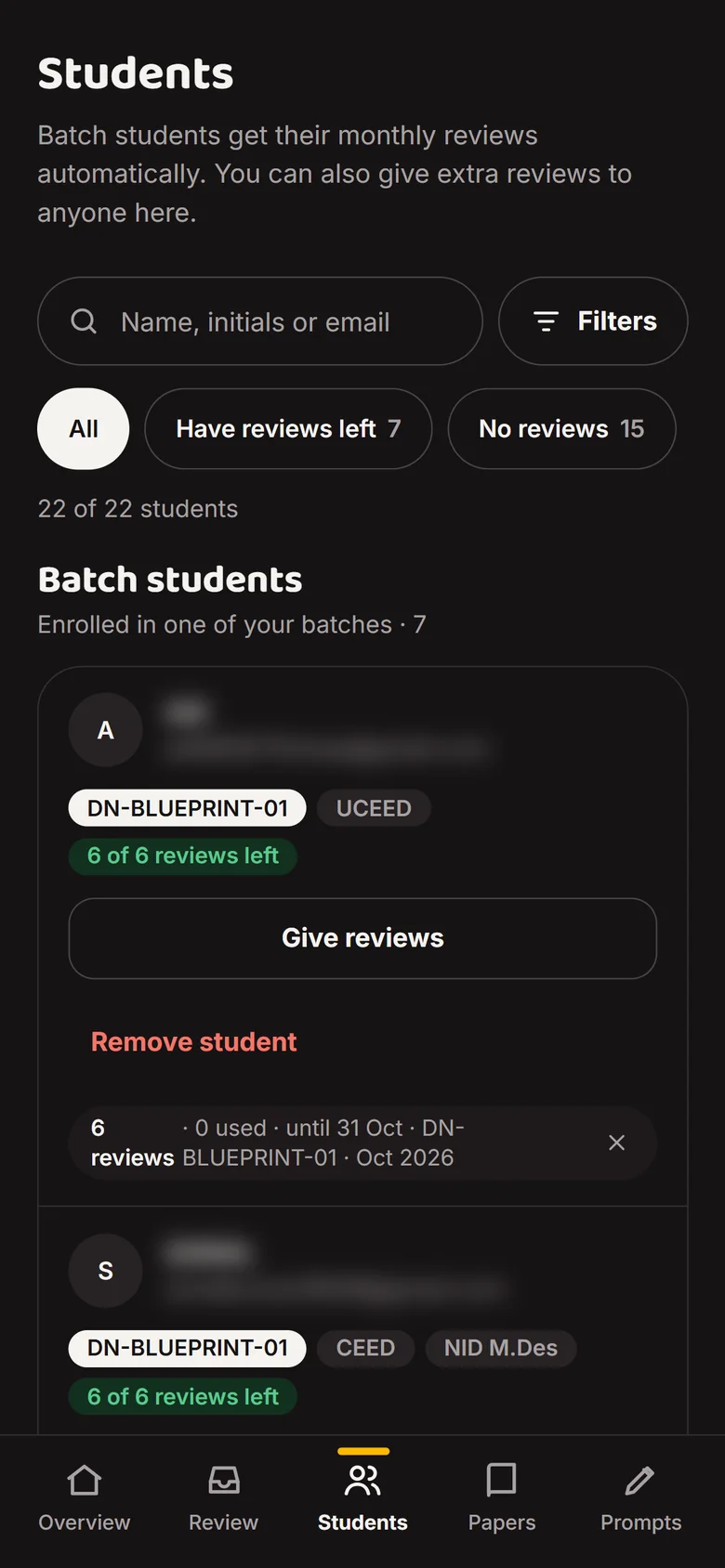
    Every student, in a batch or not

    Batch students and independent sign-ups, with their monthly reviews. Names and emails are blurred.
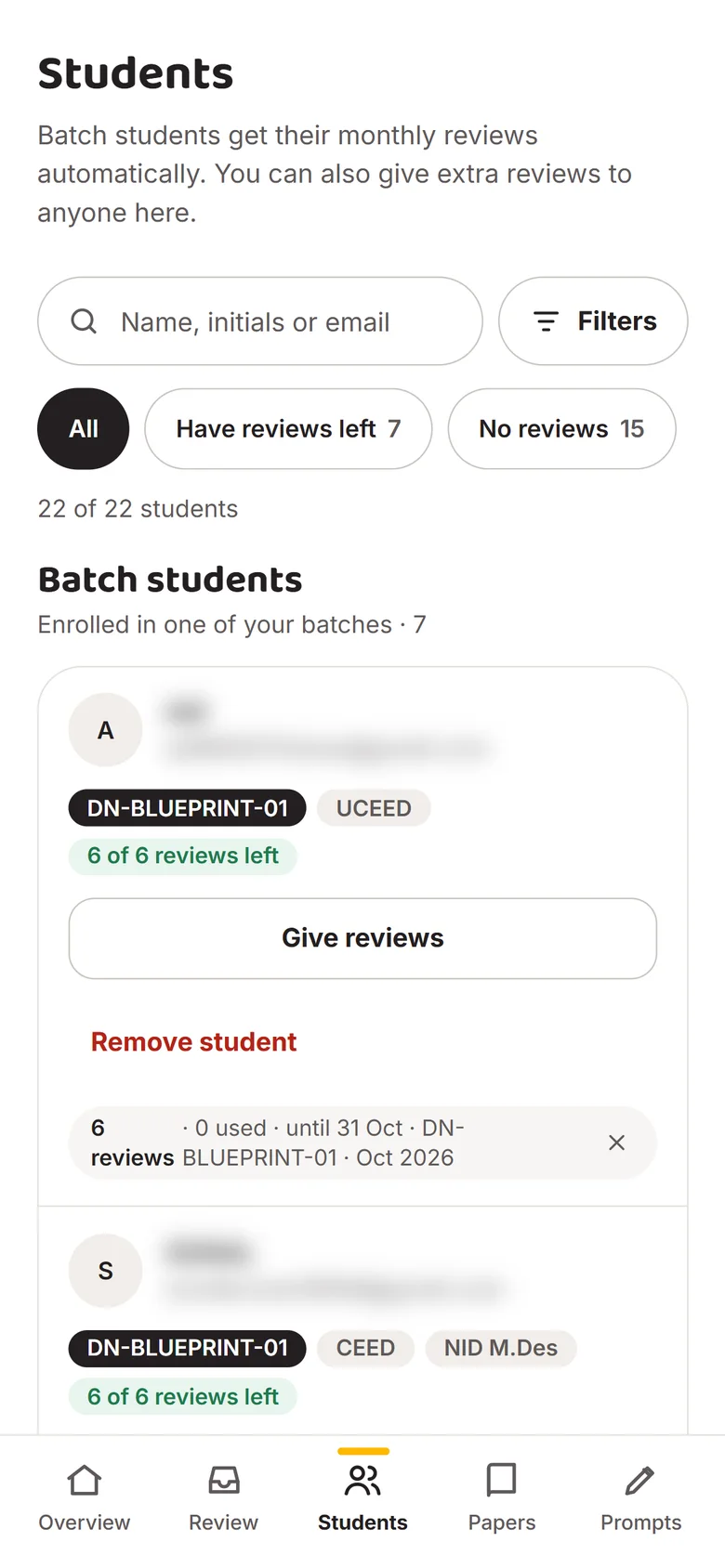
    Admin students listAdmin students list
  3. Scene 3 of 8Admin

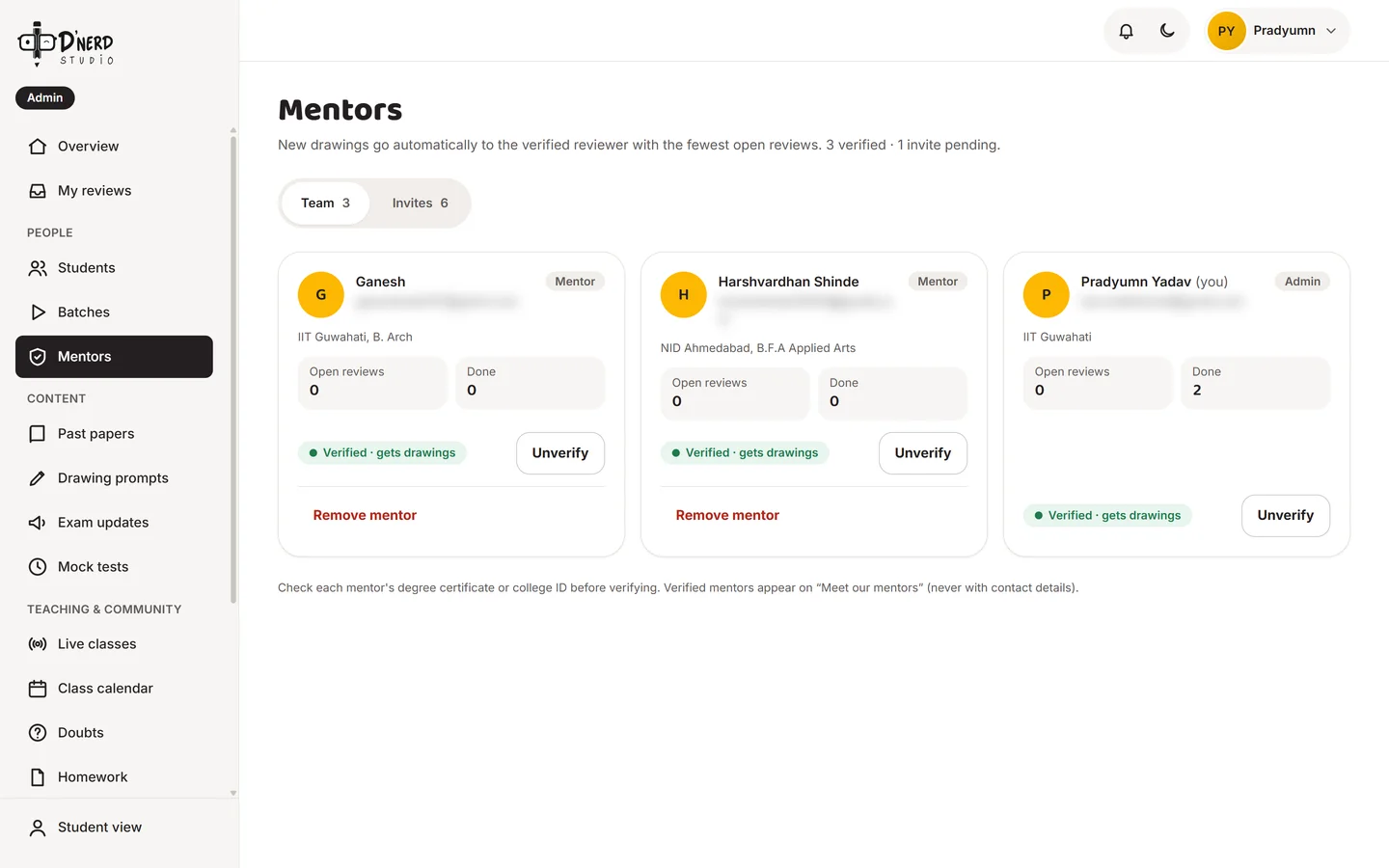
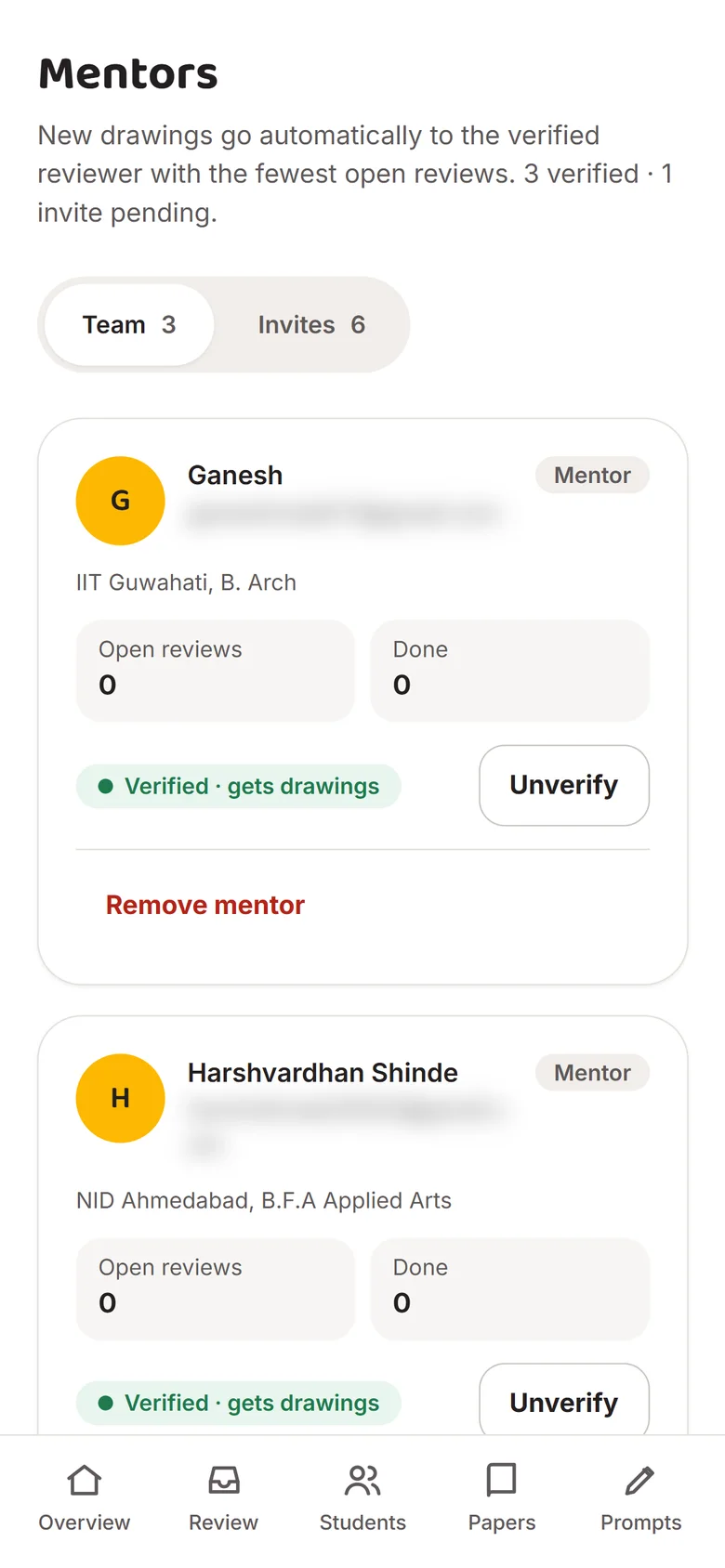
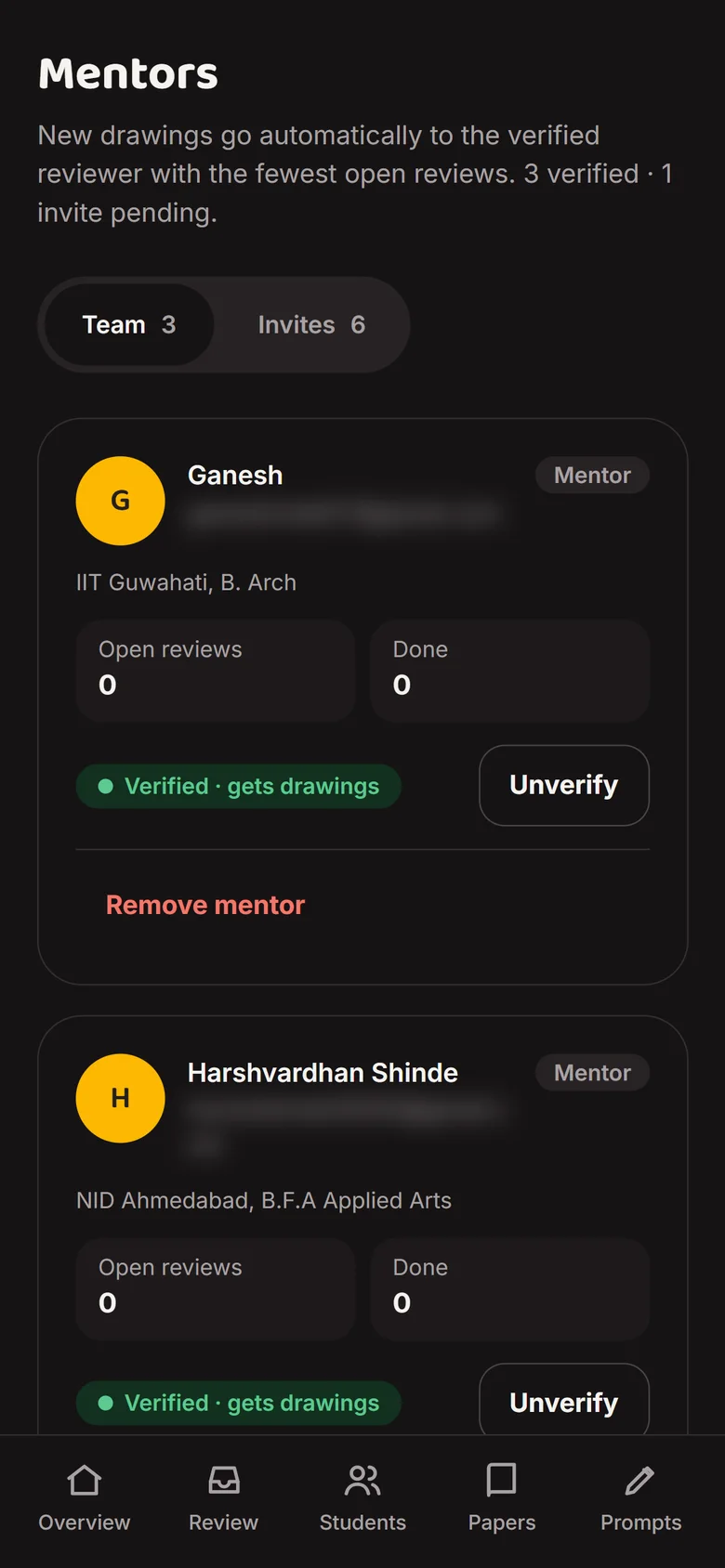
    Add and verify mentors

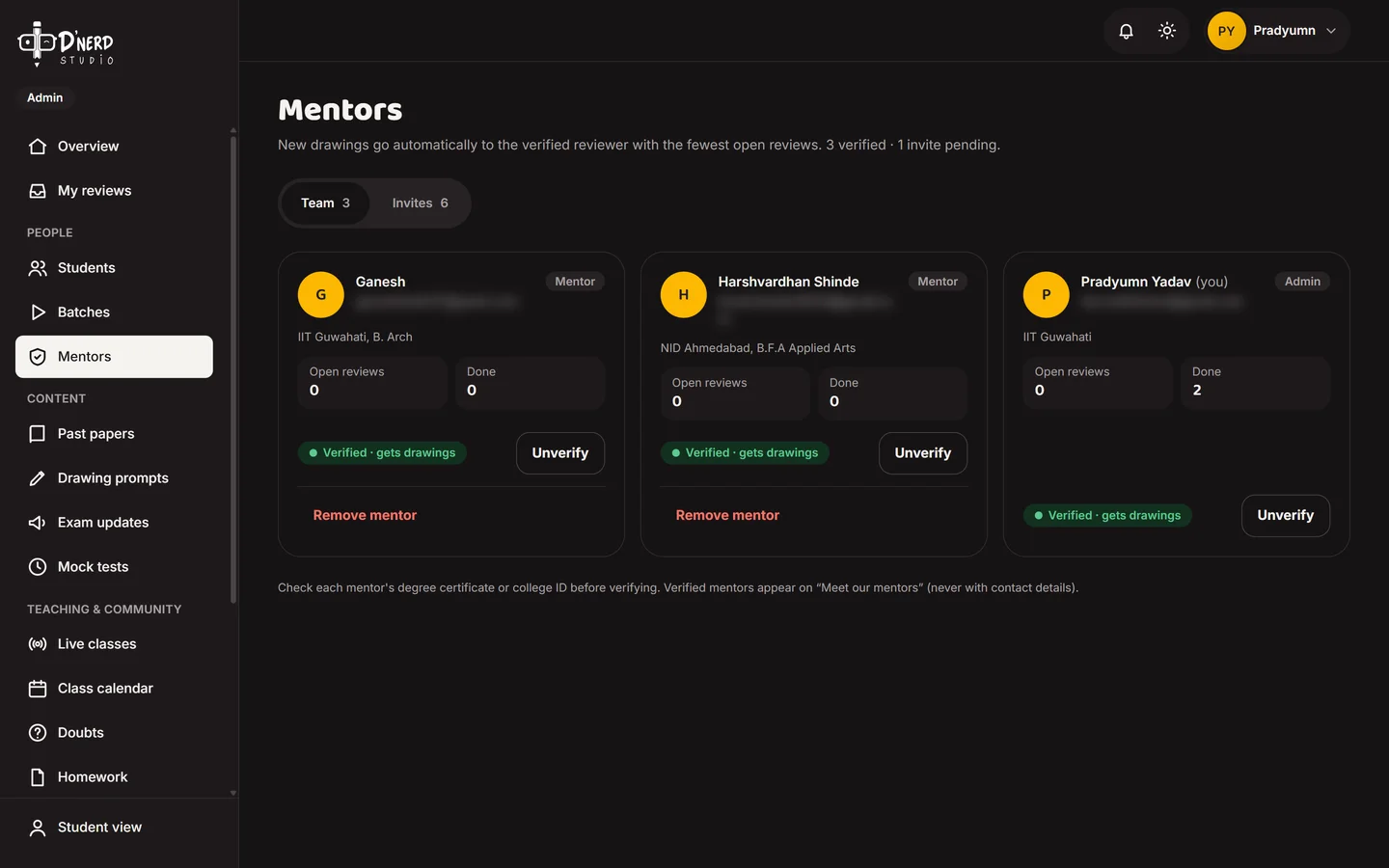
    Invite, verify or remove mentors. New drawings go to the verified mentor with the fewest open reviews.
    Admin mentors listAdmin mentors list
  4. Scene 4 of 8Admin

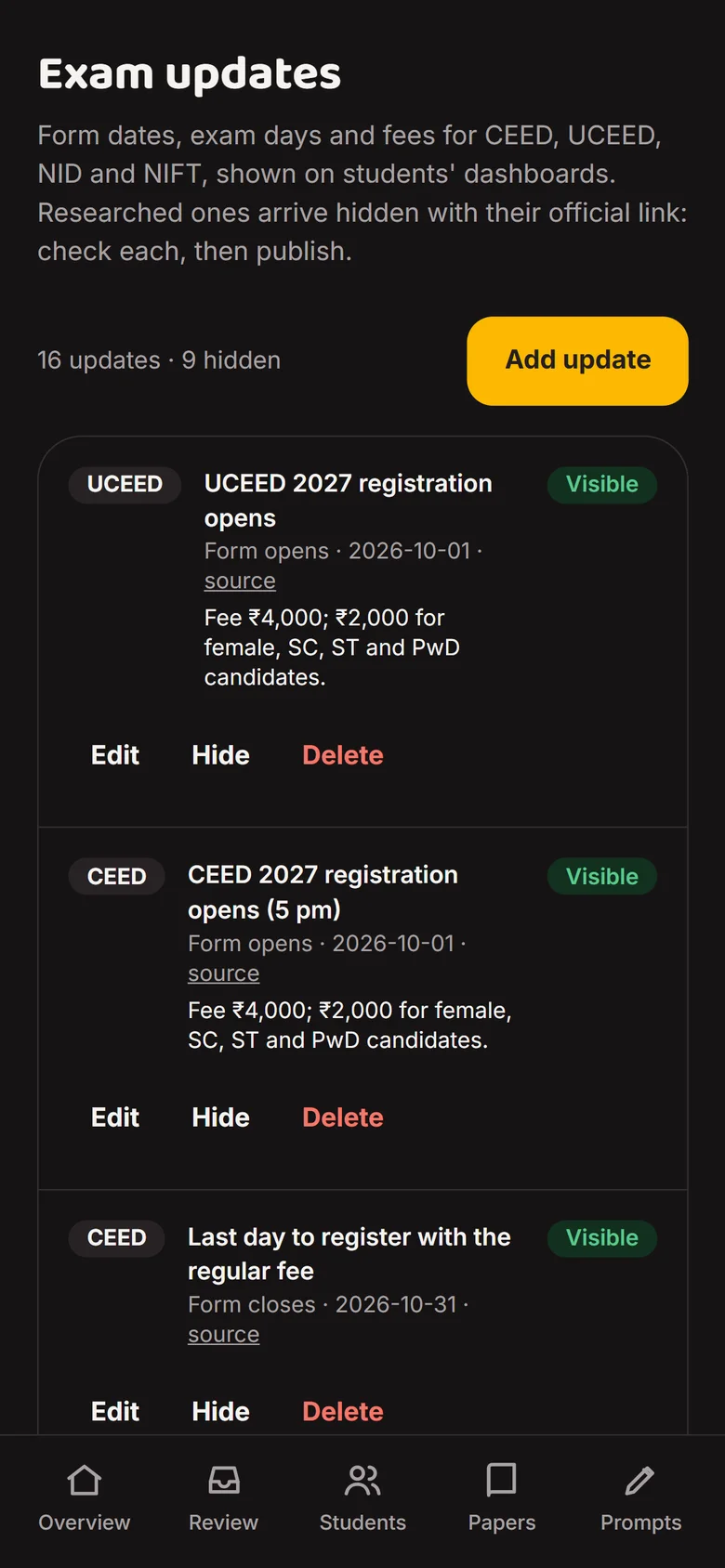
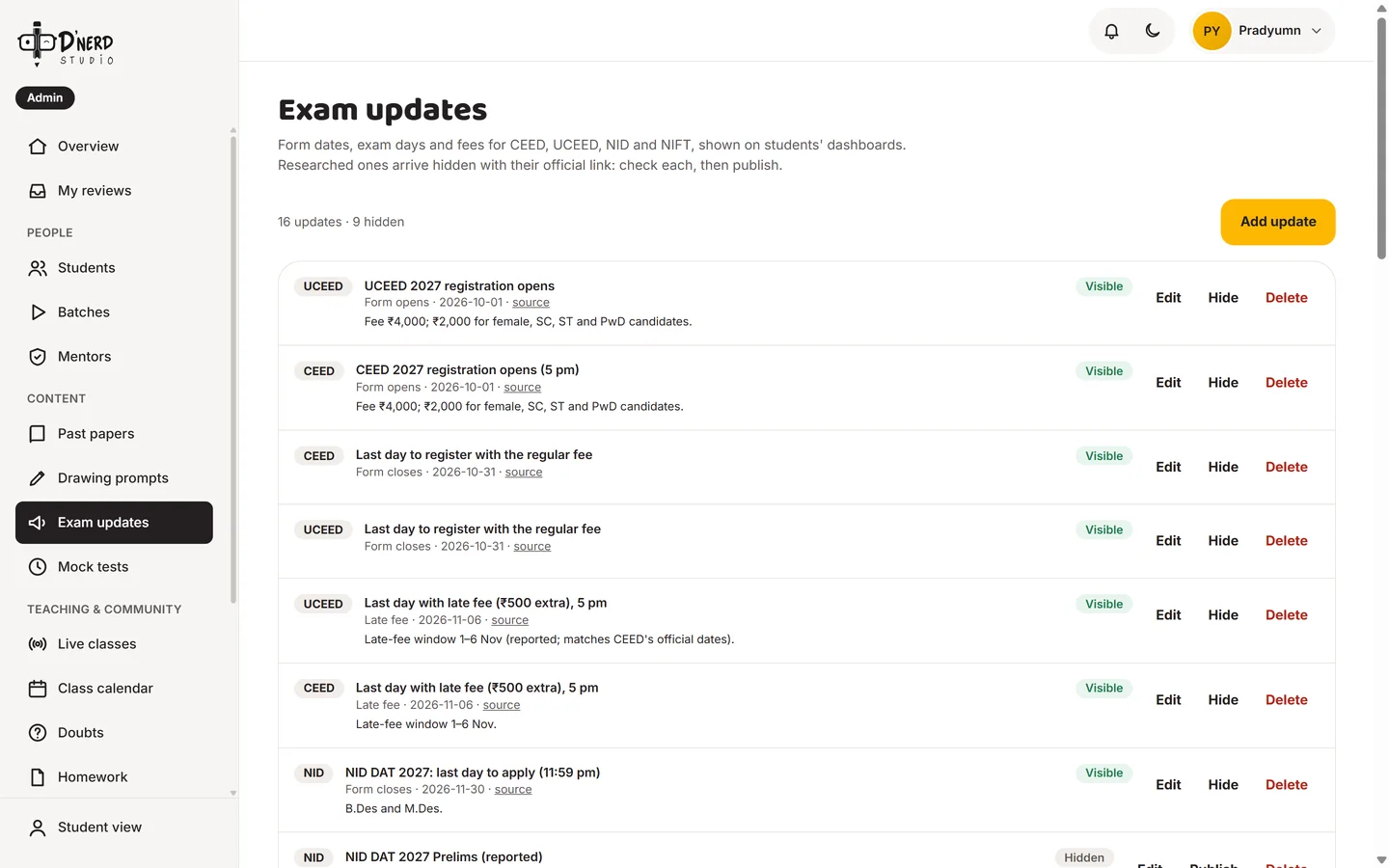
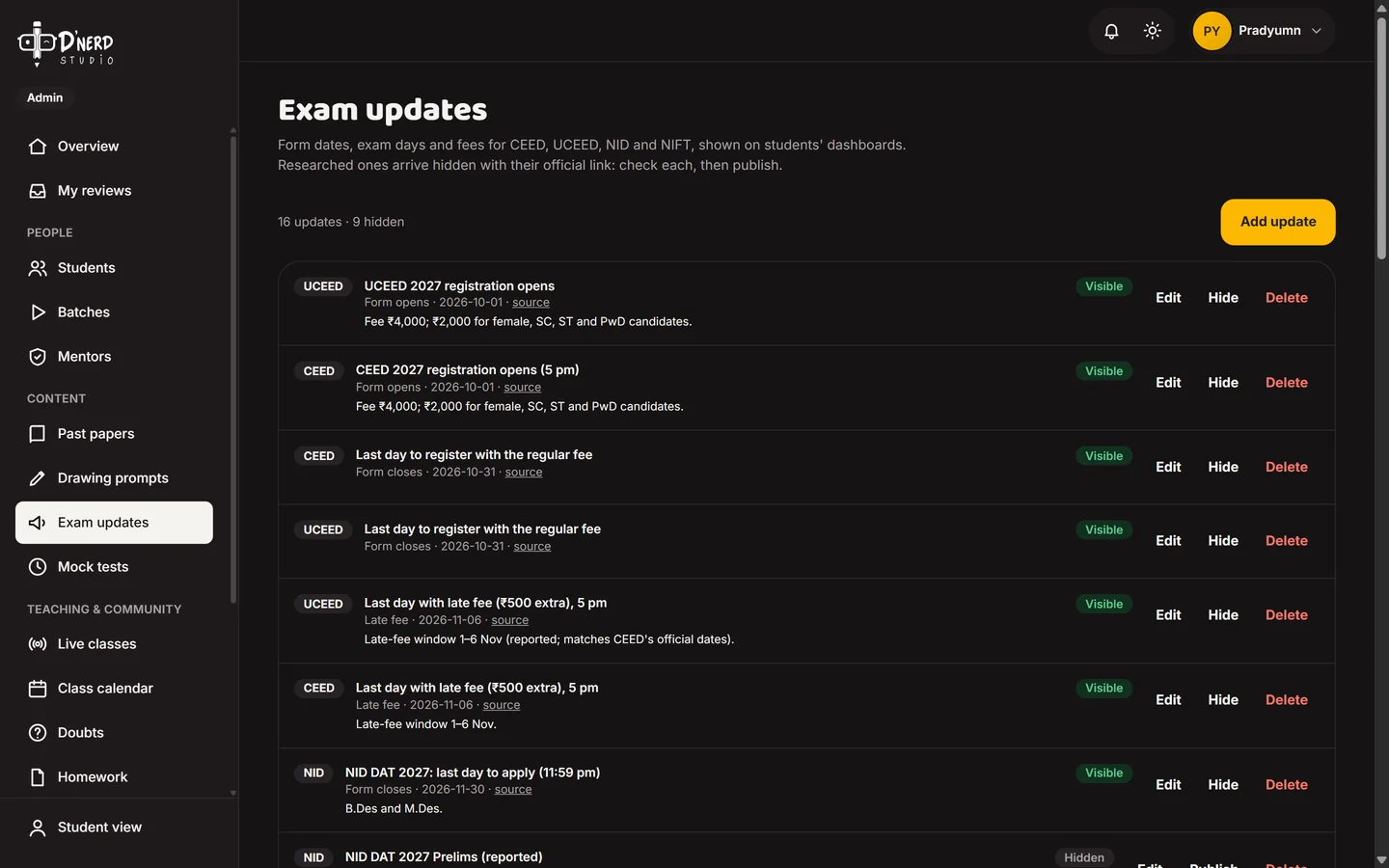
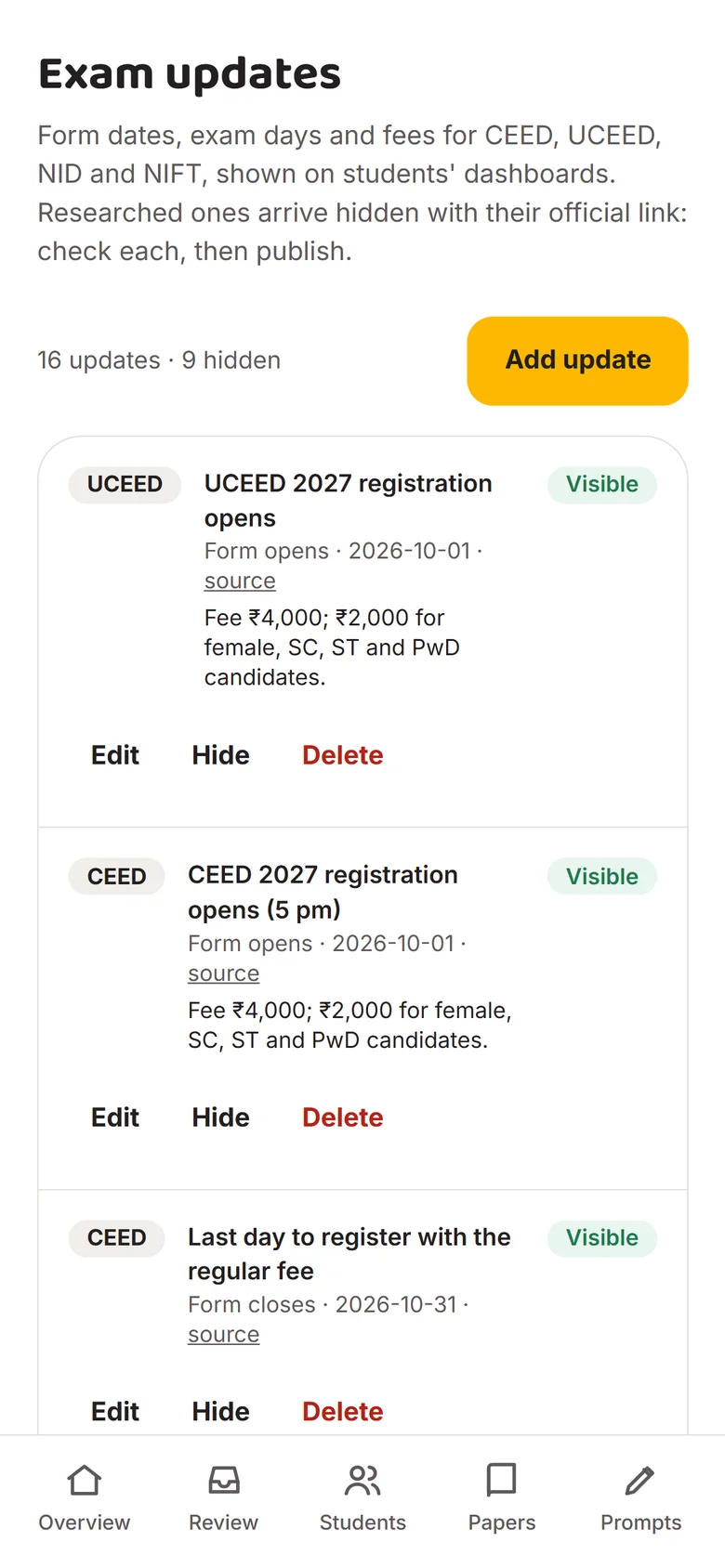
    Keep exam dates right

    Form dates, exam days and fees for CEED, UCEED, NID and NIFT, shown on every student's dashboard.
    Admin exam updatesAdmin exam updates
  5. Scene 5 of 8Admin

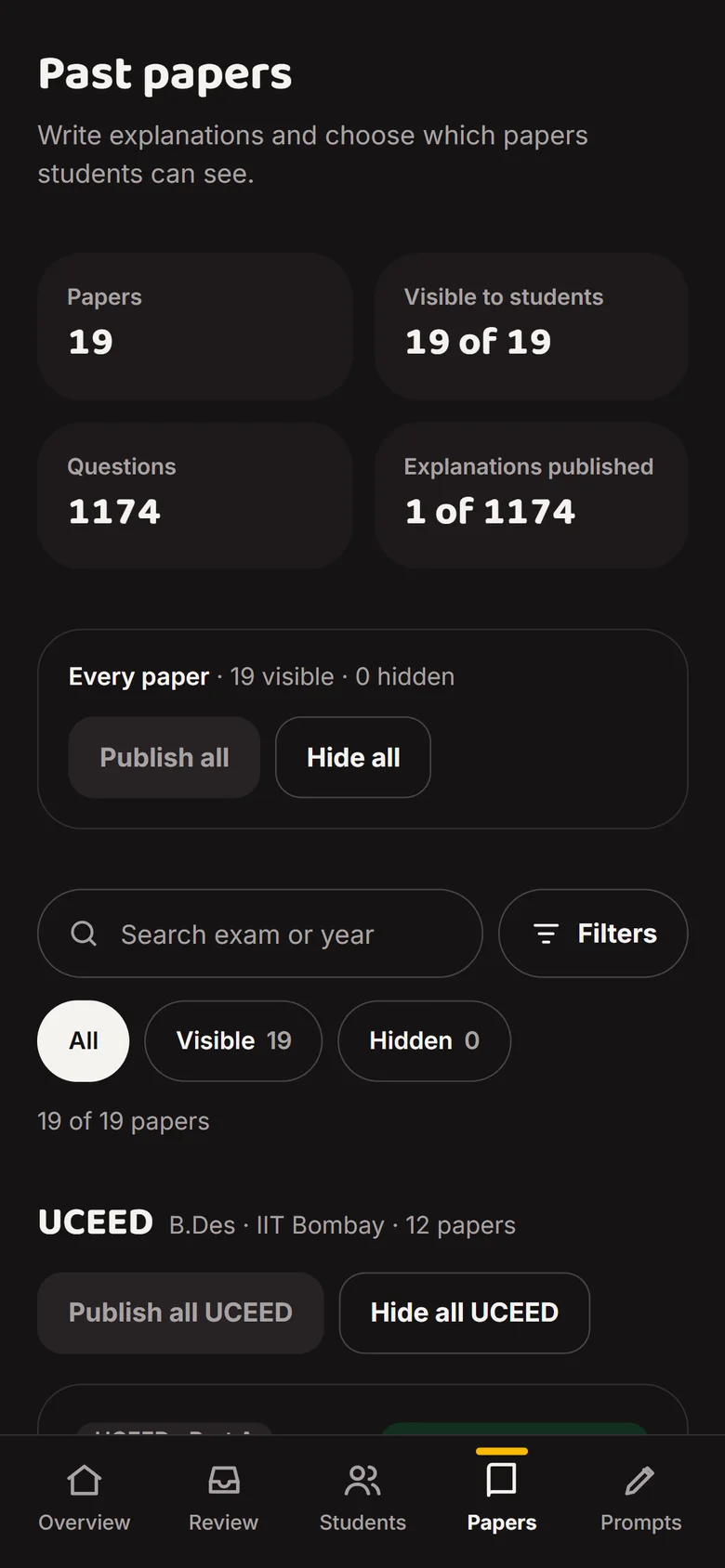
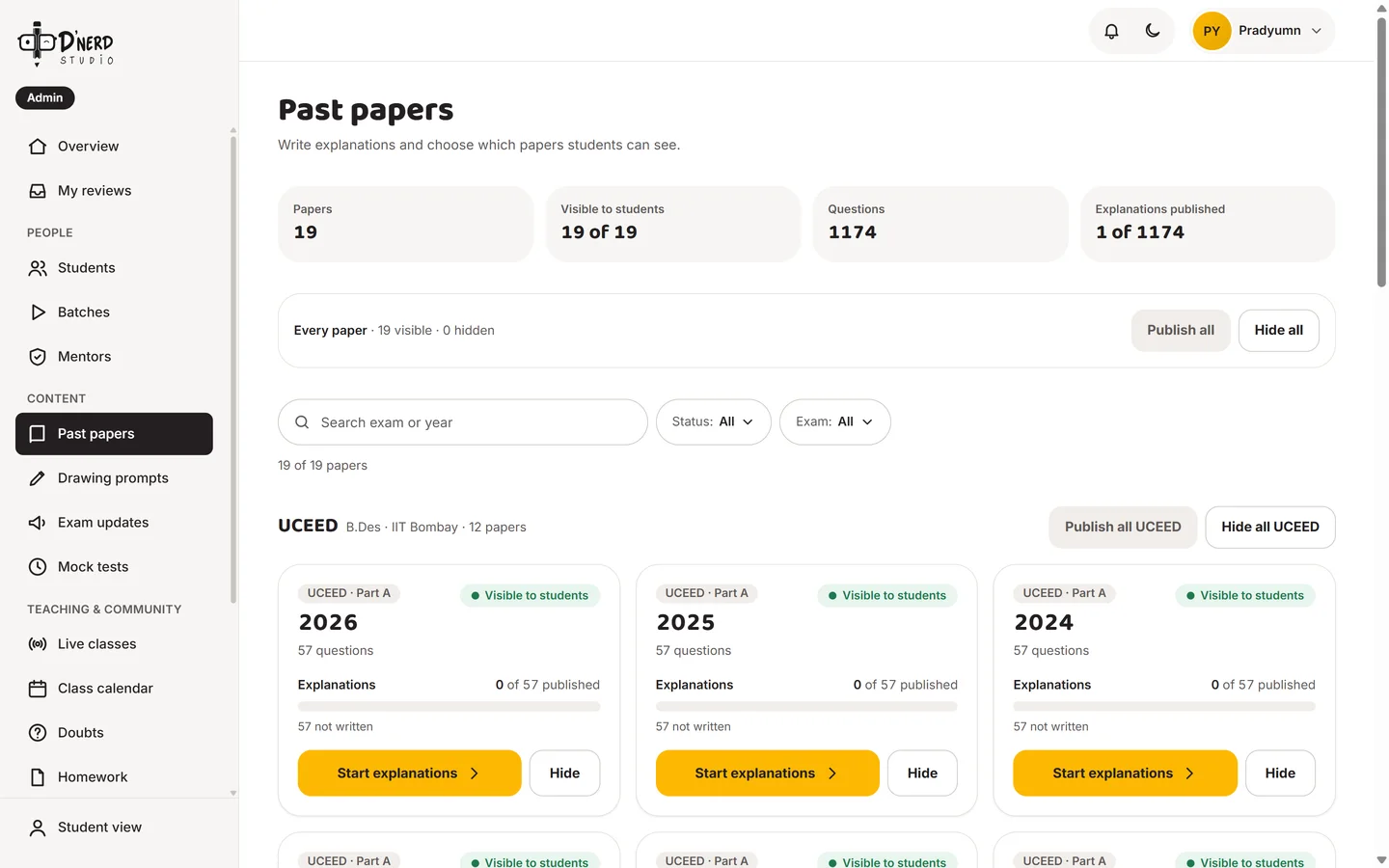
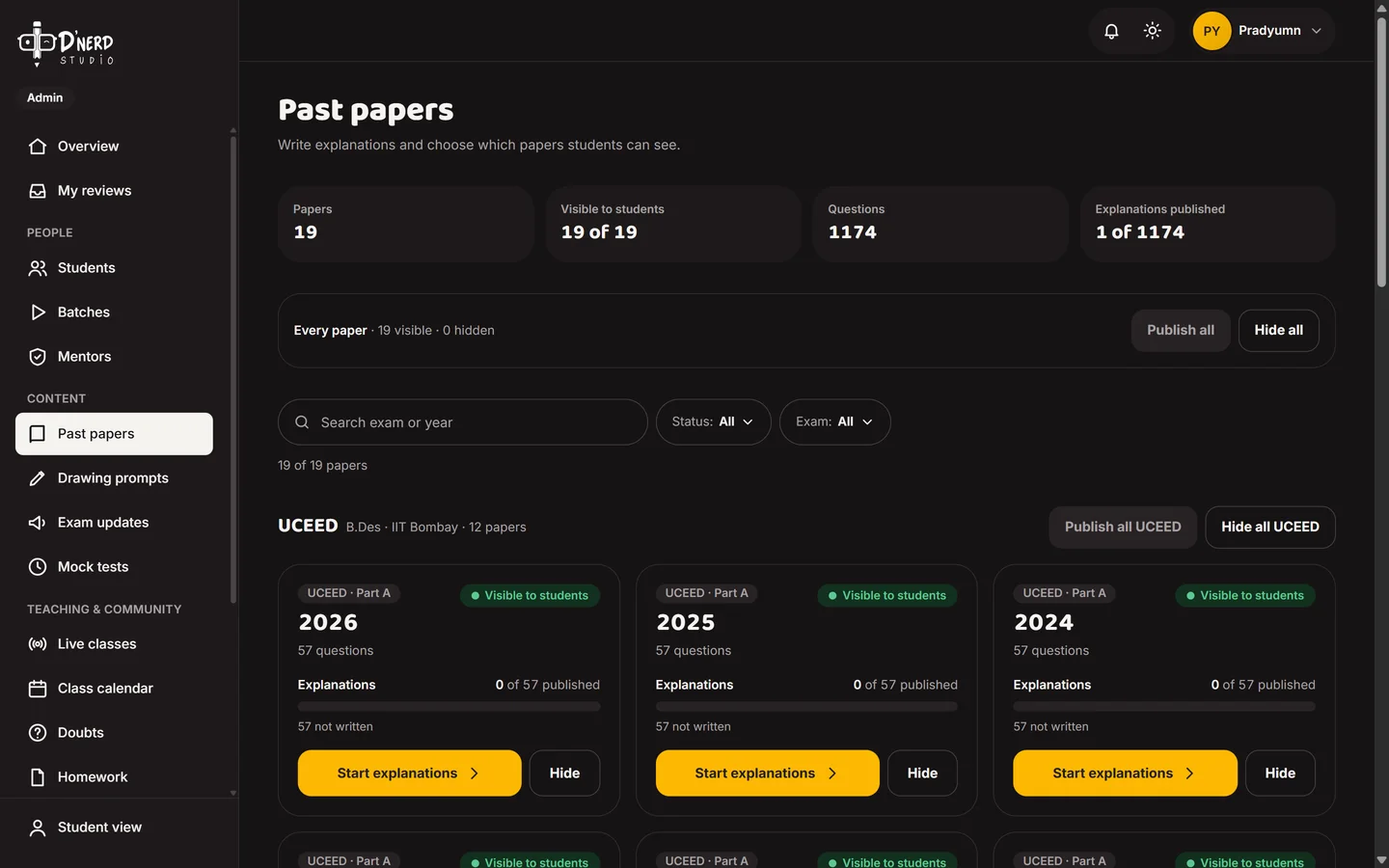
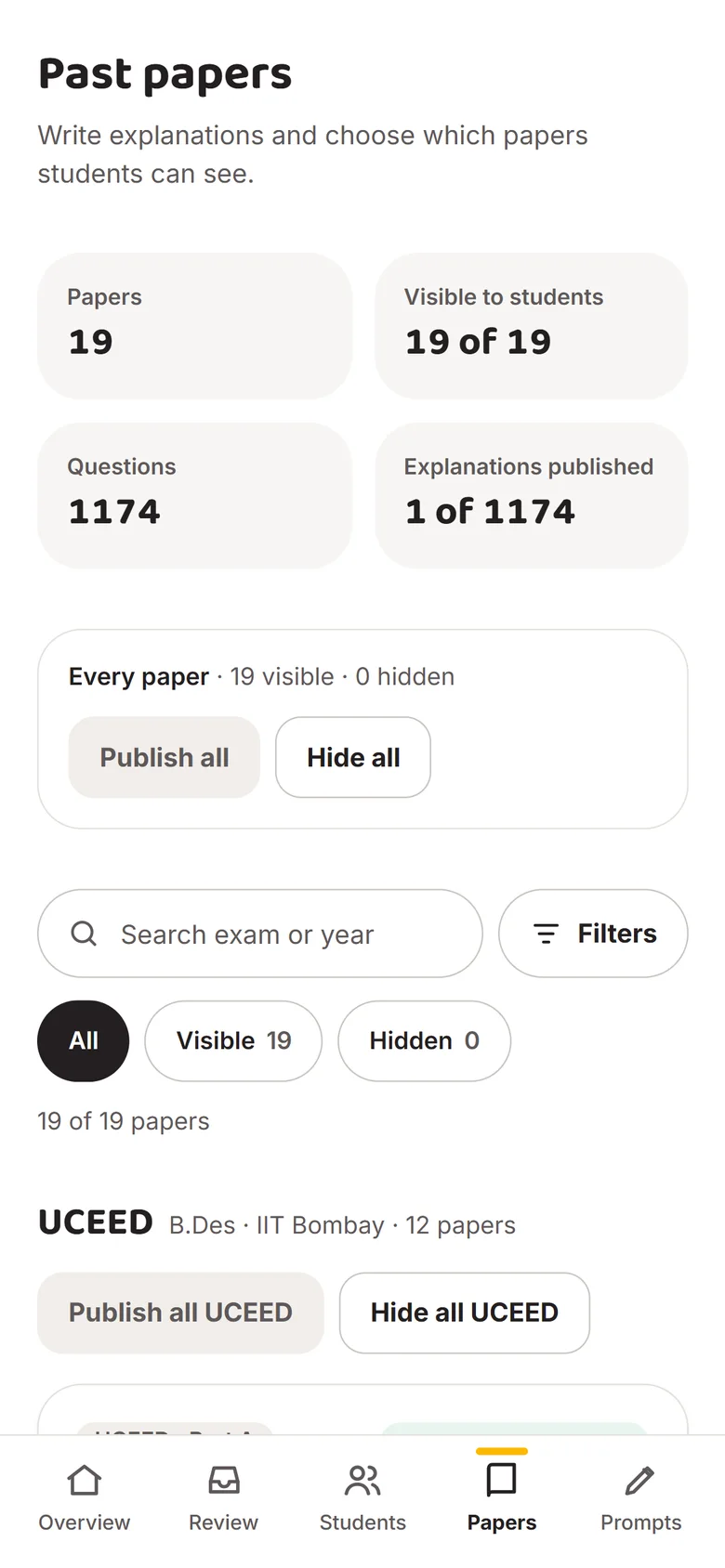
    Publish past papers

    19 papers and 1,174 questions. Publish or hide a paper, and write explanations.
    Admin past papersAdmin past papers
  6. Scene 6 of 8Admin

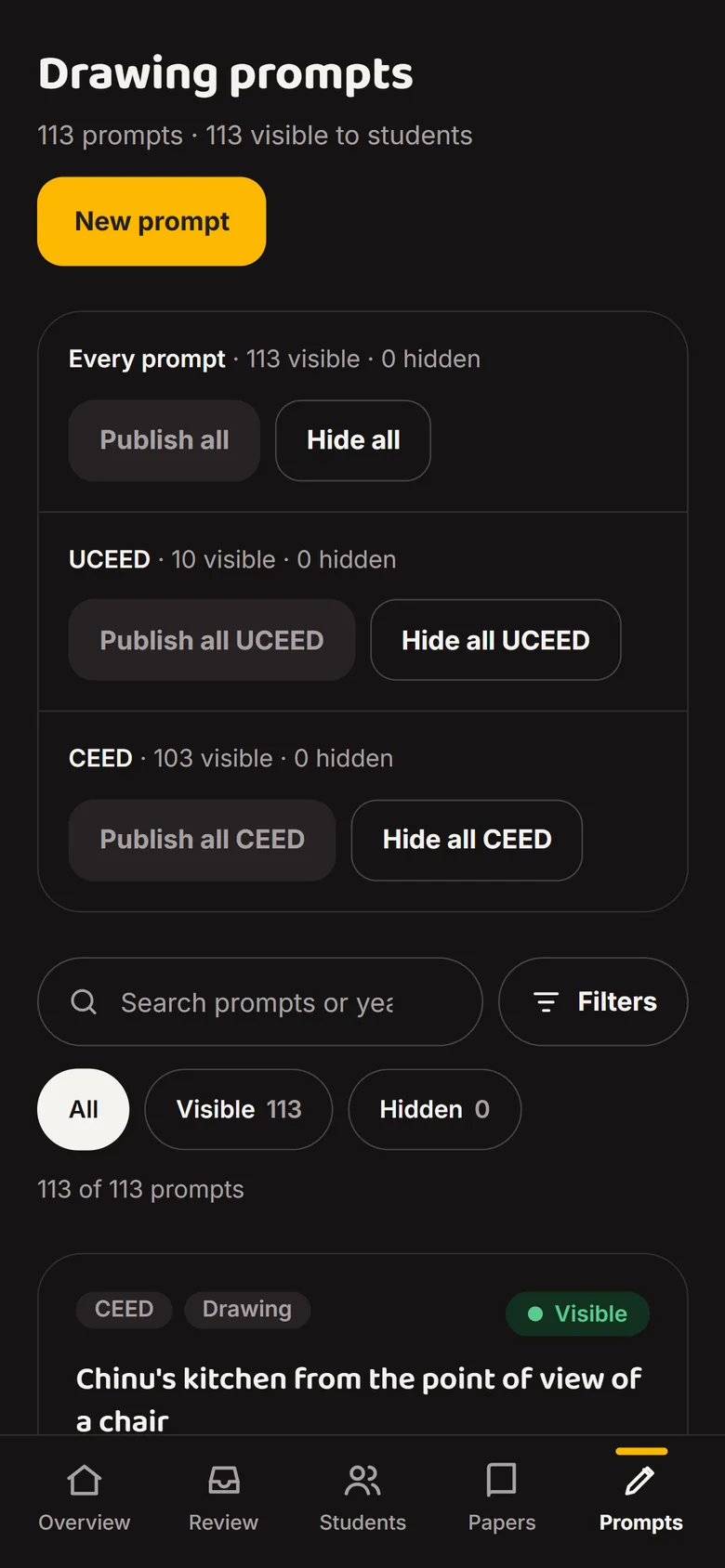
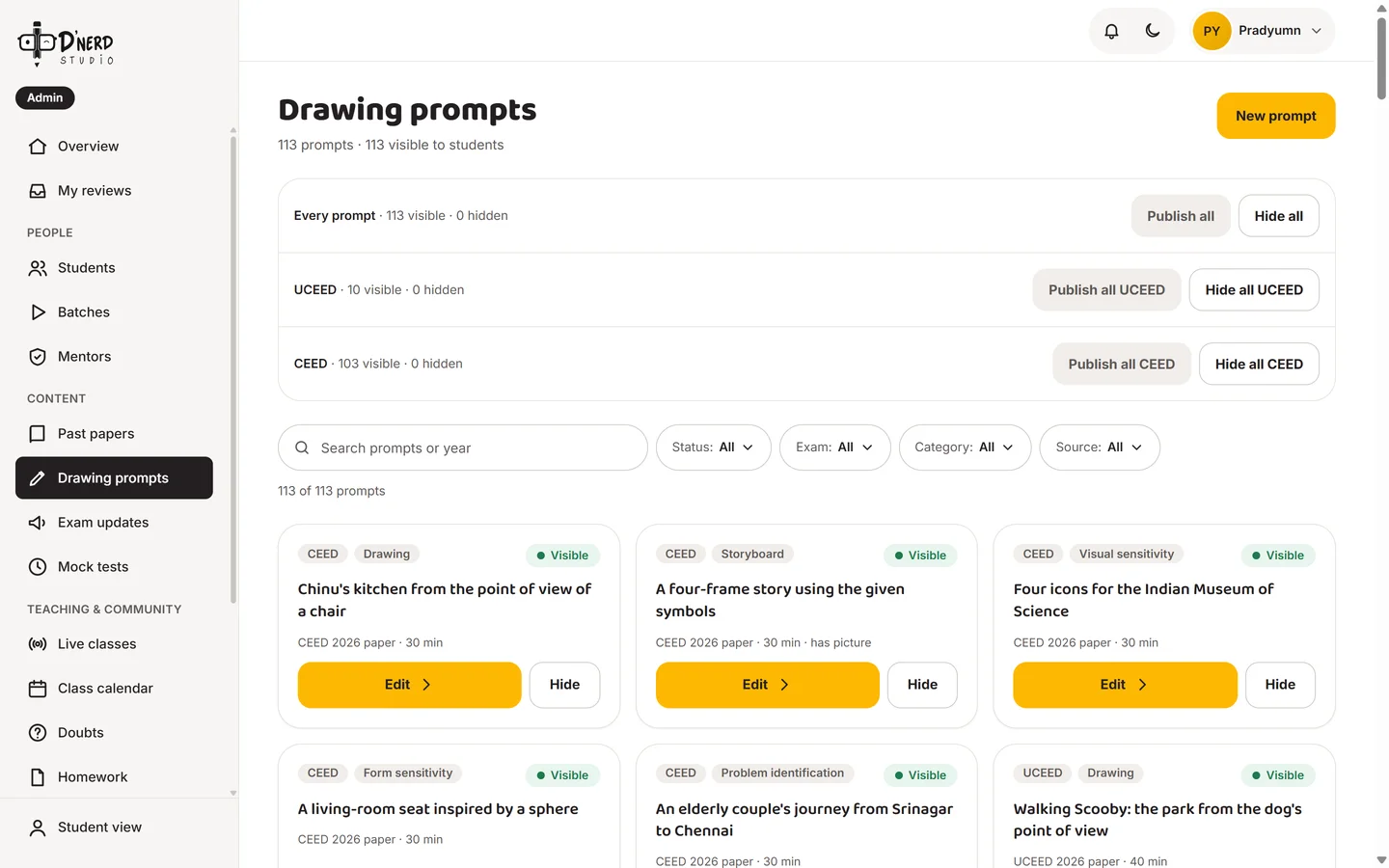
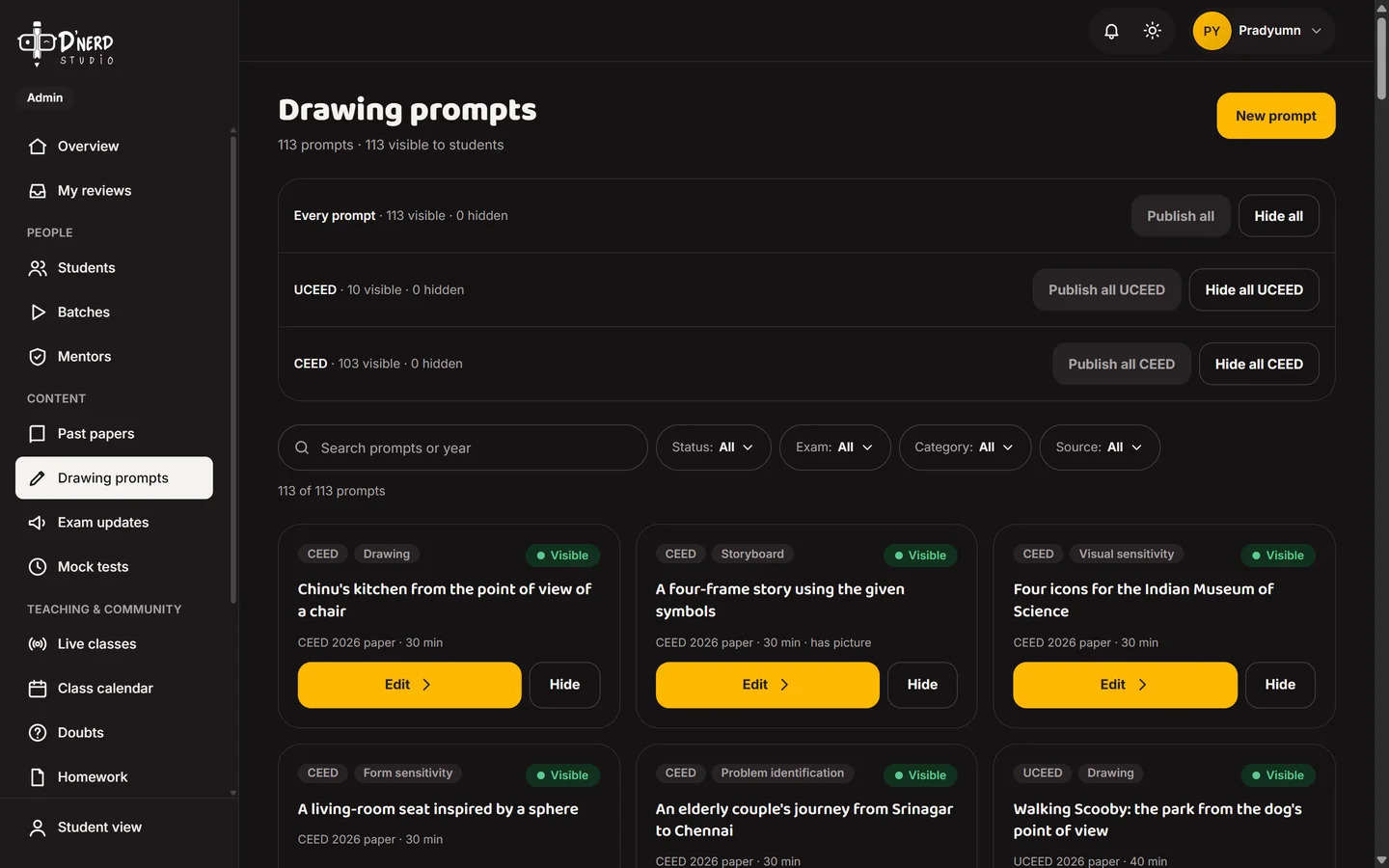
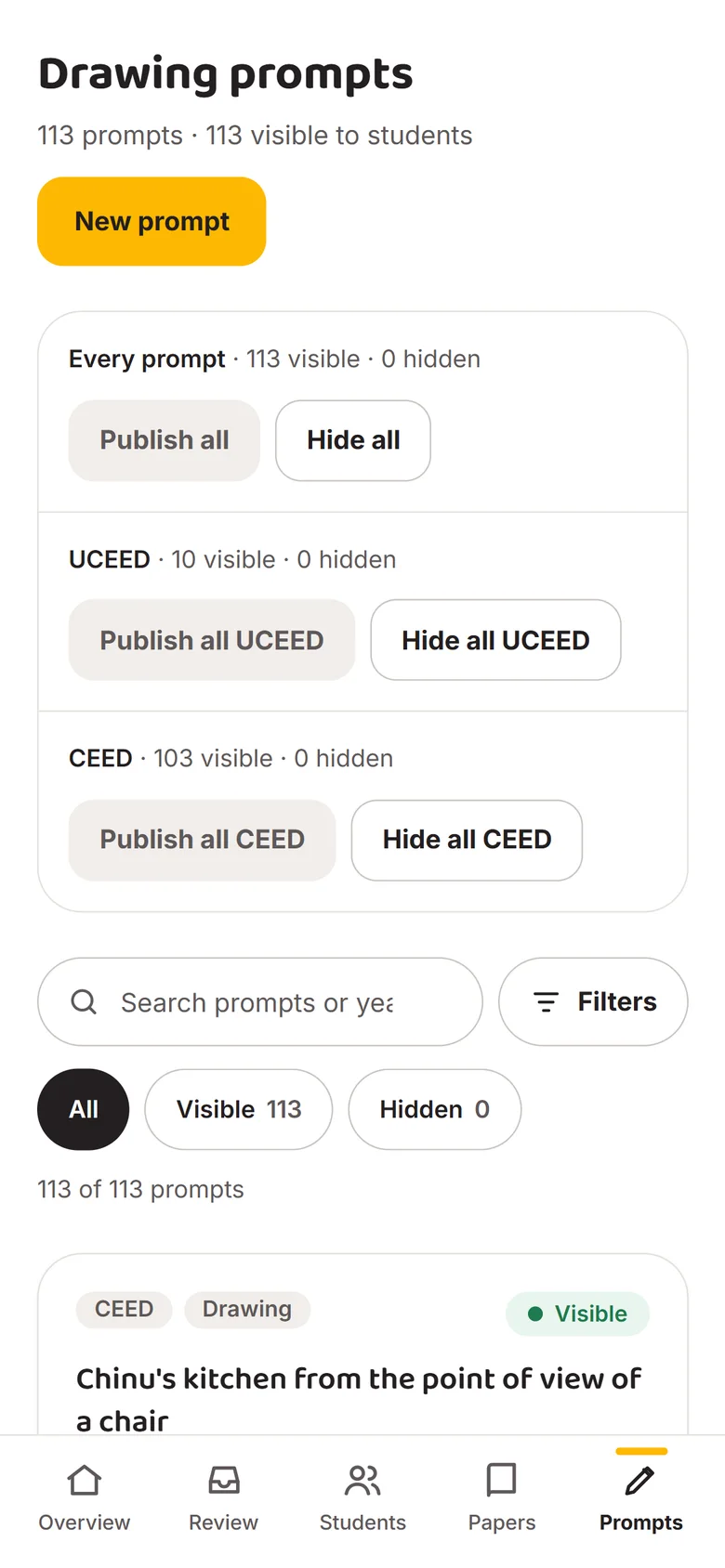
    Add drawing prompts

    113 Part B prompts, each one can be edited, hidden or added.
    Admin drawing promptsAdmin drawing prompts
  7. Scene 7 of 8Admin

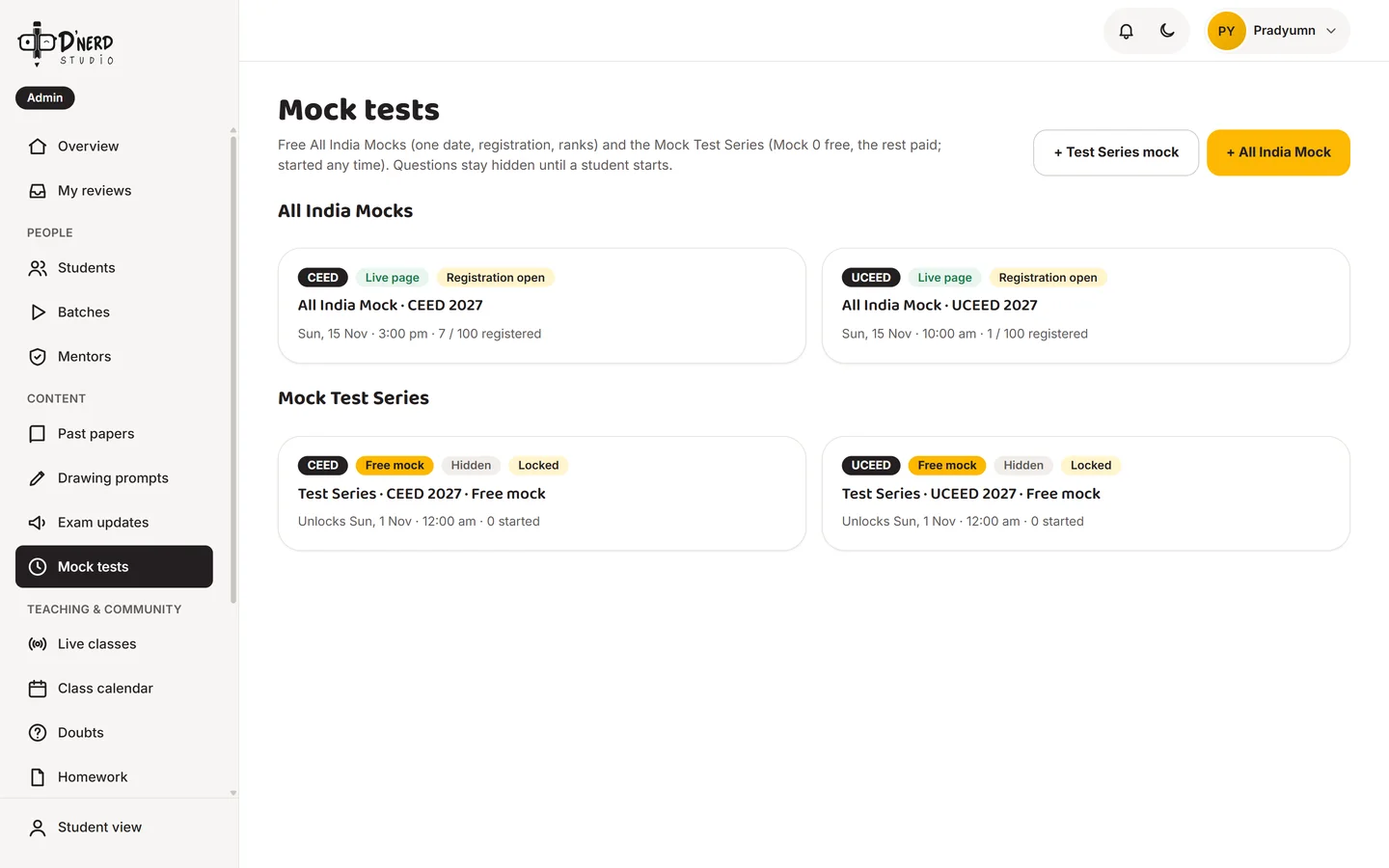
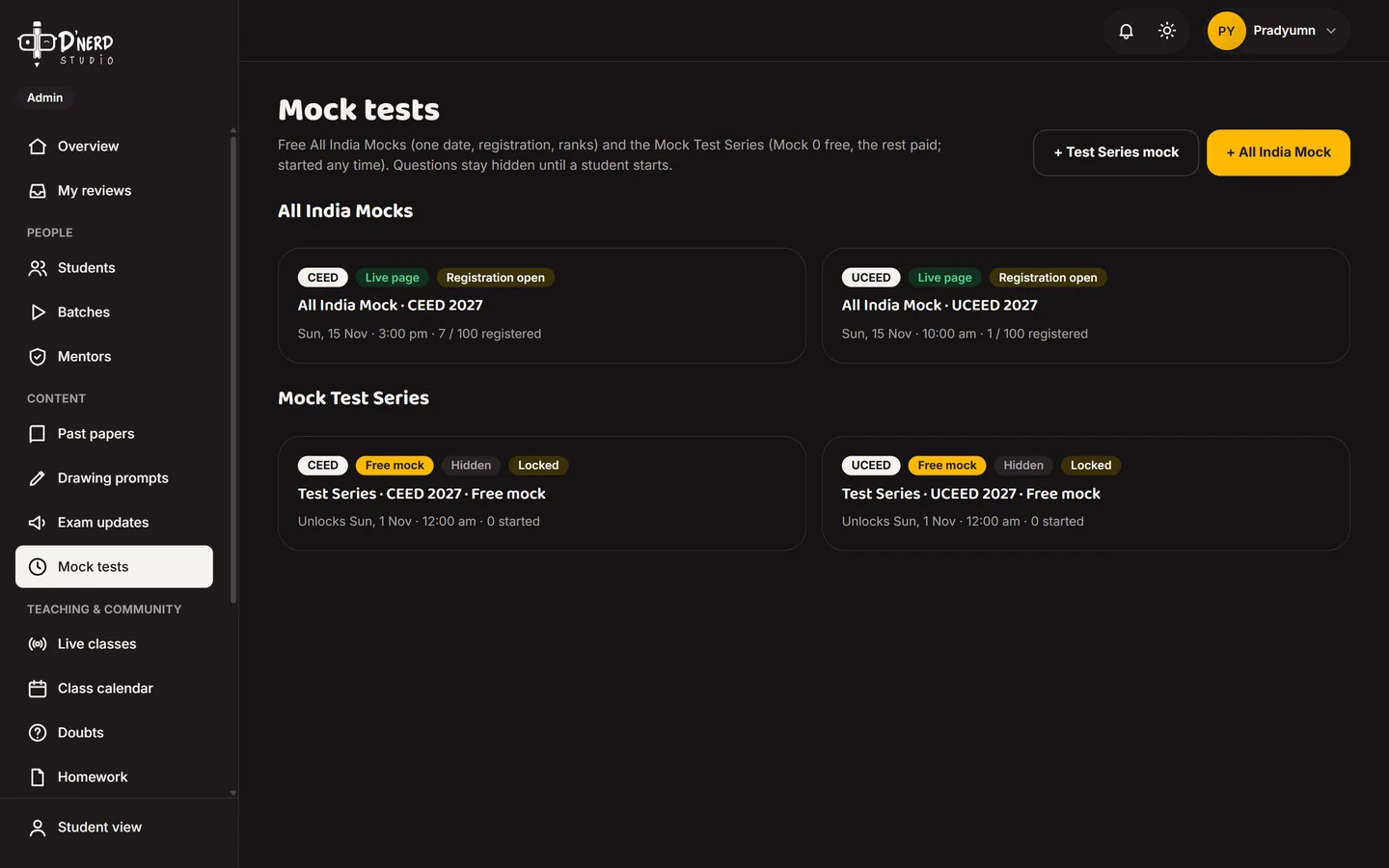
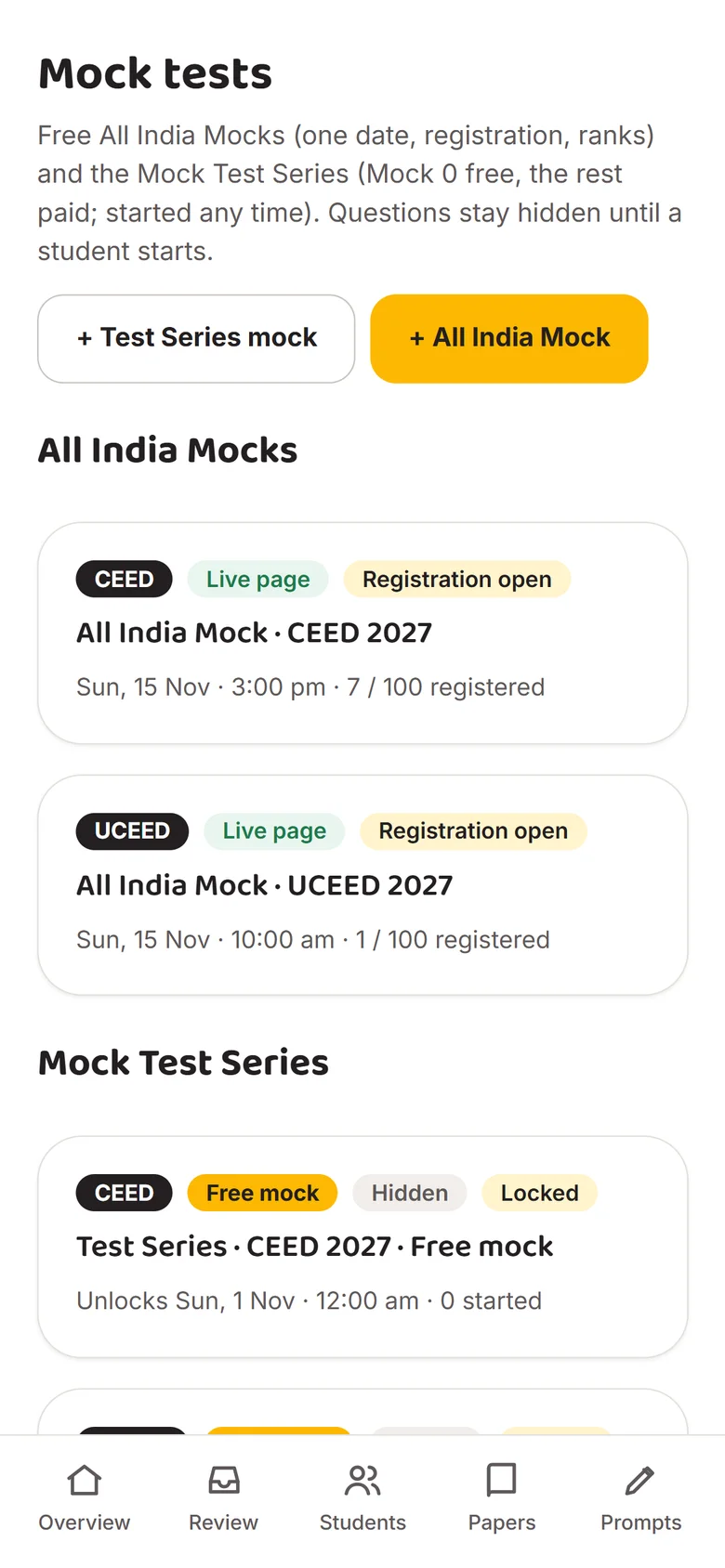
    Build mock tests

    Free All India Mocks with a date and registration, and the timed Mock Test Series.
    Admin mock testsAdmin mock tests
  8. Scene 8 of 8Admin

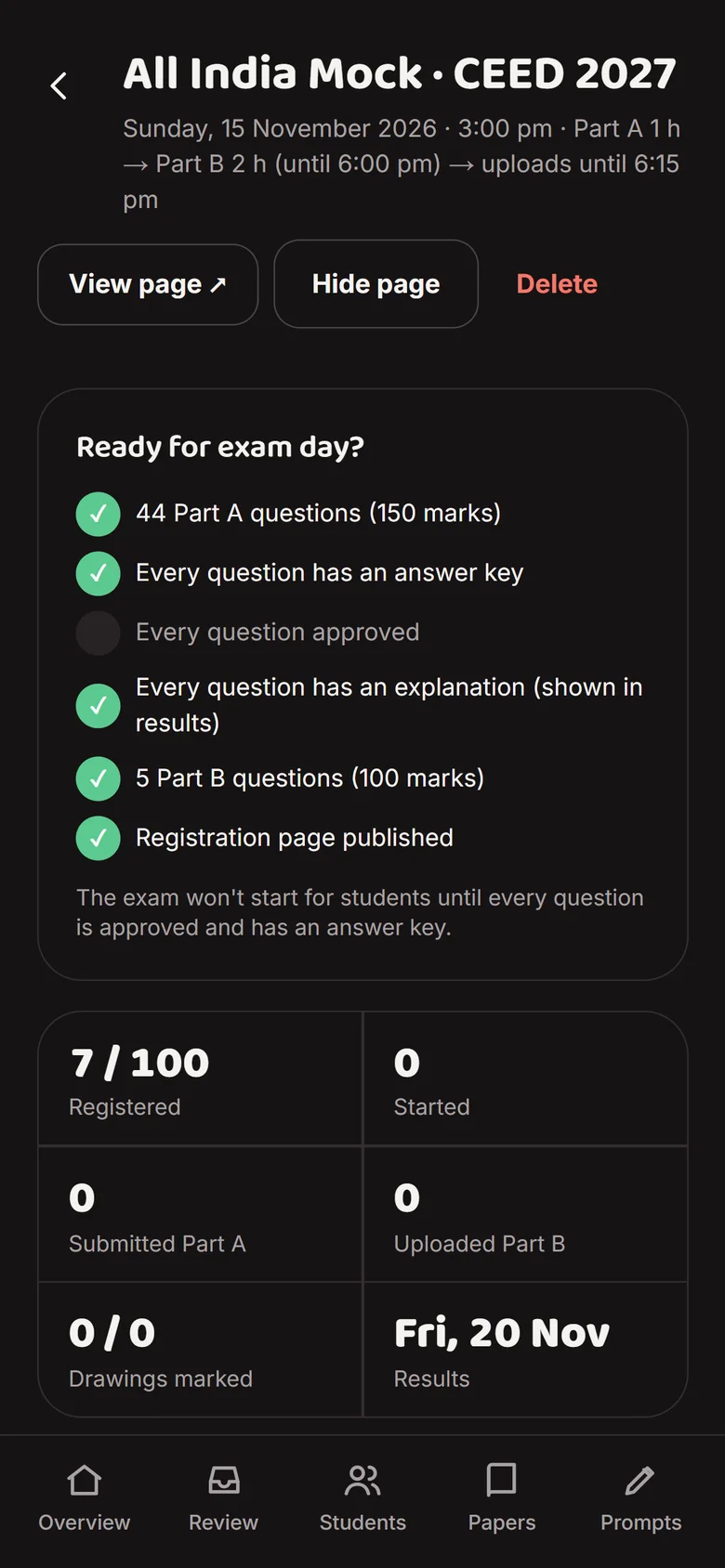
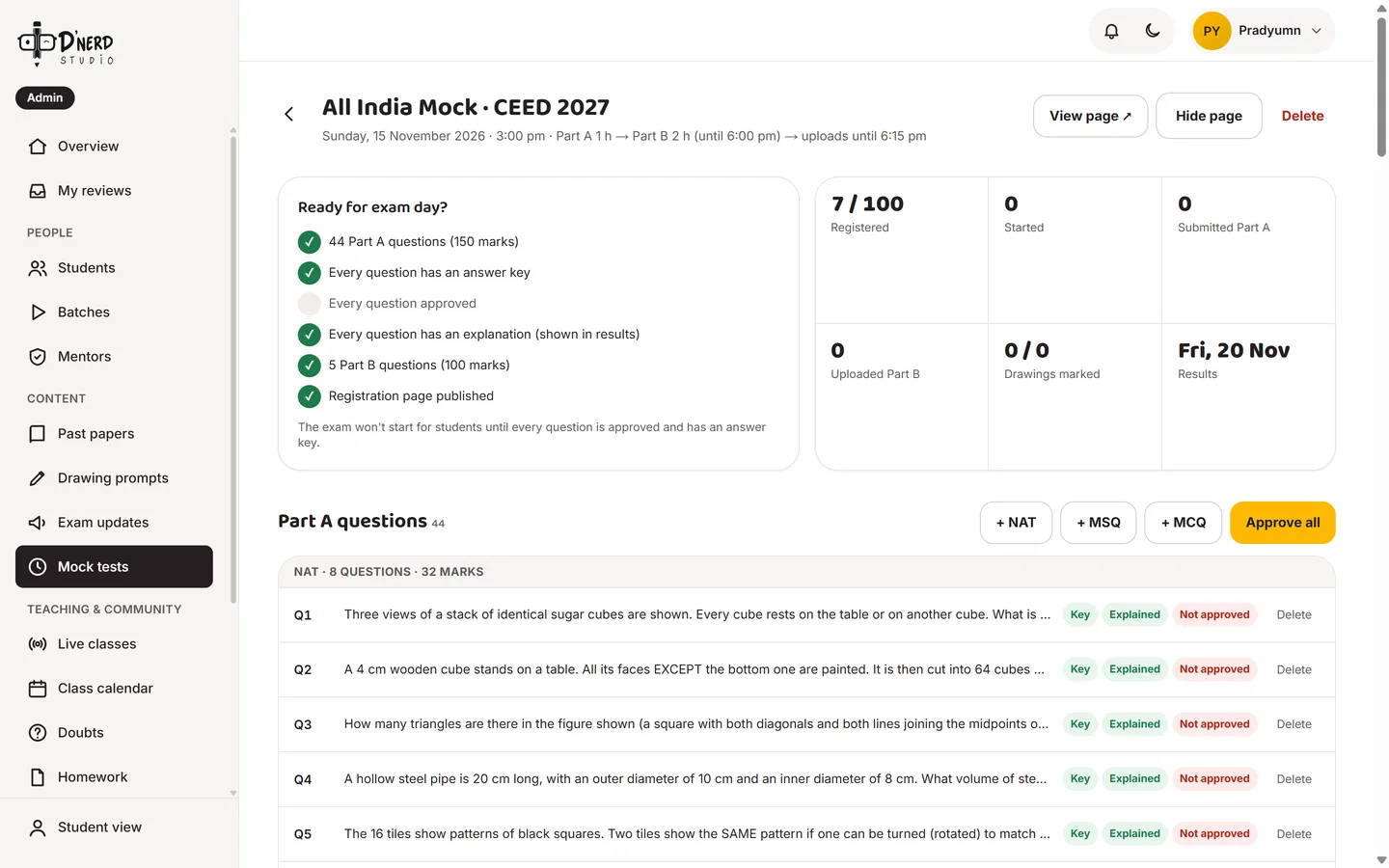
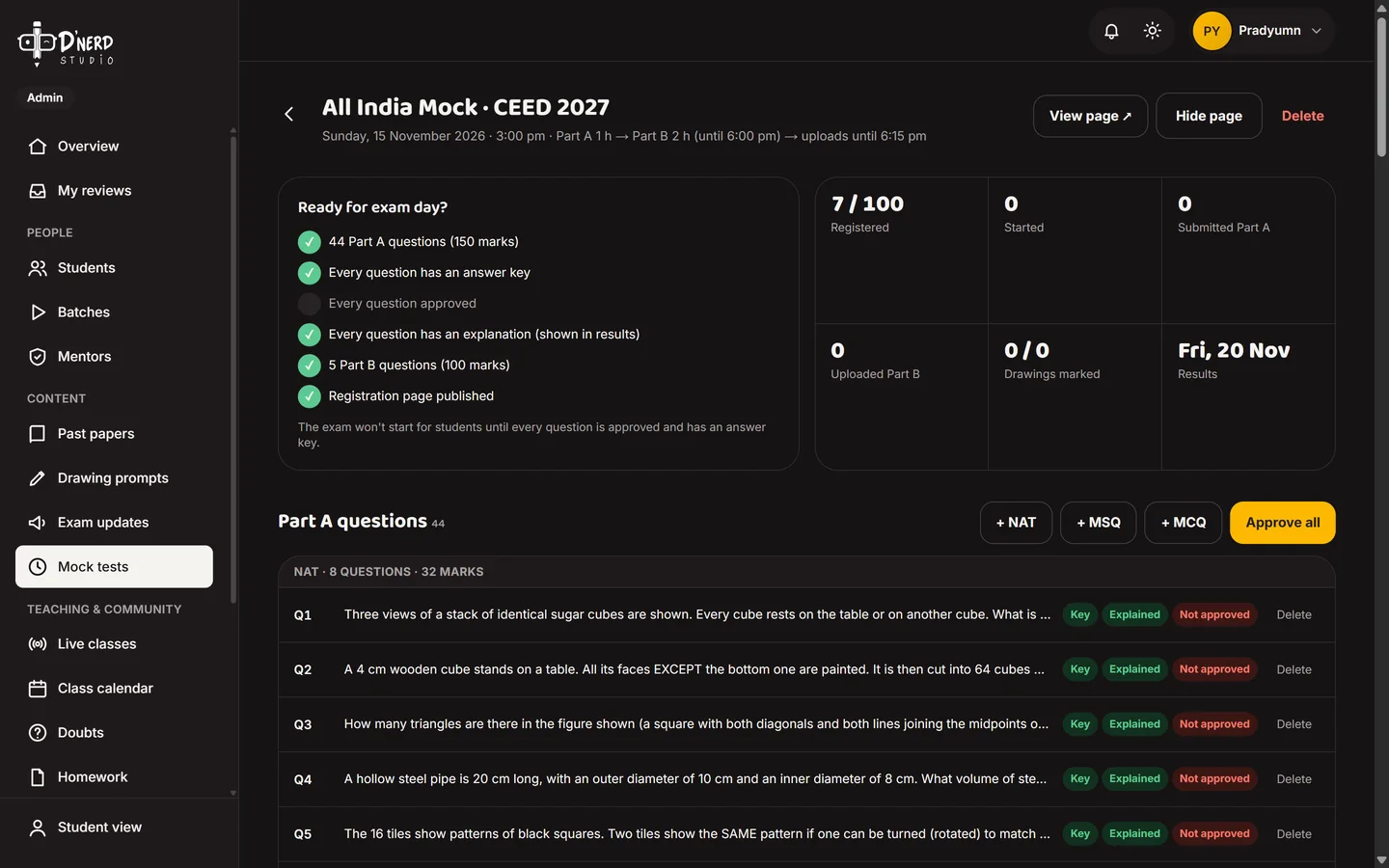
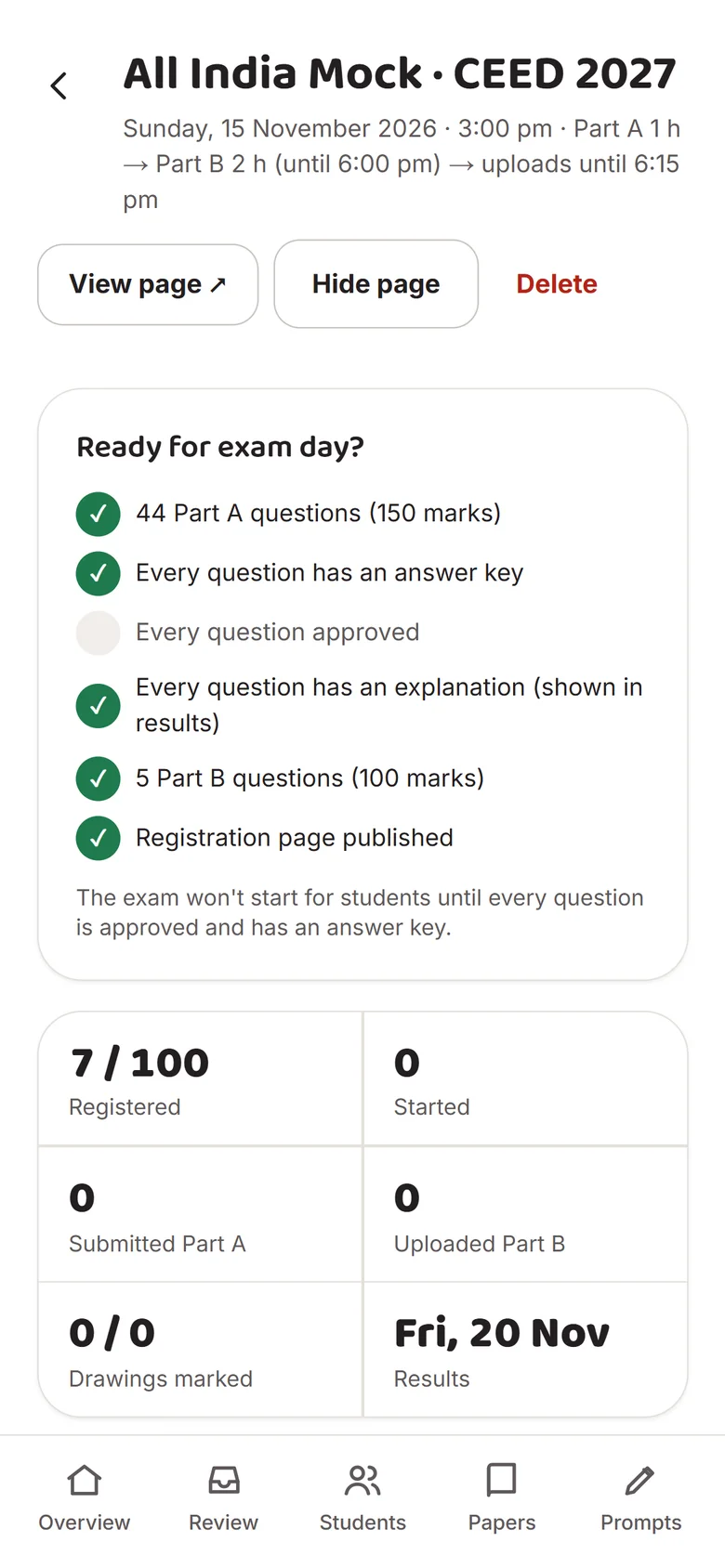
    Ready for exam day?

    A checklist that won't let a mock start until every question has an answer key and is approved.
    Mock readiness checklist and Part A questionsMock readiness checklist and Part A questions
Live now

Dnerd Studio is live. Go try a past paper.

No login needed for practice, just as Decision 1 promised.

Open dnerdstudio.com ↗
06Did it work?

I opened it to everyone, then watched.

Once the batch moved in, I opened the platform to every aspirant and studied, through our own privacy-safe insights tool, how strangers actually used it. The numbers confirmed some decisions and challenged others.

Live from dnerdstudio.com

0students signed up, beyond the batch
0past-paper attempts
0sessions
0%answers correct on the first try

Practice, week by week

Past-paper attempts and new sign-ups per week

Where it happens

Sessions by device

What people tap most

Top interactions across all sessions

The front door

Sessions that visited the landing page

Where sessions end

Last screen seen

Who's signing up

Target exams picked at onboarding (several allowed)

"Which year is your exam?"

Answers at onboarding

Method: anonymous visitor and session IDs, screen views and tap labels only. No names, emails, typed text or answers are recorded. Admin activity is excluded, and groups smaller than 3 are folded into "Other".

What I'm improving day by day, and whether it's working

Each card re-checks its own number every time this page loads. The baseline is from 13 Oct 2026, before any of these fixes shipped.

1

Rebuild the first screen around one action

Lead with "Practise a past paper now" and a live question preview, not a story about the brand.

Priority 1
2

Make "By topic" the default view

Open practice on the heat map instead of the year list, and nudge from wrong answers: "3 more Spatial Reasoning questions?"

Priority 1
3

Drop the exam-year question from onboarding

Ask it later, when we can use it for a countdown or study plan.

Priority 2
4

Ship NID preparation next

Original NID-style questions and studio-round prompts, since official NID papers often aren't public.

Priority 2
5

Prove the drawing loop with strangers

Open single mentor reviews with the Mock Test Series in November, then measure turnaround and "helpful" ratings.

Priority 3
EpilogueBack to the five messages

Every message now has an answer on screen.

Spriha"I lost the meeting link."The calendar shows the next class, and Join opens 15 minutes before it.
Shambhavi"Where are the past papers and solutions?"Every UCEED and CEED paper in one place, free, with Ask a doubt for an explanation from a mentor.
Tanvi"No way to study topic by topic."The By topic heat map, one tap from any square to just those questions.
Pradyumn"Meet lags when I share my screen."Lessons are planned in the app and the live board sends questions to every phone, so the class no longer hinges on one screen share.
Ganesh"Drawings get lost."Homework has its own page: who handed in, what's left to mark, and marks drawn on the page.
Every student"Am I getting better?"A dashboard with goals, a streak, and the questions they got wrong, ready to redo.

I'd defend

  • Free papers before any ask
  • Lengthening the review promise so we always keep it
  • Safety built into the database, not just the UI

I'd change

  • Measure the landing page before polishing deep flows
  • Ship fewer features per release; community and badges came before anyone asked
  • Interview more students outside the batch, earlier

Next

  • Mock Test Series and paid reviews, November 2026
  • NID and NIFT preparation
  • Written explanations for every past-paper question
Designed, built and taught by Pradyumn YadavTaught and mentored with Ganesh Shinde (IIT Guwahati)← Back to all work
Next case study

MERG Ready2Meet

Fintech SaaS · Sole product designer · 2022

One meeting lifecycle for financial advisors, firms and their clients: 229 screens across 6 roles.

Read the case study